Sending WhatsApp Messages via WhatChimp API — Text vs Template Messages
The most common API mistake explained: when to use text messages vs template messages, how the 24-hour window works, and how to send template messages with variables.
Updated 5 February 2026
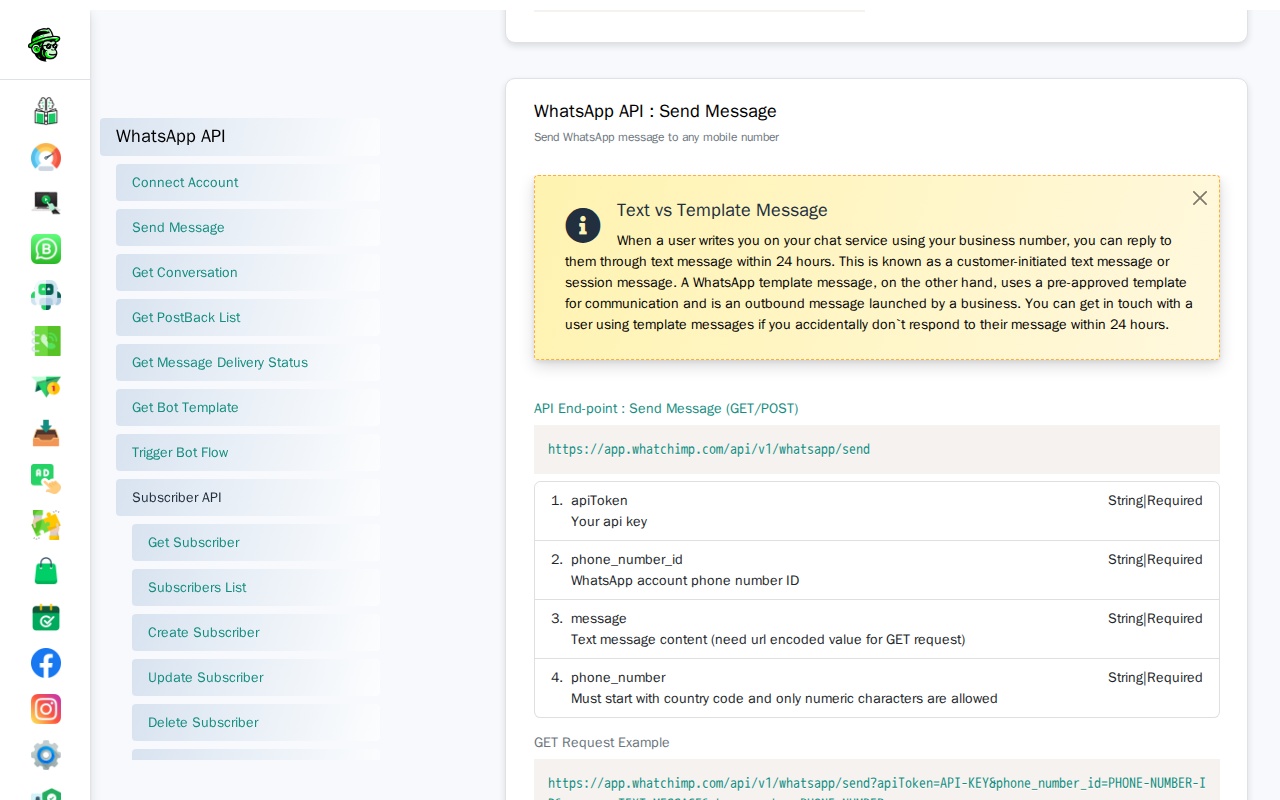
The WhatChimp API lets you send two types of WhatsApp messages: text messages (session messages) and template messages. Using the wrong type is the most common reason API messages fail — this guide explains the difference.
The #1 Mistake: Sending Notifications as Text Messages
Most developers start with the Send Message endpoint, get it working in testing, and then try to use it for sending notifications or follow-ups. This will fail.
WhatsApp enforces a 24-hour session window. You can only send text messages within 24 hours of the customer's last message. After that, the API returns an error.
If you want to send notifications, reminders, order updates, or OTPs — you must use a template message.
Text Messages vs Template Messages
| Text Message (Session) | Template Message | |
|---|---|---|
| When can you send it? | Only within 24 hours of the customer's last message | Anytime — no time restriction |
| Content | Any text you want | Must use a pre-approved template |
| Use case | Replying to customer inquiries | Notifications, reminders, updates, OTPs |
| Approval needed? | No | Yes — templates must be approved by Meta |
| API endpoint | POST /api/v1/whatsapp/send | POST /api/v1/whatsapp/send (same endpoint, different parameters) |
| Cost | Part of customer-initiated conversation | Business-initiated conversation (different pricing tier) |
Quick Decision Guide
Do you need to send a message?
│
├── Is the customer currently chatting with you (within 24 hours)?
│   ├── YES → Use Text Message (session message)
│   └── NO → Use Template Message
│
├── Are you sending a notification, reminder, or update?
│   └── Always use Template Message
│
├── Are you sending an OTP or verification code?
│   └── Use Template Message (Authentication type)
│
└── Are you unsure?
    └── Use Template Message (it always works)
Detailed Guides
Video: https://www.youtube.com/watch?v=czd3S5cBHvY
Each message type has its own detailed guide with full API reference, code examples, and screenshots:
- Send 24-Hour Text Messages via WhatChimp API — How the session window works, API parameters, curl examples, and error handling
- Send Template Messages via WhatChimp API — How to create templates, use the Template Message Generator, send with variables, and troubleshoot errors
Related Articles
- Getting Started with WhatChimp Developer API — API setup, authentication, and quick start
- Creating a WhatsApp Message Template in WhatChimp — Step-by-step template creation guide
- WhatChimp Messaging API — Full messaging API reference (all endpoints)