Catalog & Orders via WhatChimp API
Manage WhatsApp product catalogs and process orders via API
Updated 10 February 2026
Manage your WhatsApp product catalogs and process orders through the WhatChimp API. List catalogs, sync products, retrieve orders, and update order statuses.
Before you begin: Make sure you have your WhatChimp API credentials ready.
Video: https://www.youtube.com/watch?v=DKzgOzMlv1I
Endpoints
1. Catalog List
GET/POST /api/v1/whatsapp/catalog/listRetrieve all catalogs associated with your account.
2. Sync Catalog
POST /api/v1/whatsapp/catalog/syncSync catalog products from Meta to WhatChimp.
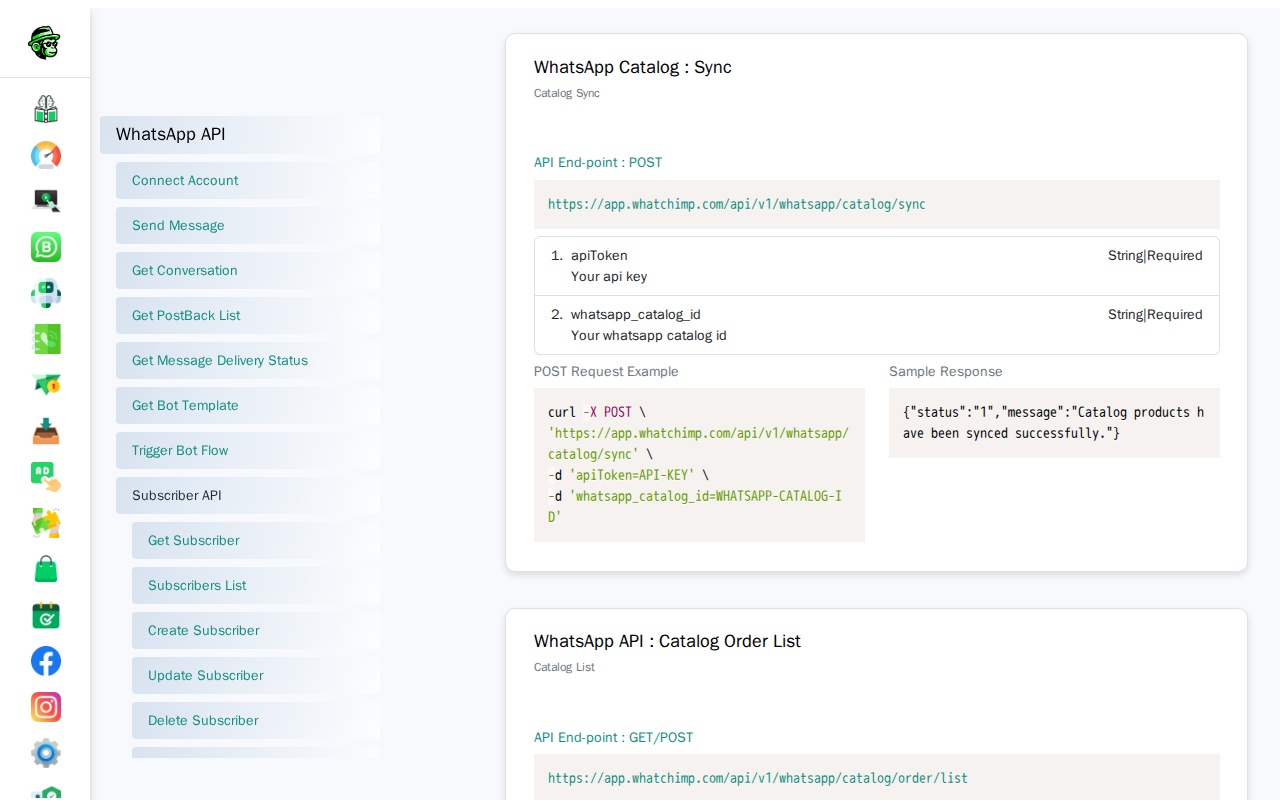
3. Catalog Order List
GET/POST /api/v1/whatsapp/catalog/order/listRetrieve all orders from your catalogs.
4. Catalog Order Status Change
GET/POST /api/v1/whatsapp/catalog/order/status-changeUpdate the status of a catalog order.
Parameters
Catalog List Parameters
| Parameter | Type | Required | Description |
|---|---|---|---|
apiToken | String | Yes | Your WhatChimp API token |
Sync Catalog Parameters
| Parameter | Type | Required | Description |
|---|---|---|---|
apiToken | String | Yes | Your WhatChimp API token |
whatsapp_catalog_id | String | Yes | WhatsApp catalog ID to sync |
Catalog Order List Parameters
| Parameter | Type | Required | Description |
|---|---|---|---|
apiToken | String | Yes | Your WhatChimp API token |
whatsapp_catalog_id | String | No | Optional catalog ID to filter orders |
Catalog Order Status Change Parameters
| Parameter | Type | Required | Description |
|---|---|---|---|
apiToken | String | Yes | Your WhatChimp API token |
order_unique_id | String | Yes | Unique ID of the order |
cart_status | String | Yes | New status: Approved, Completed, Shipped, Delivered, or Refunded |
Request Examples
Catalog List - GET Request
curl -X GET "https://app.whatchimp.com/api/v1/whatsapp/catalog/list?apiToken=API-KEY"Catalog List - POST Request (cURL)
curl -X POST https://app.whatchimp.com/api/v1/whatsapp/catalog/list \
  -H "Content-Type: application/json" \
  -d '{
    "apiToken": "API-KEY"
  }'
Sync Catalog - POST Request (cURL)
curl -X POST https://app.whatchimp.com/api/v1/whatsapp/catalog/sync \
  -H "Content-Type: application/json" \
  -d '{
    "apiToken": "API-KEY",
    "whatsapp_catalog_id": "CATALOG-ID"
  }'
Catalog Order List - GET Request
curl -X GET "https://app.whatchimp.com/api/v1/whatsapp/catalog/order/list?apiToken=API-KEY&whatsapp_catalog_id=CATALOG-ID"Catalog Order List - POST Request (cURL)
curl -X POST https://app.whatchimp.com/api/v1/whatsapp/catalog/order/list \
  -H "Content-Type: application/json" \
  -d '{
    "apiToken": "API-KEY",
    "whatsapp_catalog_id": "CATALOG-ID"
  }'
Catalog Order Status Change - GET Request
curl -X GET "https://app.whatchimp.com/api/v1/whatsapp/catalog/order/status-change?apiToken=API-KEY&order_unique_id=ORDER-ID&cart_status=Shipped"Catalog Order Status Change - POST Request (cURL)
curl -X POST https://app.whatchimp.com/api/v1/whatsapp/catalog/order/status-change \
  -H "Content-Type: application/json" \
  -d '{
    "apiToken": "API-KEY",
    "order_unique_id": "ORDER-ID",
    "cart_status": "Shipped"
  }'
Response
Catalog List Response
{
  "status": true,
  "message": [
    {
      "catalog_id": "1429267xxxx5095",
      "catalog_name": "The White",
      "catalog_url": "https:xxxxx",
      "checkout_settings": "{\"tax_percentage\":\"5.5\",\"shipping_charge\":\"20\"}"
    }
  ]
}
Sync Catalog Response
{
  "status": "1",
  "message": "Catalog products have been synced successfully."
}
Catalog Order List Response
{
  "status": "1",
  "message": [
    {
      "order_unique_id": "172310467380123456789",
      "catalog_id": "762561142206860",
      "chat_id": "0123456789",
      "catalog_name": "Catalog Name",
      "first_name": "John",
      "cart_total": 4300,
      "cart_currency": "USD",
      "cart_status_raw": "Submitted",
      "ordered_at": "2024-08-08 08:11:13"
    }
  ]
}
Catalog Order Status Change Response
{
  "status": true,
  "message": "Cart status has been updated successfully"
}