WhatChimp Subscriber Management API
Create, update, delete subscribers and manage labels programmatically
Updated 10 February 2026
The WhatChimp Subscriber Management API gives you full control over your subscriber (contact) list. Create, update, and delete subscribers, manage their labels and sequences, assign custom fields, and more — all through simple HTTP requests.
Before you begin: Make sure you have your API key and phone number ID. See Getting Started with WhatChimp Developer API for setup instructions.
Video: https://www.youtube.com/watch?v=pYpWuoHSZlk
Get Subscriber
Retrieve details of a specific subscriber by their phone number.
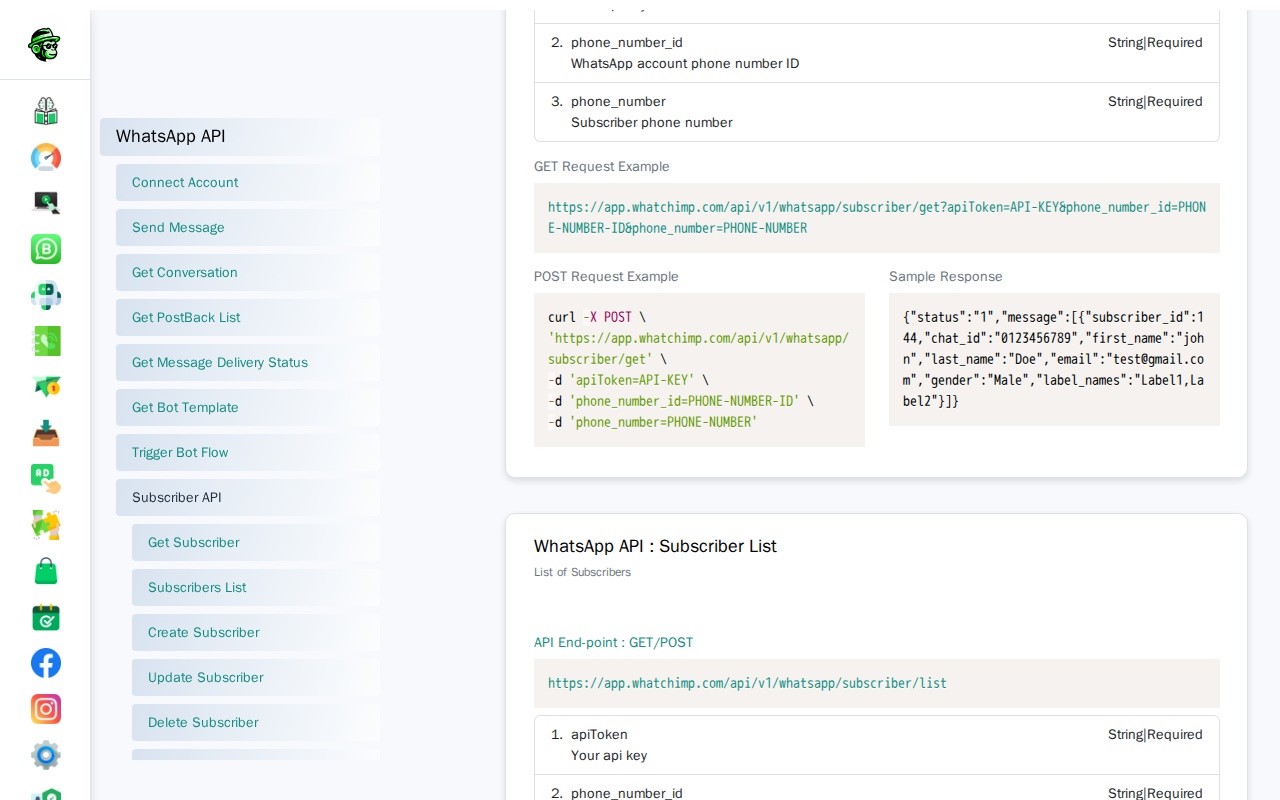
Endpoint: POST /api/v1/whatsapp/subscriber/get
Full URL: https://app.whatchimp.com/api/v1/whatsapp/subscriber/get
Parameters:
| Parameter | Type | Required | Description |
|---|---|---|---|
apiToken | String | Yes | Your WhatChimp API key |
phone_number_id | String | Yes | Your WhatsApp phone number ID |
phone_number | String | Yes | Subscriber's phone number |
GET Request:
https://app.whatchimp.com/api/v1/whatsapp/subscriber/get?apiToken=API-KEY&phone_number_id=PHONE-NUMBER-ID&phone_number=PHONE-NUMBERPOST Request (curl):
curl -X POST \
  'https://app.whatchimp.com/api/v1/whatsapp/subscriber/get' \
  -d 'apiToken=API-KEY' \
  -d 'phone_number_id=PHONE-NUMBER-ID' \
  -d 'phone_number=PHONE-NUMBER'
Sample Response:
{
  "status": "1",
  "message": [
    {
      "subscriber_id": 144,
      "chat_id": "0123456789",
      "first_name": "john",
      "last_name": "Doe",
      "email": "test@gmail.com",
      "gender": "Male",
      "label_names": "Label1,Label2"
    }
  ]
}
List Subscribers
Get a paginated list of all your subscribers.
Endpoint: GET/POST /api/v1/whatsapp/subscriber/list
Full URL: https://app.whatchimp.com/api/v1/whatsapp/subscriber/list
Parameters:
| Parameter | Type | Required | Description |
|---|---|---|---|
apiToken | String | Yes | Your WhatChimp API key |
phone_number_id | String | Yes | Your WhatsApp phone number ID |
limit | Number | Yes | Number of subscribers to return |
offset | Number | No | Pagination offset (start from this position) |
orderBy | Number | No | Set to 1 to sort by most recent message (latest first). Set to 0 for default order. |
GET Request:
https://app.whatchimp.com/api/v1/whatsapp/subscriber/list?apiToken=API-KEY&phone_number_id=PHONE-NUMBER-ID&limit=10&offset=1&orderBy=0POST Request (curl):
curl -X POST \
  'https://app.whatchimp.com/api/v1/whatsapp/subscriber/list' \
  -d 'apiToken=API-KEY' \
  -d 'phone_number_id=PHONE-NUMBER-ID' \
  -d 'limit=10' \
  -d 'offset=1' \
  -d 'orderBy=0'
Sample Response:
{
  "status": "1",
  "message": [
    {
      "subscriber_id": 144,
      "chat_id": "0123456789",
      "first_name": "John",
      "last_name": "Doe",
      "email": "test@gmail.com",
      "gender": "male",
      "label_names": "One,two"
    },
    {
      "subscriber_id": 157,
      "chat_id": "0123456789",
      "first_name": "john",
      "last_name": "Doe",
      "email": null,
      "gender": "Male",
      "label_names": "ChatTest,remove tag,One"
    }
  ]
}
Tip: Use offset to paginate through large subscriber lists. For example, fetch the first 50 with limit=50&offset=0, then the next 50 with limit=50&offset=50.
Create Subscriber
Add a new subscriber (contact) to your WhatsApp account.
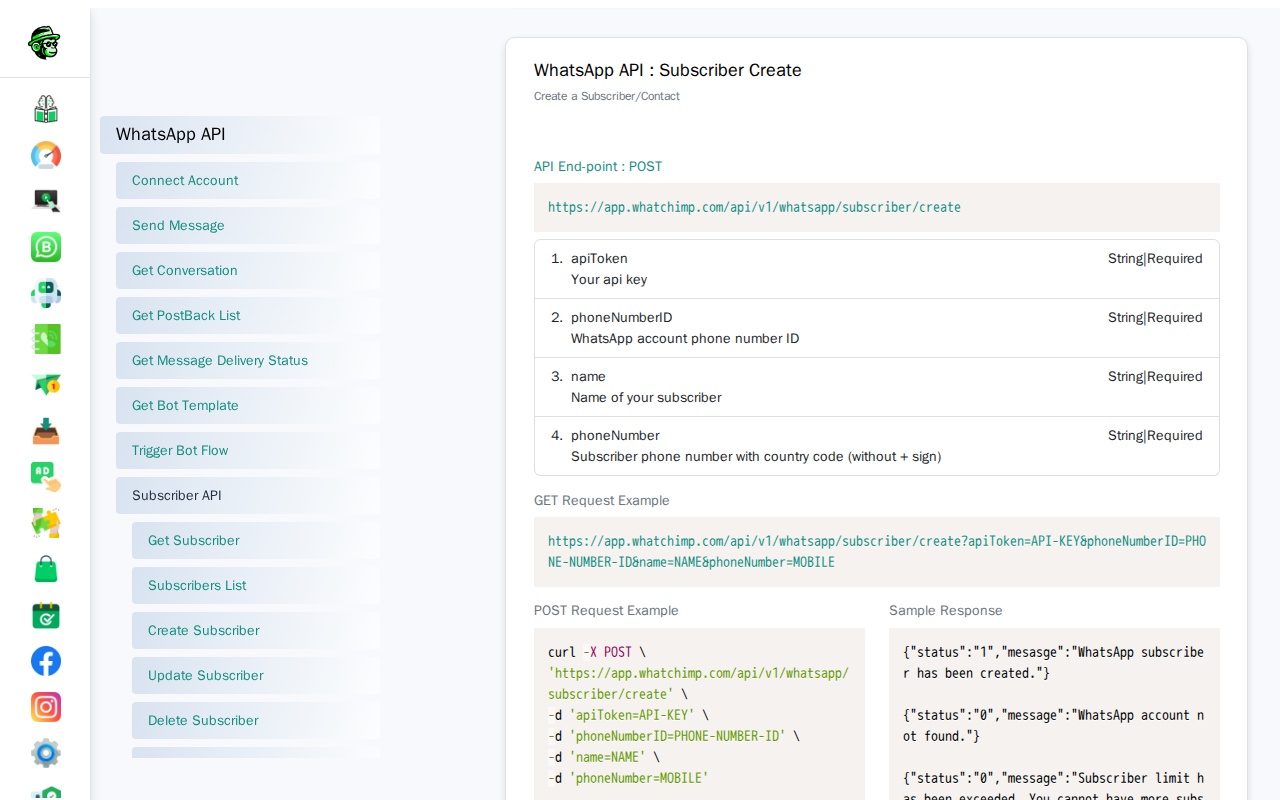
Endpoint: POST /api/v1/whatsapp/subscriber/create
Full URL: https://app.whatchimp.com/api/v1/whatsapp/subscriber/create
Parameters:
| Parameter | Type | Required | Description |
|---|---|---|---|
apiToken | String | Yes | Your WhatChimp API key |
phoneNumberID | String | Yes | Your WhatsApp phone number ID |
name | String | Yes | Name of the subscriber |
phoneNumber | String | Yes | Subscriber's phone number with country code (no + sign) |
Note: This endpoint uses phoneNumberID and phoneNumber (camelCase), which differs from most other endpoints that use phone_number_id and phone_number (snake_case).
GET Request:
https://app.whatchimp.com/api/v1/whatsapp/subscriber/create?apiToken=API-KEY&phoneNumberID=PHONE-NUMBER-ID&name=NAME&phoneNumber=MOBILEPOST Request (curl):
curl -X POST \
  'https://app.whatchimp.com/api/v1/whatsapp/subscriber/create' \
  -d 'apiToken=API-KEY' \
  -d 'phoneNumberID=PHONE-NUMBER-ID' \
  -d 'name=NAME' \
  -d 'phoneNumber=MOBILE'
Sample Responses:
{"status": "1", "mesasge": "WhatsApp subscriber has been created."}

{"status": "0", "message": "WhatsApp account not found."}

{"status": "0", "message": "Subscriber limit has been exceeded. You cannot have more subscribers."}

{"status": "0", "message": "Something went wrong or subscriber already exist."}
Update Subscriber
Update details of an existing subscriber.
Endpoint: POST /api/v1/whatsapp/subscriber/update
Full URL: https://app.whatchimp.com/api/v1/whatsapp/subscriber/update
Parameters:
| Parameter | Type | Required | Description |
|---|---|---|---|
apiToken | String | Yes | Your WhatChimp API key |
phone_number_id | String | Yes | Your WhatsApp phone number ID |
phone_number | String | Yes | Subscriber's phone number |
first_name | String | No | First name |
last_name | String | No | Last name |
gender | String | No | Gender |
label_ids | String | No | Label IDs, comma-separated (e.g., 1,4,5) |
POST Request (curl):
curl -X POST \
  'https://app.whatchimp.com/api/v1/whatsapp/subscriber/update' \
  -d 'apiToken=API-KEY' \
  -d 'phone_number_id=PHONE-NUMBER-ID' \
  -d 'phone_number=PHONE-NUMBER' \
  -d 'first_name=FIRST-NAME' \
  -d 'last_name=LAST-NAME' \
  -d 'gender=GENDER' \
  -d 'label_ids=LABEL-IDS'
Sample Response:
{"status": "1", "message": "Subscriber Updated Successfully."}Delete Subscriber
Remove a subscriber from your WhatsApp account.
Endpoint: GET/POST /api/v1/whatsapp/subscriber/delete
Full URL: https://app.whatchimp.com/api/v1/whatsapp/subscriber/delete
Parameters:
| Parameter | Type | Required | Description |
|---|---|---|---|
apiToken | String | Yes | Your WhatChimp API key |
phone_number_id | String | Yes | Your WhatsApp phone number ID |
phone_number | String | Yes | Subscriber's phone number with country code, numeric only |
POST Request (curl):
curl -X POST \
  'https://app.whatchimp.com/api/v1/whatsapp/subscriber/delete' \
  -d 'apiToken=API-KEY' \
  -d 'phone_number_id=PHONE-NUMBER-ID' \
  -d 'phone_number=PHONE-NUMBER'
Sample Response:
{"status": "1", "message": "Subscriber has been deleted successfully."}Advanced Subscriber Operations
The following endpoints provide additional subscriber management capabilities. These endpoints follow the same authentication pattern — include apiToken in every request.
Reset User Input Flow
Reset a subscriber's current user input flow, allowing them to restart from the beginning.
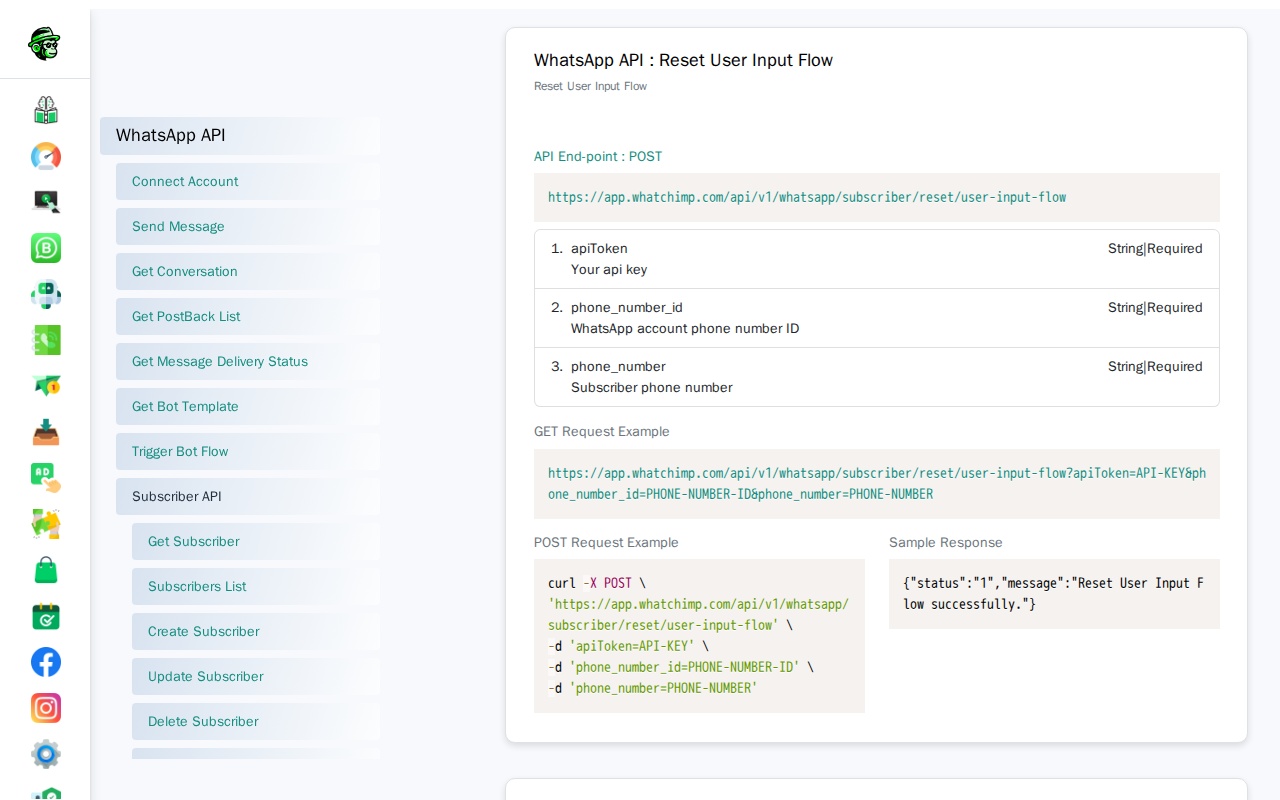
Endpoint: GET/POST /api/v1/whatsapp/subscriber/reset/user-input-flow
Full URL: https://app.whatchimp.com/api/v1/whatsapp/subscriber/reset/user-input-flow
Parameters:
| Parameter | Type | Required | Description |
|---|---|---|---|
apiToken | String | Yes | Your WhatChimp API key |
phone_number_id | String | Yes | Your WhatsApp phone number ID |
phone_number | String | Yes | Subscriber's phone number |
GET Request:
https://app.whatchimp.com/api/v1/whatsapp/subscriber/reset/user-input-flow?apiToken=API-KEY&phone_number_id=PHONE-NUMBER-ID&phone_number=PHONE-NUMBERPOST Request (curl):
curl -X POST \
  'https://app.whatchimp.com/api/v1/whatsapp/subscriber/reset/user-input-flow' \
  -d 'apiToken=API-KEY' \
  -d 'phone_number_id=PHONE-NUMBER-ID' \
  -d 'phone_number=PHONE-NUMBER'
Sample Response:
{"status":"1","message":"Reset User Input Flow successfully."}Assign Chat to Team Member
Assign a subscriber's chat to a specific team member for follow-up.
Endpoint: GET/POST /api/v1/whatsapp/subscriber/chat/assign-to-team-member
Full URL: https://app.whatchimp.com/api/v1/whatsapp/subscriber/chat/assign-to-team-member
Parameters:
| Parameter | Type | Required | Description |
|---|---|---|---|
apiToken | String | Yes | Your WhatChimp API key |
phone_number_id | String | Yes | Your WhatsApp phone number ID |
phone_number | String | Yes | Subscriber's phone number |
team_member_id | Integer | Yes | ID of the team member to assign |
GET Request:
https://app.whatchimp.com/api/v1/whatsapp/subscriber/chat/assign-to-team-member?apiToken=API-KEY&phone_number_id=PHONE-NUMBER-ID&phone_number=PHONE-NUMBER&team_member_id=TEAM-MEMBER-IDPOST Request (curl):
curl -X POST \
  'https://app.whatchimp.com/api/v1/whatsapp/subscriber/chat/assign-to-team-member' \
  -d 'apiToken=API-KEY' \
  -d 'phone_number_id=PHONE-NUMBER-ID' \
  -d 'phone_number=PHONE-NUMBER' \
  -d 'team_member_id=TEAM-MEMBER-ID'
Sample Response:
{"status":"1","message":"Successfully Assign Agent to Conversation."}Assign Custom Fields
Set custom field values for a subscriber.
Endpoint: POST /api/v1/whatsapp/subscriber/chat/assign-custom-fields
Full URL: https://app.whatchimp.com/api/v1/whatsapp/subscriber/chat/assign-custom-fields
Parameters:
| Parameter | Type | Required | Description |
|---|---|---|---|
apiToken | String | Yes | Your WhatChimp API key |
phone_number_id | String | Yes | Your WhatsApp phone number ID |
phone_number | String | Yes | Subscriber's phone number |
custom_fields | JSON | Yes | Custom field names and values as JSON object (e.g., {"custom_filed_name1": "custom_field_value1","custom_filed_name2": "custom_field_value2"}) |
POST Request (curl):
curl -X POST \
  'https://app.whatchimp.com/api/v1/whatsapp/subscriber/chat/assign-custom-fields' \
  -d 'apiToken=API-KEY' \
  -d 'phone_number_id=PHONE-NUMBER-ID' \
  -d 'phone_number=PHONE-NUMBER' \
  -d 'custom_fields={"customer_name":"John Doe","customer_email":"john@example.com"}'
Sample Response:
{"status":"1","message":"Subscriber changes have been saved successfully."}Custom Fields List
Retrieve all custom fields configured in your account.
Endpoint: POST /api/v1/whatsapp/subscriber/custom-fields/list
Full URL: https://app.whatchimp.com/api/v1/whatsapp/subscriber/custom-fields/list
Parameters:
| Parameter | Type | Required | Description |
|---|---|---|---|
apiToken | String | Yes | Your WhatChimp API key |
POST Request (curl):
curl -X POST \
  'https://app.whatchimp.com/api/v1/whatsapp/subscriber/custom-fields/list' \
  -d 'apiToken=API-KEY'
Sample Response:
{
  "status":"1",
  "message":"Custom fields retrieved successfully",
  "data":[
    {
      "id":1,
      "name":"customer_name",
      "reply_type":"text"
    },
    {
      "id":2,
      "name":"customer_email",
      "reply_type":"email"
    }
  ]
}
Assign Labels
Add labels to a subscriber.
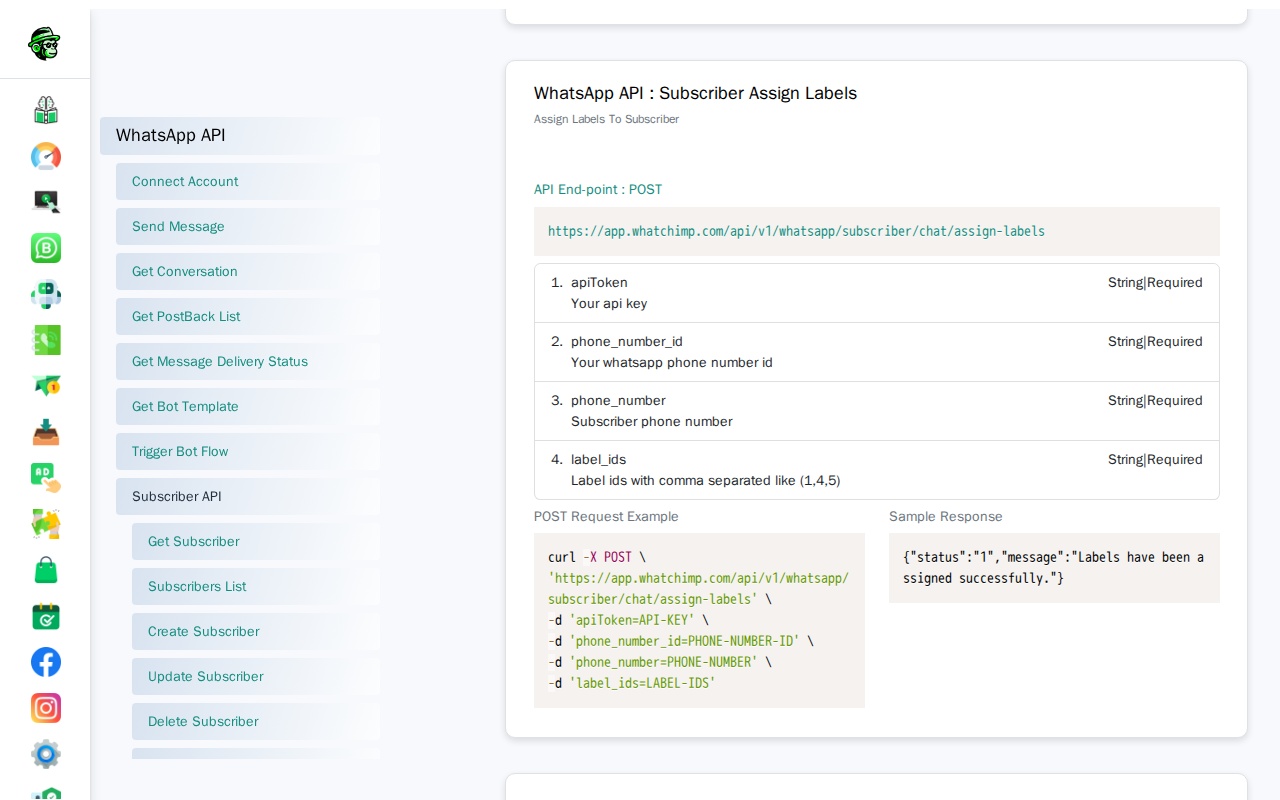
Endpoint: POST /api/v1/whatsapp/subscriber/chat/assign-labels
Full URL: https://app.whatchimp.com/api/v1/whatsapp/subscriber/chat/assign-labels
Parameters:
| Parameter | Type | Required | Description |
|---|---|---|---|
apiToken | String | Yes | Your WhatChimp API key |
phone_number_id | String | Yes | Your WhatsApp phone number ID |
phone_number | String | Yes | Subscriber's phone number |
label_ids | String | Yes | Label IDs, comma-separated (e.g., 1,4,5) |
POST Request (curl):
curl -X POST \
  'https://app.whatchimp.com/api/v1/whatsapp/subscriber/chat/assign-labels' \
  -d 'apiToken=API-KEY' \
  -d 'phone_number_id=PHONE-NUMBER-ID' \
  -d 'phone_number=PHONE-NUMBER' \
  -d 'label_ids=1,4,5'
Sample Response:
{"status":"1","message":"Labels have been assigned successfully."}Remove Labels
Remove labels from a subscriber.
Endpoint: POST /api/v1/whatsapp/subscriber/chat/remove-labels
Full URL: https://app.whatchimp.com/api/v1/whatsapp/subscriber/chat/remove-labels
Parameters:
| Parameter | Type | Required | Description |
|---|---|---|---|
apiToken | String | Yes | Your WhatChimp API key |
phone_number_id | String | Yes | Your WhatsApp phone number ID |
phone_number | String | Yes | Subscriber's phone number |
label_ids | String | Yes | Label IDs to remove, comma-separated |
POST Request (curl):
curl -X POST \
  'https://app.whatchimp.com/api/v1/whatsapp/subscriber/chat/remove-labels' \
  -d 'apiToken=API-KEY' \
  -d 'phone_number_id=PHONE-NUMBER-ID' \
  -d 'phone_number=PHONE-NUMBER' \
  -d 'label_ids=1,4,5'
Sample Response:
{"status":"1","message":"Labels have been assigned successfully."}Assign Sequence
Add a subscriber to a sequence campaign (automated message series).
Endpoint: POST /api/v1/whatsapp/subscriber/chat/assign-sequence
Full URL: https://app.whatchimp.com/api/v1/whatsapp/subscriber/chat/assign-sequence
Parameters:
| Parameter | Type | Required | Description |
|---|---|---|---|
apiToken | String | Yes | Your WhatChimp API key |
phone_number_id | String | Yes | Your WhatsApp phone number ID |
phone_number | String | Yes | Subscriber's phone number |
sequence_ids | String | Yes | Sequence IDs, comma-separated (e.g., 1,4,5) |
POST Request (curl):
curl -X POST \
  'https://app.whatchimp.com/api/v1/whatsapp/subscriber/chat/assign-sequence' \
  -d 'apiToken=API-KEY' \
  -d 'phone_number_id=PHONE-NUMBER-ID' \
  -d 'phone_number=PHONE-NUMBER' \
  -d 'sequence_ids=1,4,5'
Sample Response:
{"status":"1","message":"Sequences have been assigned successfully."}Remove Sequence
Remove a subscriber from a sequence campaign.
Endpoint: POST /api/v1/whatsapp/subscriber/chat/remove-sequence
Full URL: https://app.whatchimp.com/api/v1/whatsapp/subscriber/chat/remove-sequence
Parameters:
| Parameter | Type | Required | Description |
|---|---|---|---|
apiToken | String | Yes | Your WhatChimp API key |
phone_number_id | String | Yes | Your WhatsApp phone number ID |
phone_number | String | Yes | Subscriber's phone number |
sequence_ids | String | Yes | Sequence IDs to remove, comma-separated |
POST Request (curl):
curl -X POST \
  'https://app.whatchimp.com/api/v1/whatsapp/subscriber/chat/remove-sequence' \
  -d 'apiToken=API-KEY' \
  -d 'phone_number_id=PHONE-NUMBER-ID' \
  -d 'phone_number=PHONE-NUMBER' \
  -d 'sequence_ids=1,4,5'
Sample Response:
{"status":"1","message":"Sequences have been removed successfully."}Add Notes to Subscriber
Add a note to a subscriber's profile for internal reference.
Endpoint: POST /api/v1/whatsapp/subscriber/chat/add-notes
Full URL: https://app.whatchimp.com/api/v1/whatsapp/subscriber/chat/add-notes
Parameters:
| Parameter | Type | Required | Description |
|---|---|---|---|
apiToken | String | Yes | Your WhatChimp API key |
phone_number_id | String | Yes | Your WhatsApp phone number ID |
phone_number | String | Yes | Subscriber's phone number |
note_text | String | Yes | The note text to add |
POST Request (curl):
curl -X POST \
  'https://app.whatchimp.com/api/v1/whatsapp/subscriber/chat/add-notes' \
  -d 'apiToken=API-KEY' \
  -d 'phone_number_id=PHONE-NUMBER-ID' \
  -d 'phone_number=PHONE-NUMBER' \
  -d 'note_text=Customer requested follow-up next week'
Sample Response:
{"status":"1","message":"Notes have been added successfully."}Related Articles
- Getting Started with WhatChimp Developer API — API setup, authentication, and quick start
- WhatChimp Messaging API — Send messages and track delivery
- WhatChimp Bot, Catalog & Utility APIs — Bot flows, catalogs, labels, and more