Get Message Delivery Status via WhatChimp API
Track whether your messages were sent, delivered, read, or failed.
Updated 5 February 2026
Track whether your messages were sent, delivered, read, or failed — and find out why a message didn't go through.
Before you begin: Make sure you have your API key and phone number ID. See Getting Started with WhatChimp Developer API for setup instructions.
Endpoint
GET/POST /api/v1/whatsapp/get/message-status
https://app.whatchimp.com/api/v1/whatsapp/get/message-statusParameters
| Parameter | Type | Required | Description |
|---|---|---|---|
apiToken | String | Yes | Your WhatChimp API key |
wa_message_id | String | Yes | The WhatsApp message ID (returned when you sent the message) |
whatsapp_bot_id | Number | Yes | Your WhatsApp bot ID |
Where do I get thewa_message_id? Every successful send via the WhatChimp API returns awa_message_idin the response. Save this value to check delivery status later.
Where do I get thewhatsapp_bot_id? Call the User Info endpoint (GET /user/myInfo) — it returns yourwhatsapp_bots_detailsarray with bot IDs.
Request Examples
GET:
https://app.whatchimp.com/api/v1/whatsapp/get/message-status?apiToken=API-KEY&wa_message_id=wamid.HBgNODgwMTcyMzMwOTAwMxUCABEYEjlGQkY3MEFEMEVGODhCNDkxNQA=&whatsapp_bot_id=123POST (cURL):
curl -X POST \
  'https://app.whatchimp.com/api/v1/whatsapp/get/message-status' \
  -d 'apiToken=API-KEY' \
  -d 'wa_message_id=wamid.HBgNODgwMTcyMzMwOTAwMxUCABEYEjlGQkY3MEFEMEVGODhCNDkxNQA=' \
  -d 'whatsapp_bot_id=123'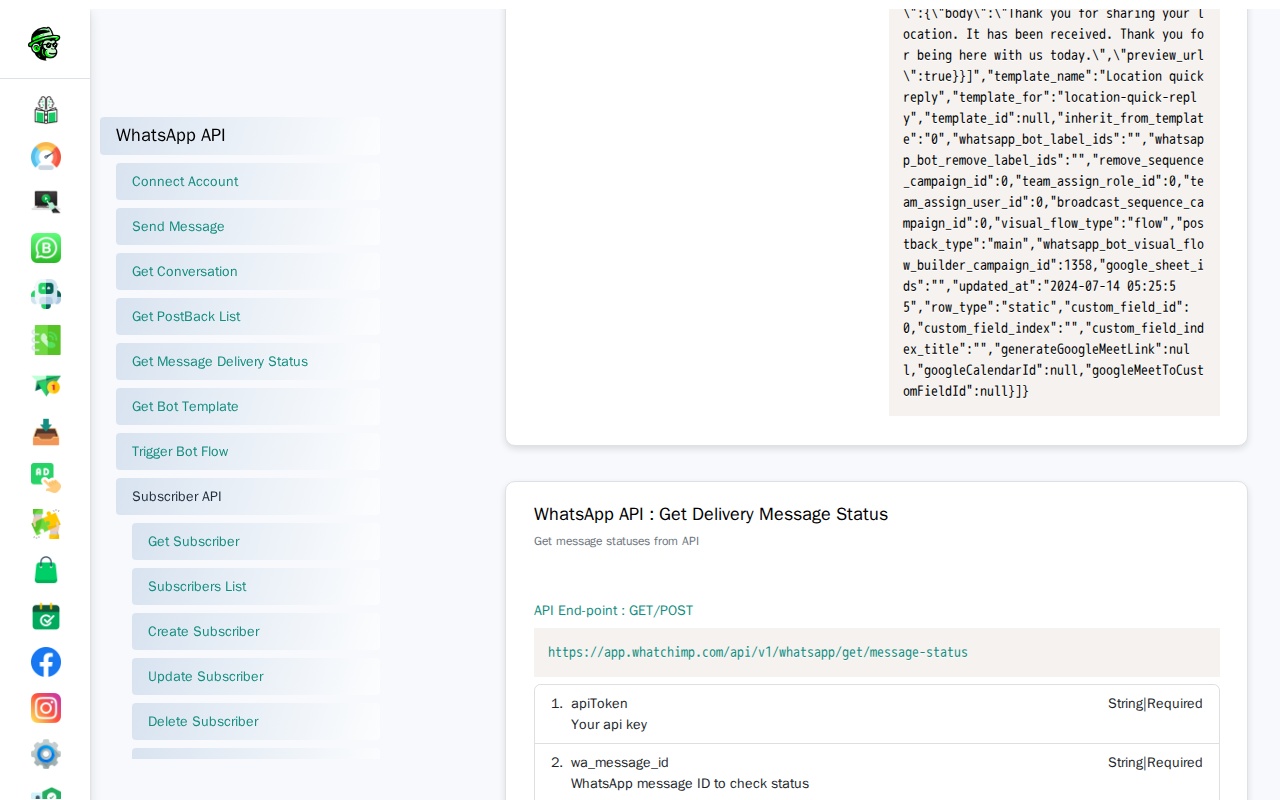
Response
{
  "status": "1",
  "message": {
    "message_status": "delivered",
    "delivery_status_updated_at": "2024-07-28 13:21:03",
    "read_time": null,
    "failed_time": null,
    "failed_reason": ""
  }
}
Delivery Status Values
| Status | Meaning |
|---|---|
sent | Message sent to WhatsApp servers — waiting for delivery |
delivered | Message delivered to the recipient's device |
read | Message was read by the recipient (blue ticks) |
failed | Message failed to deliver — check failed_reason for details |
Response Fields
| Field | Description |
|---|---|
message_status | Current delivery status (see table above) |
delivery_status_updated_at | Timestamp of the last status update |
read_time | When the message was read (null if not yet read) |
failed_time | When the failure occurred (null if not failed) |
failed_reason | Error description if the message failed |
Common Failure Reasons
| Reason | What It Means | Fix |
|---|---|---|
| Phone number not on WhatsApp | The recipient number is not registered on WhatsApp | Verify the number is correct and active on WhatsApp |
| Template not approved | Template was rejected or is still pending | Check template status in Bot Manager > Message Template |
| Rate limit exceeded | Too many messages sent in a short period | Slow down your send rate, check your messaging tier |
| Invalid phone number format | Number format is incorrect | Use country code without + sign (e.g., 919999999999) |
Use Cases
- Delivery receipts — Confirm messages were delivered before taking the next action in your workflow
- Read tracking — Know when a customer has seen your message
- Error handling — Detect failed messages and trigger retries or alerts
- SLA monitoring — Track delivery times for time-sensitive messages like OTPs
Related Articles
- Get Conversation History via WhatChimp API — Retrieve full conversation with a subscriber
- Send Template Messages via WhatChimp API — Send template messages (returns the
wa_message_idyou need) - Getting Started with WhatChimp Developer API — API setup and authentication