Round Robin On Any Message (No Match Reply)
Har incoming WhatsApp message ko ek team ko assign karein aur use ek available agent ko round-robin karein, No Match Reply ka use karke.
Updated 21 June 2026
Ise tab use karein jab aap chahte hain ki har incoming message ek team ko diya jaaye, sirf woh messages nahi jo kisi specific keyword se match karte hain. Yeh ek general support ya sales number ke liye sahi choice hai jahan koi bhi chat seedhe ek available agent tak pahunche.
Yeh No Match Reply ke through kaam karta hai, woh catch-all jo tab fire hota hai jab customer ka message aapke kisi keyword se match nahi karta. Aap ise enable karte hain, phir iske flow mein team assignment add karte hain.
Shuru karne se pehle: pehle apni team aur agents set karein. Dekhein Team Banayein Aur Apne Agents Add Karein.
Step 1: Bot Manager Kholein
Left sidebar mein Bot Manager icon par click karein taaki WhatsApp Bot Manager page khule. Bots list mein, woh bot select karein jise aap set up karna chahte hain.
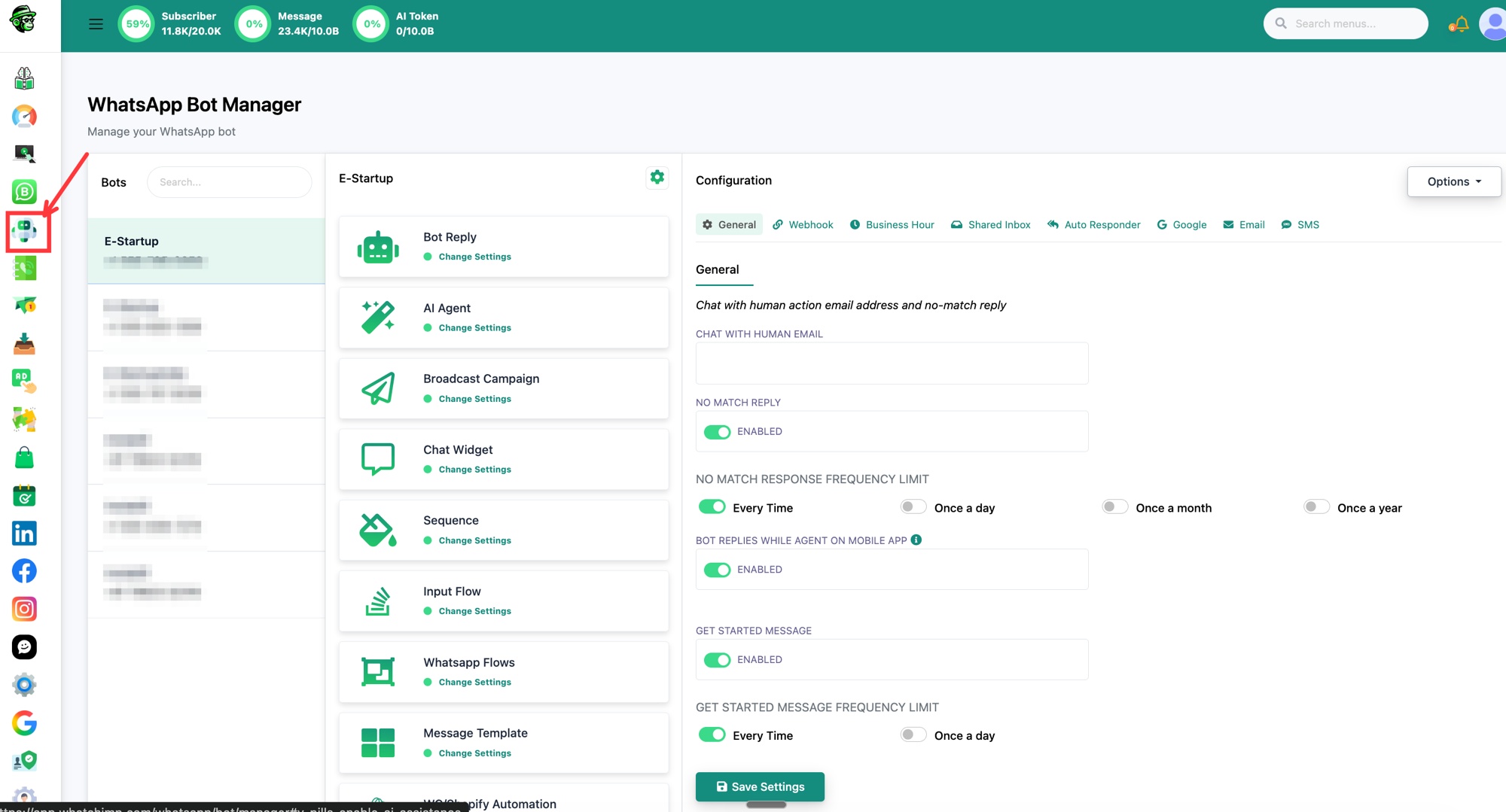 Left sidebar se Bot Manager kholein aur apna bot chunein
Step 2: No Match Reply Enable Karein
Bot ka Configuration kholne ke liye settings (gear) icon par click karein, phir General tab par jaayein. No Match Reply ko on karein, phir No Match Response Frequency Limit ke neeche chunein ki yeh kitni baar fire kare: Every Time, Once a day, Once a month, ya Once a year. Save Settings par click karein.
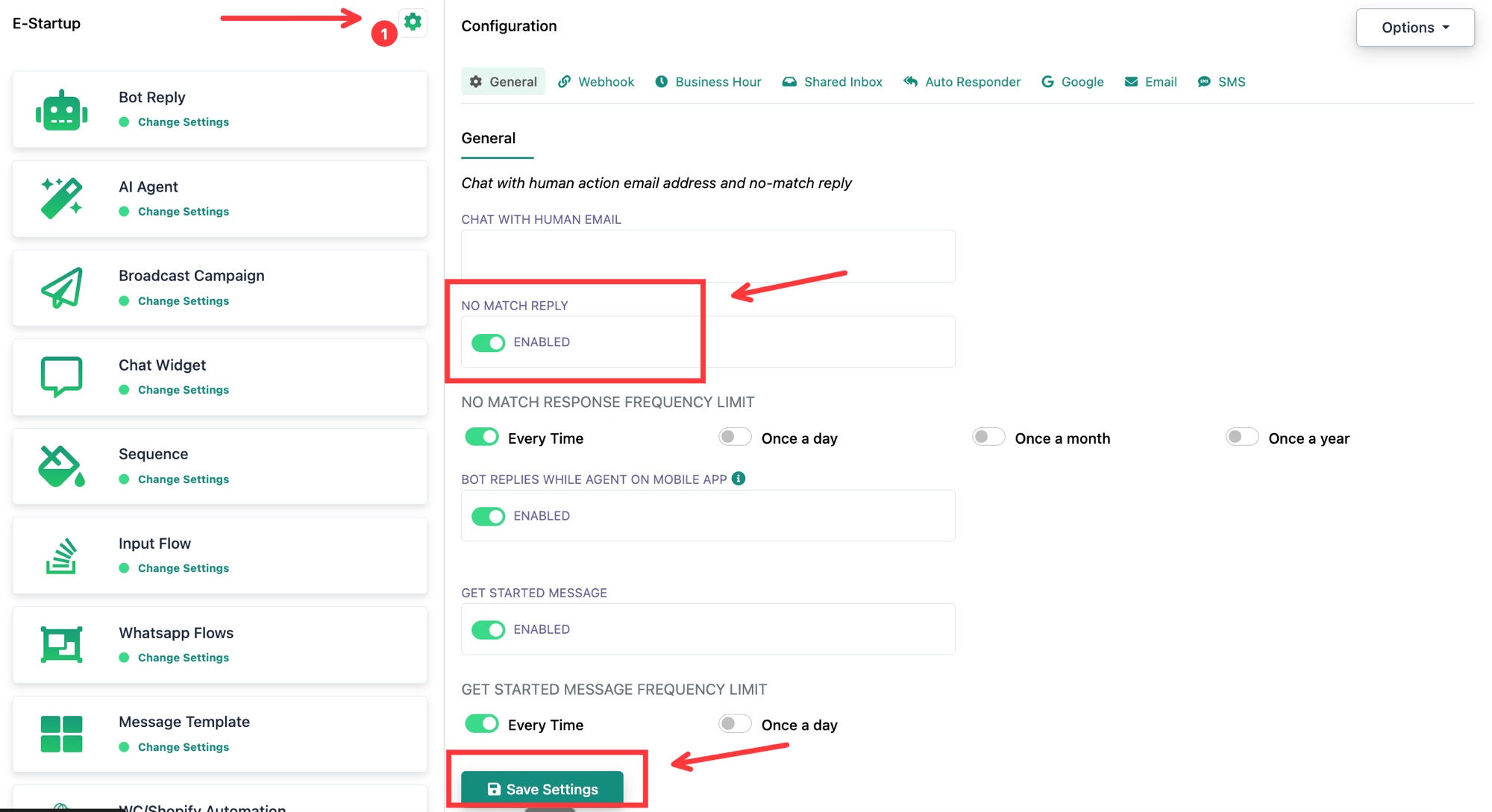 No Match Reply enable karein aur uski frequency set karein, phir Save Settings
Step 3: No Match Flow Kholein
Apne bot ke Actions se, No Match Reply Template select karein.
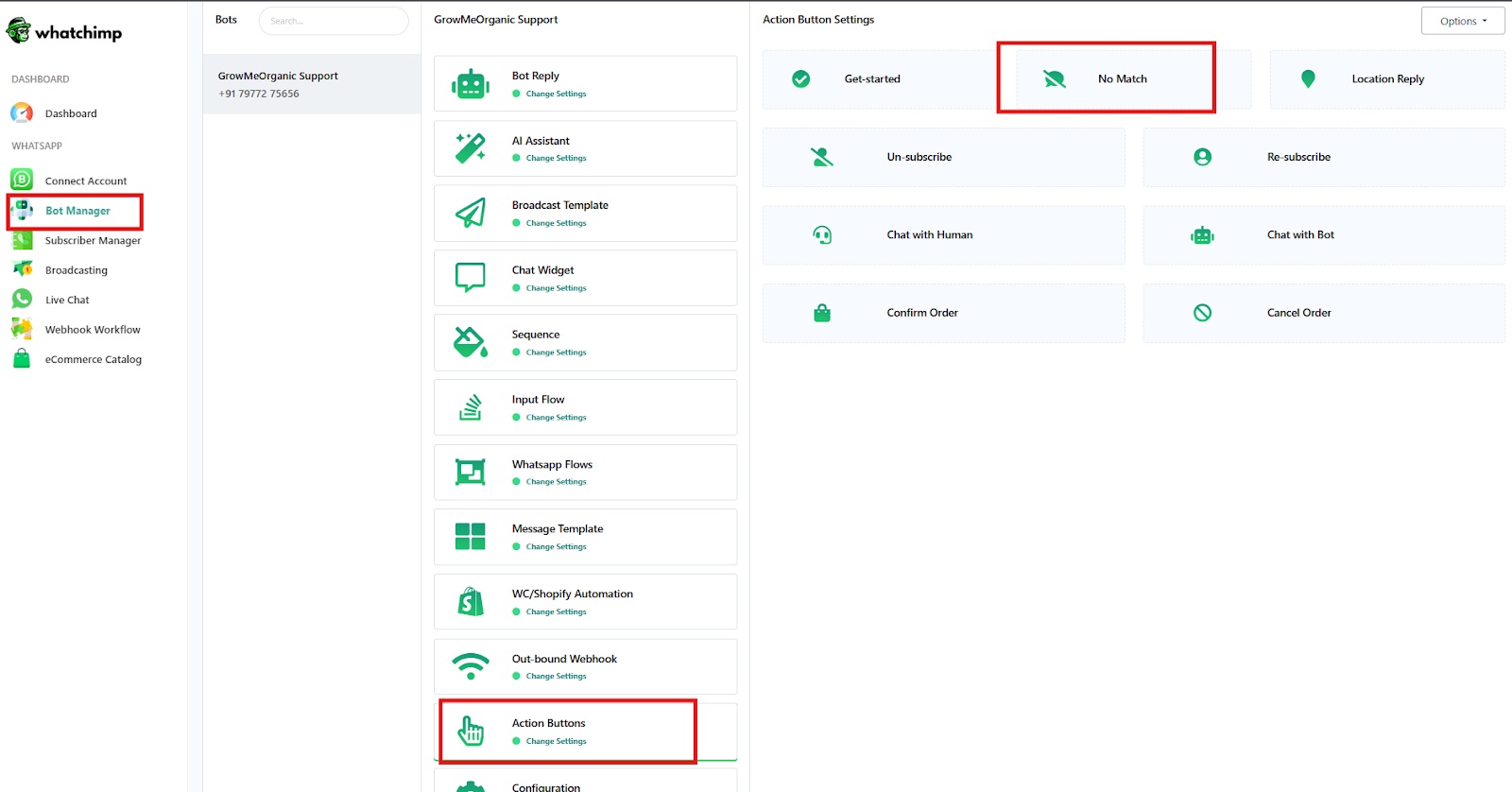 Actions par click karein, phir No Match Reply Template
Yeh Visual Flow Builder kholta hai jisme aapka No Match flow dikhta hai: ek Actions / No Match Template block ek Start Bot Flow / No Match block aur aapke reply message se juda hua.
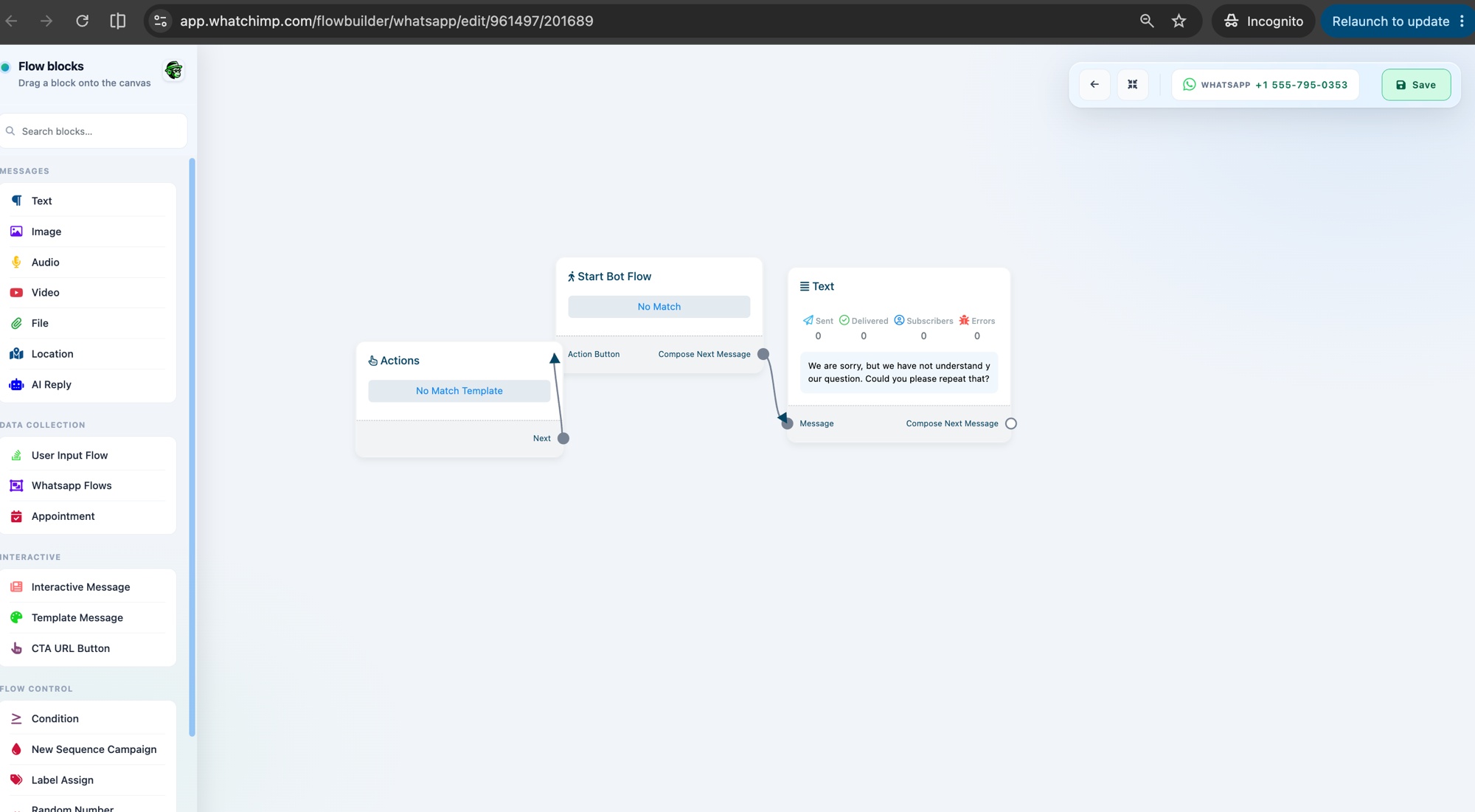 No Match flow: Actions, Start Bot Flow, aur reply message
Step 4: No Match Block Kholein
Apni settings kholne ke liye Start Bot Flow / No Match block par click karein.
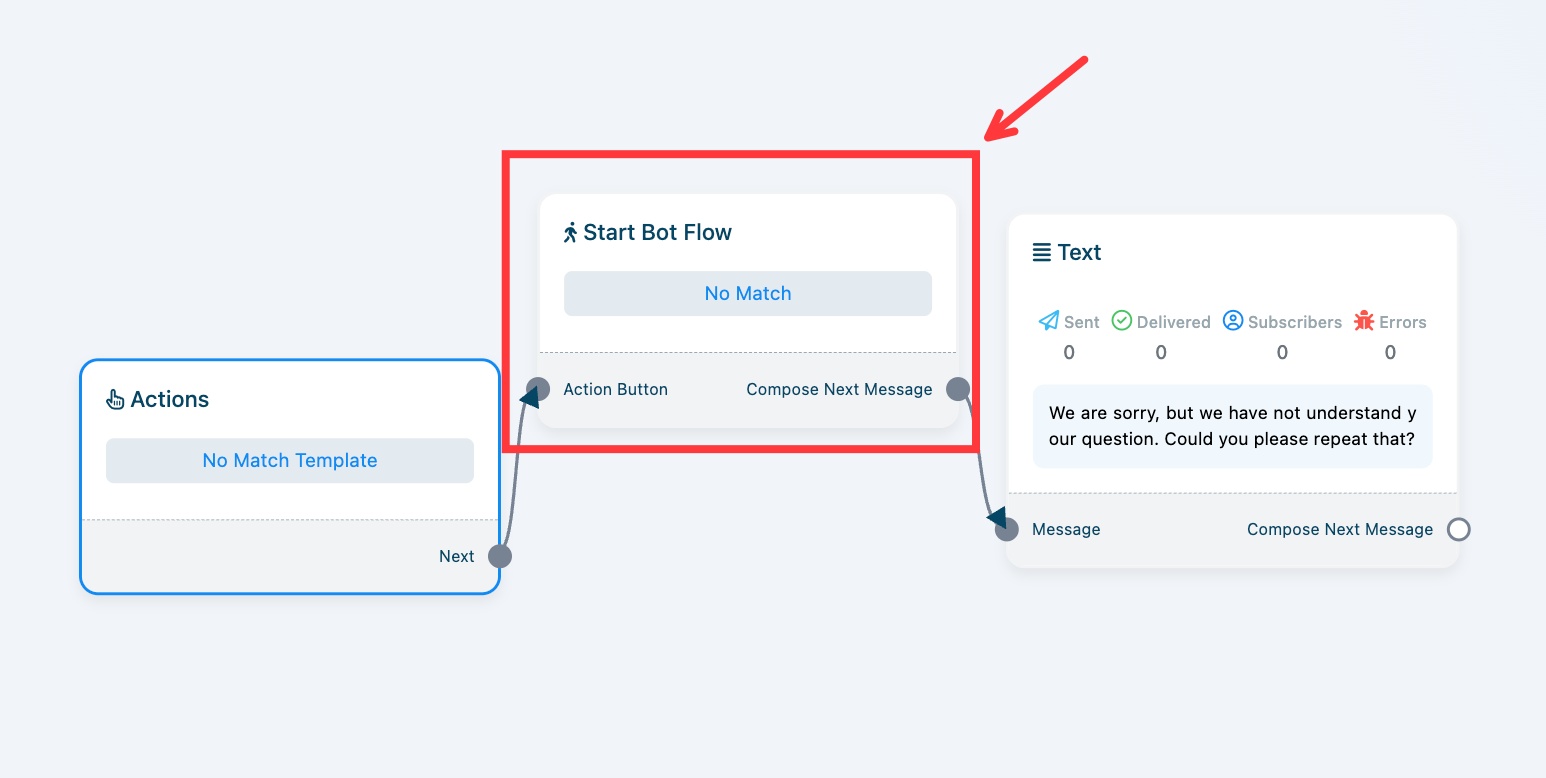 Use configure karne ke liye Start Bot Flow No Match block par click karein
Step 5: Conversation Ko Apni Team Ko Assign Karein
Configure Reference panel mein, Automation Actions expand karein. Assign Conversation to a group ke neeche, apna Team Role chunein.
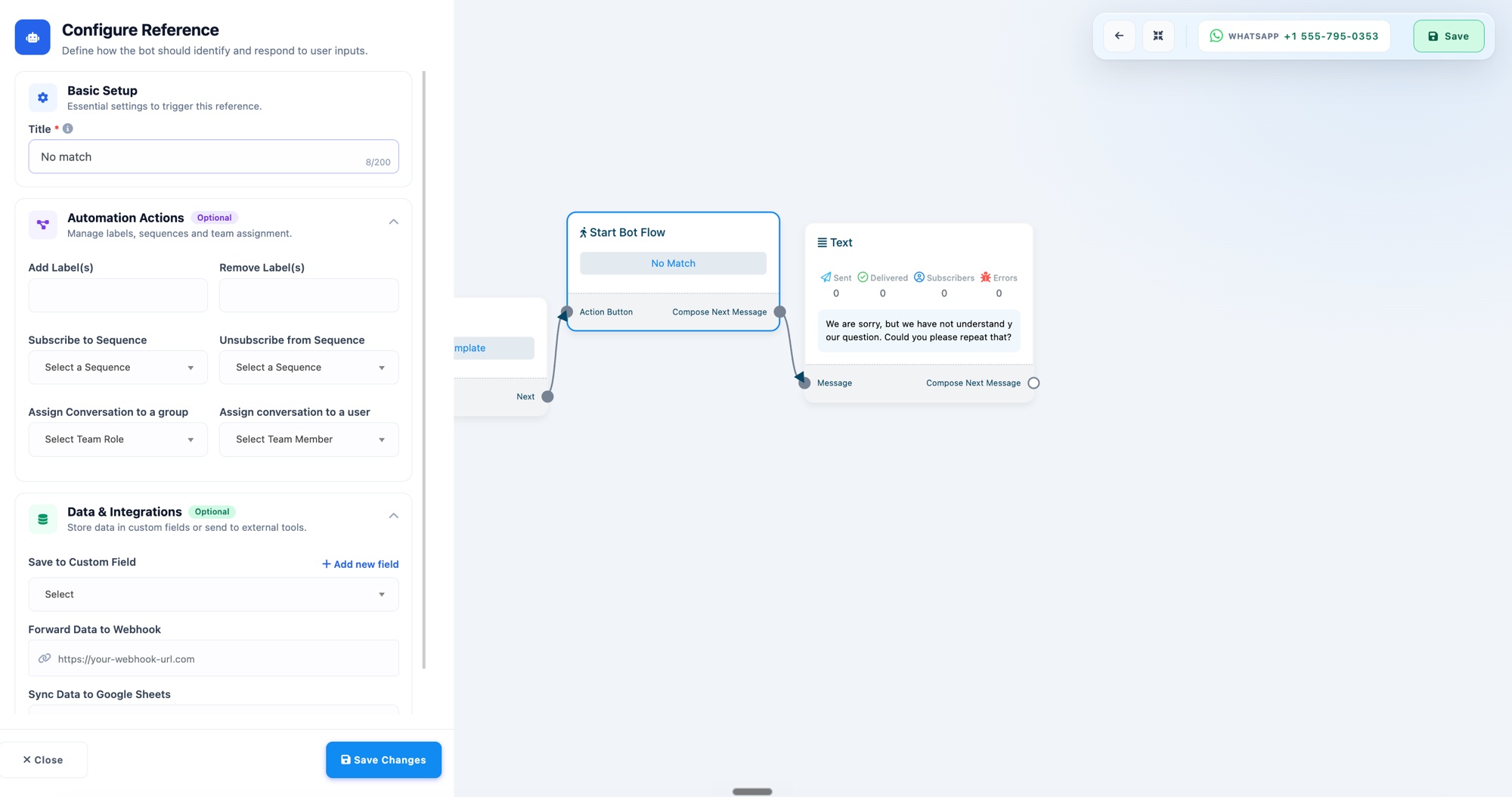 Automation Actions expand karein aur Assign Conversation to a group set karein
Ek group ko assign karna hi ise round robin banata hai: WhatChimp chat ko us team ke ek available agent ko rotate karta hai. Agar aap chahte hain ki har message ek specific person ko jaaye, toh Assign conversation to a user use karein aur ek Team Member chunein.
Step 6: Save
Team Role chunein (jaise "Team Leader (Pooja)"), Save Changes par click karein, phir flow save karne ke liye upar daayein Save par click karein.
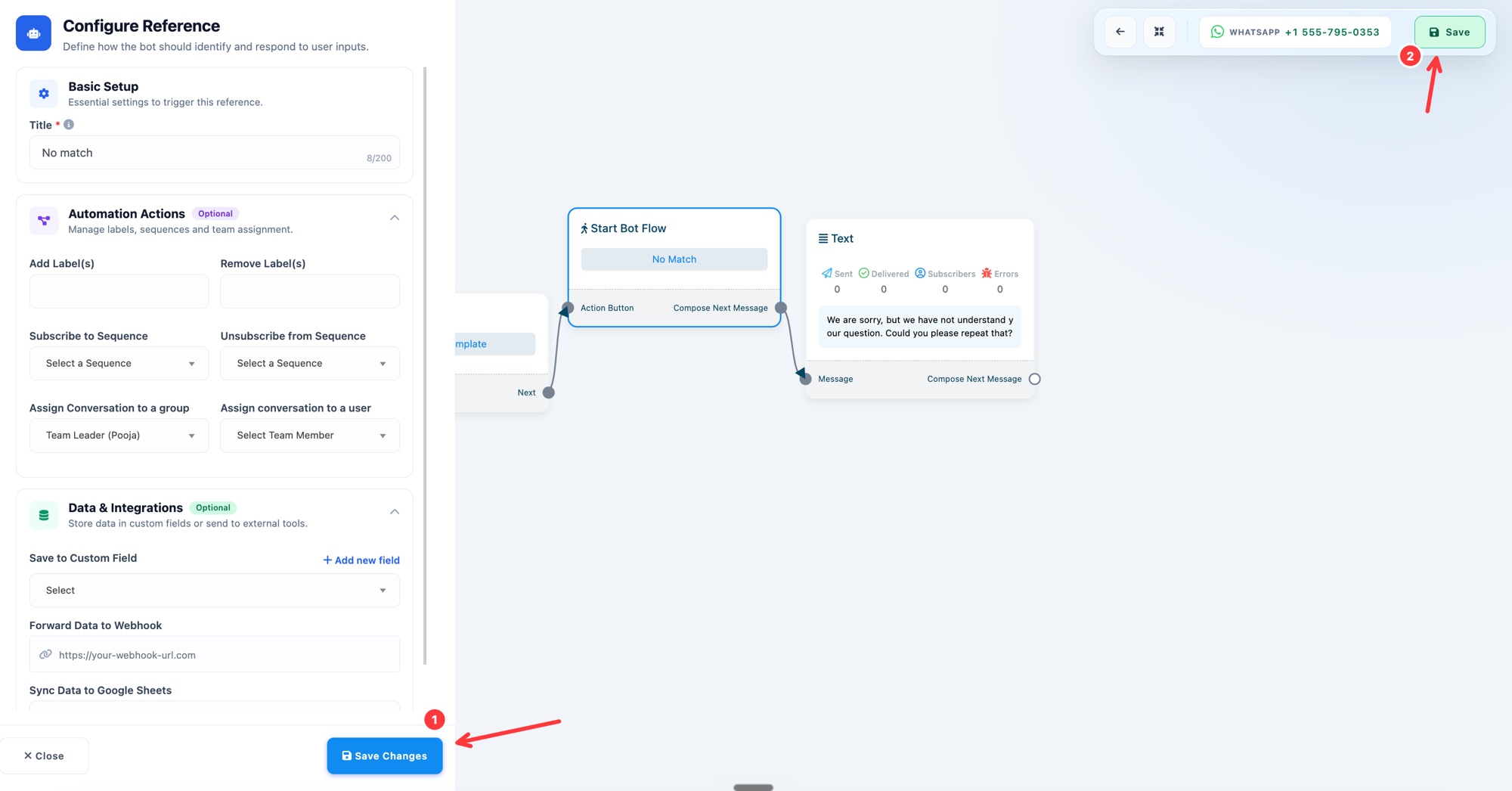 Team Role chunein, phir Save Changes aur Save
Bas ho gaya. Ab koi bhi message jo kisi keyword se match nahi karta, woh aapki team ke ek available agent ko round-robin ho jaata hai.
Catch-all reply ke baare mein aur jaanne ke liye, dekhein No Match Reply Aur Frequency Setup.