WhatChimp API ke zariye Bot Flow trigger karein
External systems se subscribers ke liye bot flows trigger karein API ke zariye
Updated 10 February 2026
Kisi bhi subscriber ke liye specific bot flow ko programmatically trigger karein — apne CRM, website, ya kisi bhi external system se automated conversations shuru karein.
Shuru karne se pehle: Apne WhatChimp API credentials taiyar rakhein.
Video: https://www.youtube.com/watch?v=A3evOF5xIho
Endpoint
GET/POST /api/v1/whatsapp/trigger-bot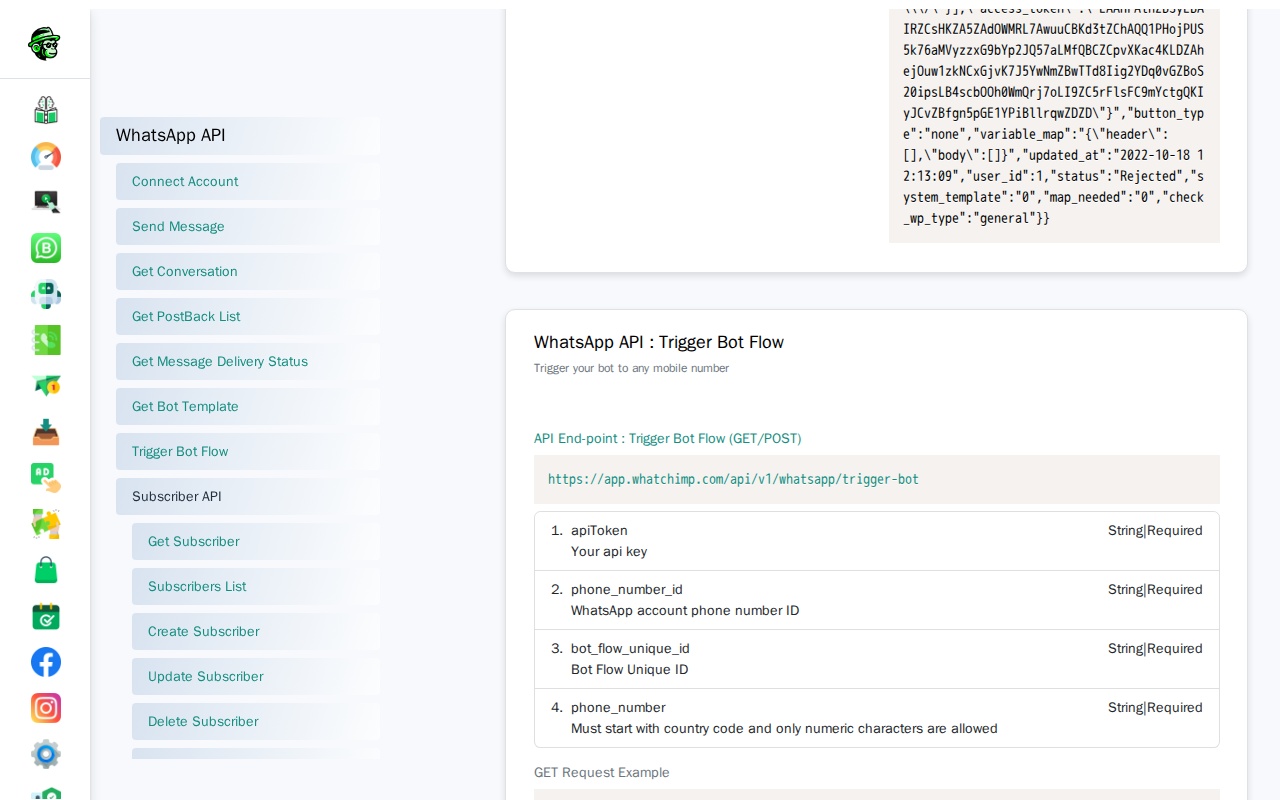
Parameters
| Parameter | Type | Required | Description |
|---|---|---|---|
apiToken | String | Haan | Aapka WhatChimp API token |
phone_number_id | String | Haan | Aapki WhatsApp Business phone number ID |
bot_flow_unique_id | String | Haan | Trigger karne wale bot flow ki unique ID |
phone_number | String | Haan | Recipient ka phone number country code ke saath |
Tip: Apne WhatChimp Dashboard mein Bot Manager ke andar bot_flow_unique_id dhoondhein. Har bot flow ki ek unique ID hoti hai jo aap copy kar sakte hain.
Request Examples
GET Request:
curl -X GET "https://app.whatchimp.com/api/v1/whatsapp/trigger-bot?apiToken=API-KEY&phone_number_id=PHONE-NUMBER-ID&bot_flow_unique_id=BOT-FLOW-ID&phone_number=1234567890"POST Request (cURL):
curl -X POST https://app.whatchimp.com/api/v1/whatsapp/trigger-bot \
  -H "Content-Type: application/json" \
  -d '{
    "apiToken": "API-KEY",
    "phone_number_id": "PHONE-NUMBER-ID",
    "bot_flow_unique_id": "BOT-FLOW-ID",
    "phone_number": "1234567890"
  }'
Response
Success Response:
{
  "status": "1",
  "message": "Bot has been trigger successfully."
}
Use Cases
- Naye signups ke liye onboarding flows trigger karein
- Purchase ke baad follow-up sequences shuru karein
- Inactive subscribers ko re-engage karein
- External events (form submissions, payments) ko WhatsApp bot flows se connect karein
- CRM data ke aadhar par customer support workflows automate karein