WhatChimp API ke through Conversation History hasil karein
Kisi bhi subscriber ke saath pura message history retrieve karein — messages bheje gaye, receive kiye gaye, timestamps, aur delivery status.
Updated 5 February 2026
Kisi bhi subscriber ke saath pura conversation history retrieve karein — har message jo bheja gaya aur receive hua, timestamps, sender info, aur delivery status ke saath.
Shuru karne se pehle: Ensure karein ki aapke paas aapki API key aur phone number ID hai. Setup instructions ke liye Getting Started with WhatChimp Developer API dekhein.
Endpoint
GET/POST /api/v1/whatsapp/get/conversation
https://app.whatchimp.com/api/v1/whatsapp/get/conversationParameters
| Parameter | Type | Required | Description |
|---|---|---|---|
apiToken | String | Haan | Aapki WhatChimp API key |
phone_number_id | String | Haan | Aapki WhatsApp phone number ID |
phone_number | String | Haan | Subscriber ka phone number country code ke saath (e.g., 919999999999) |
limit | Number | Haan | Kitne messages fetch karne hain |
offset | Number | Nahi | Pagination offset (is position se start karein) |
Request Examples
GET:
https://app.whatchimp.com/api/v1/whatsapp/get/conversation?apiToken=API-KEY&phone_number_id=PHONE-NUMBER-ID&phone_number=919999999999&limit=10&offset=1POST (cURL):
curl -X POST \
  'https://app.whatchimp.com/api/v1/whatsapp/get/conversation' \
  -d 'apiToken=API-KEY' \
  -d 'phone_number_id=PHONE-NUMBER-ID' \
  -d 'phone_number=919999999999' \
  -d 'limit=10' \
  -d 'offset=1'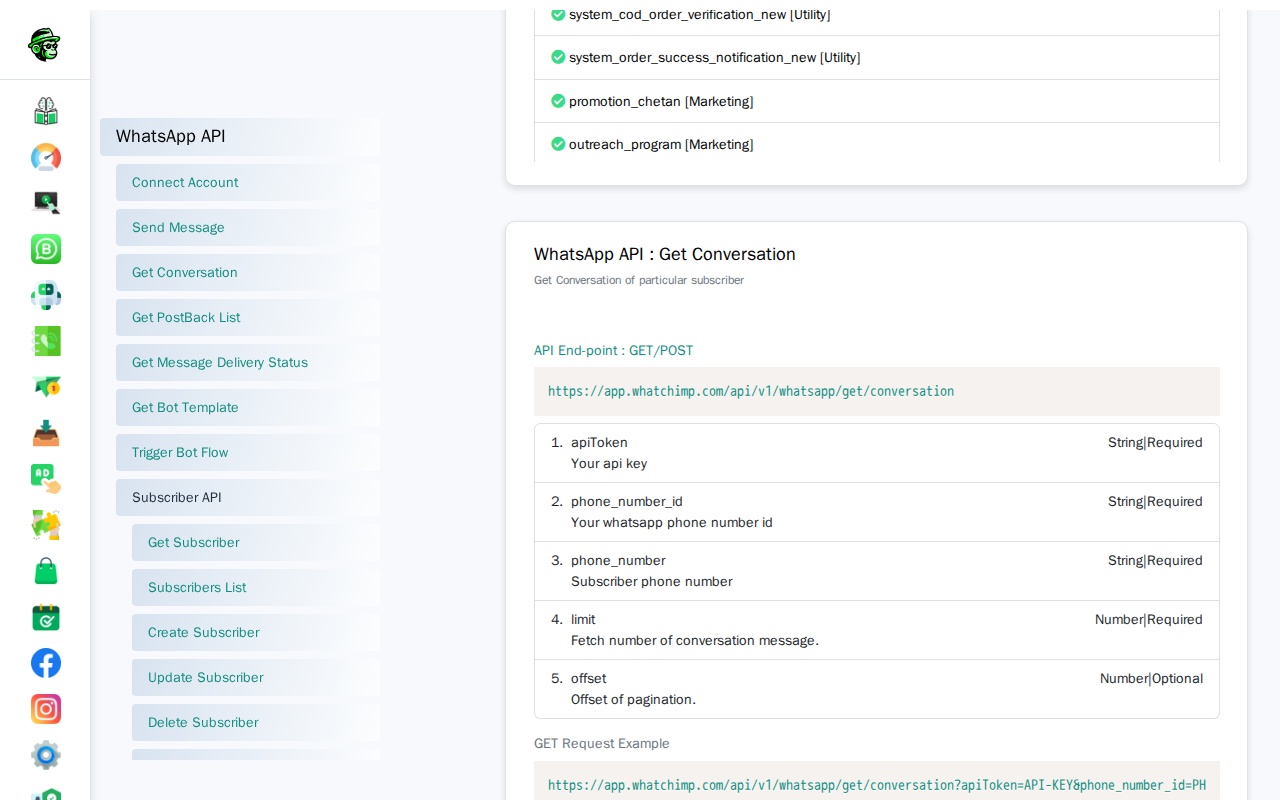
Response
{
  "status": "1",
  "message": [
    {
      "id": 8003,
      "sender": "bot",
      "agent_name": null,
      "message_content": "{...}",
      "conversation_time": "2024-07-28 13:21:03",
      "wa_message_id": "wamid.HBgNODgwMTcyMzMwOTAwMxUCABEYEjlGQkY3MEFEMEVGODhCNDkxNQA=",
      "message_status": "delivered",
      "delivery_status_updated_at": "2024-07-28 13:21:05"
    },
    {
      "id": 8004,
      "sender": "subscriber",
      "agent_name": null,
      "message_content": "Hi, mujhe apne order me help chahiye",
      "conversation_time": "2024-07-28 13:25:10",
      "wa_message_id": "wamid.HBgNODgwMTcyMzMwOTAwMxUCABIYEjlGQkY3MEFEMEVGODhCNDkxNQA=",
      "message_status": null,
      "delivery_status_updated_at": null
    }
  ]
}
Response Fields
| Field | Description |
|---|---|
id | Internal message ID |
sender | Kisne message bheja: "bot", "subscriber", ya agent ka naam |
agent_name | Human agent ka naam (agar message Live Chat se bheja gaya) |
message_content | Message text. Bot messages ke liye, yeh JSON string hai full message payload ke saath |
conversation_time | Timestamp jab message bheja gaya |
wa_message_id | WhatsApp message ID — isko Delivery Status API ke saath use karein delivery track karne ke liye |
message_status | Current delivery status (sent, delivered, read, failed) |
delivery_status_updated_at | Jab delivery status last update hua |
Pagination
limit aur offset use karein lambi conversations ko paginate karne ke liye:
# Pehle 10 messages
?limit=10&offset=1

# Agle 10 messages
?limit=10&offset=11

# Agle 10
?limit=10&offset=21
Use Cases
- CRM integration — Conversation history ko apne CRM ya helpdesk me sync karein
- Analytics — Response times, message volumes, aur conversation patterns analyze karein
- Audit trail — Sabhi customer interactions ka record rakhein
- Chatbot debugging — Review karein ki aapke bot ne kya bheja vs customer ne kya reply kiya
Related Articles
- Get Message Delivery Status via WhatChimp API — Track karein ki message deliver aur read hua ya nahi
- Get Bot Postback List via WhatChimp API — Sabhi bot flow triggers retrieve karein
- Getting Started with WhatChimp Developer API — API setup aur authentication