Department Ko Conversations Auto-Assign Karein
AI conversations ko specific teams ya departments ko automatically route karein
Updated 10 February 2026
AI Agent incoming conversations ko automatically ek specific team ya department ko assign kar sakta hai. Ye ensure karta hai ki har customer message sahi group — jaise sales, support, ya operations — ko jaaye bina manual routing ke.
Auto-Assignment Kaise Enable Karein
Bot Manager → AI Agent → Change Settings mein jaayein apne WhatsApp number ke liye.
"Enable Assign Conversation to Team or Department" ko Enabled par toggle karein.
"Assign to a Team or Department" dropdown se ek team select karein. Aapko apne account mein configured saari teams/departments dikhegi — udaharan ke liye, Admin, Customer Success, Demo, Team GMO, Team Training.
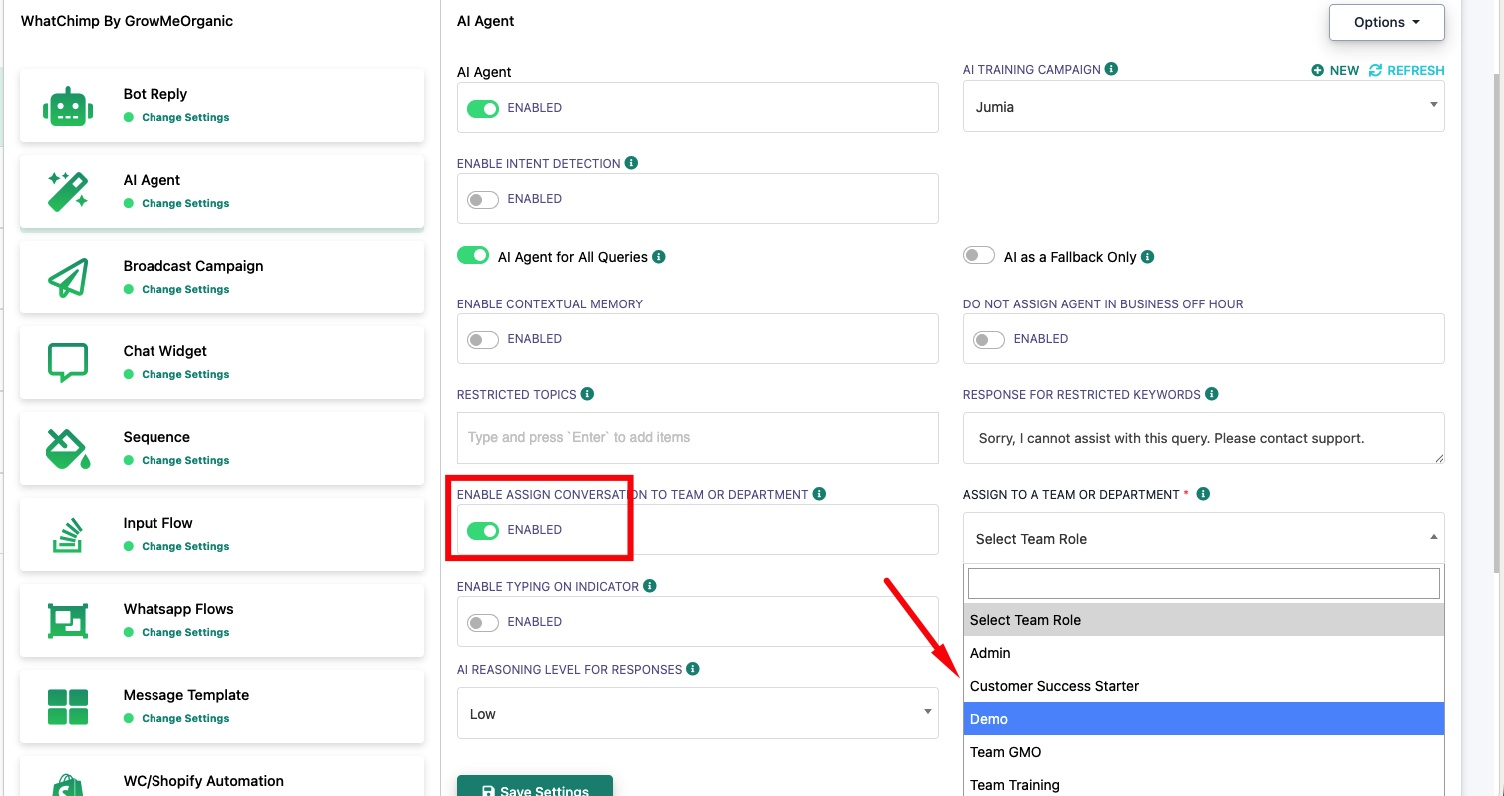
Ek baar enable ho jaane par, AI Agent dwara handle kiya gaya har conversation automatically selected team ko assign ho jaayega. Us department mein team members apne Omnichannel Inbox mein conversation dekhenge.
Tip: Is feature ko enable karne se pehle apne account settings mein teams banayein. Aap ise Intent Detection ke saath bhi combine kar sakte hain taaki alag intents ko alag departments ko route kar sakein — Intent Detection Actions dekhein.
Related Articles
Apne WhatsApp Number ke Liye AI Agent Enable Karein — AI Agent set up aur configure karein
Intent Detection Actions — Specific intents ko teams, bots, ya other AI agents ko assign karein