Enable AI Agent for Your WhatsApp Number
Enable and configure the AI Agent to auto-respond on WhatsApp
Updated 10 February 2026
Video: https://www.youtube.com/watch?v=7fOEZRqqGFE
Enable the AI Agent to automatically respond to customer messages on your WhatsApp number. The AI uses your trained data to answer queries, remember conversation context, and hand off to human agents when needed.
How to Enable AI Agent
Go to Bot Manager → AI Agent → Change Settings for your WhatsApp number.
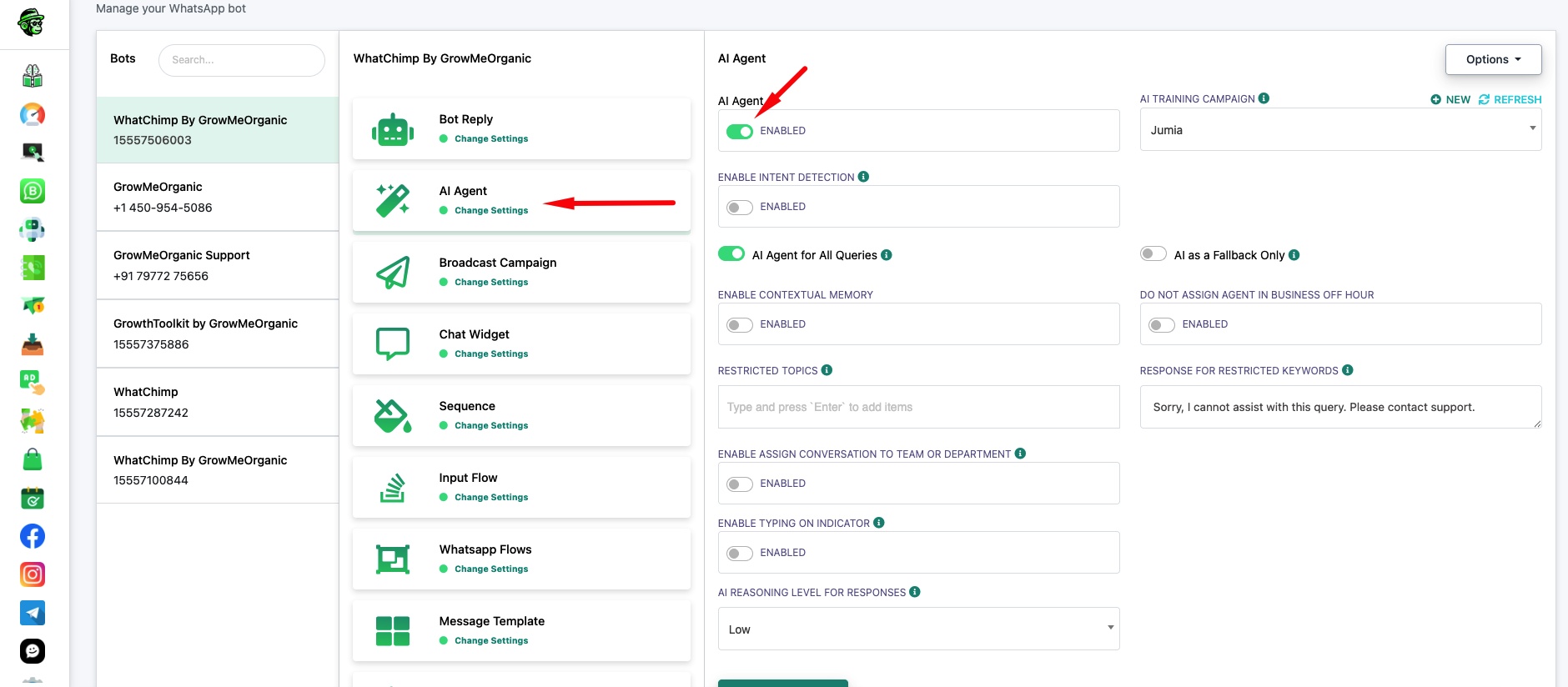
Toggle AI Agent to Enabled and configure these settings:
AI Training Campaign — Select which training campaign the AI should use for responses. You can create multiple campaigns trained on different data (FAQs, URLs, files) and switch between them. Click Refresh if you just created a new campaign.
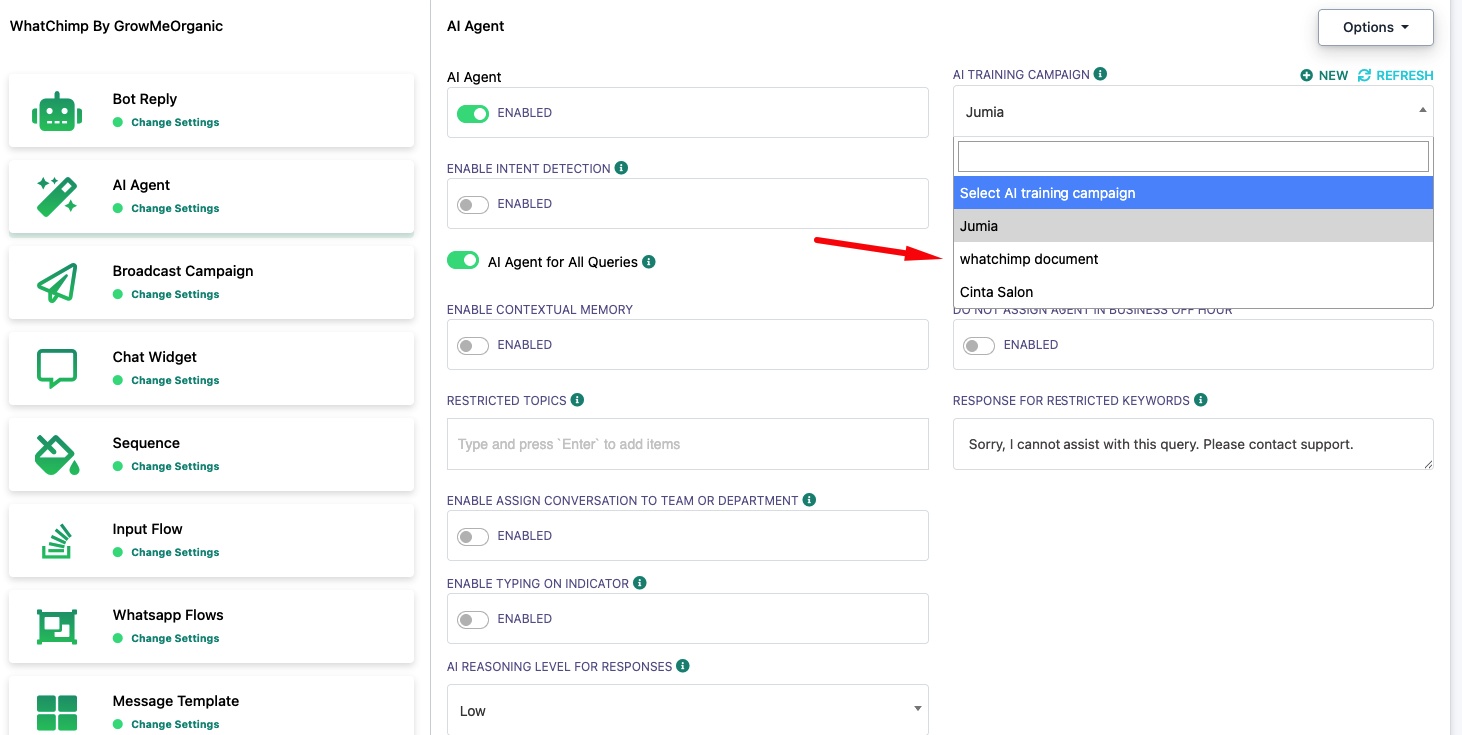
AI Agent for All Queries — The AI handles every incoming message. Best when the AI is your primary support channel.
AI as a Fallback Only — The AI only responds when no keyword-based bot reply matches. Use this when you have existing chatbot flows and want AI to handle everything else.
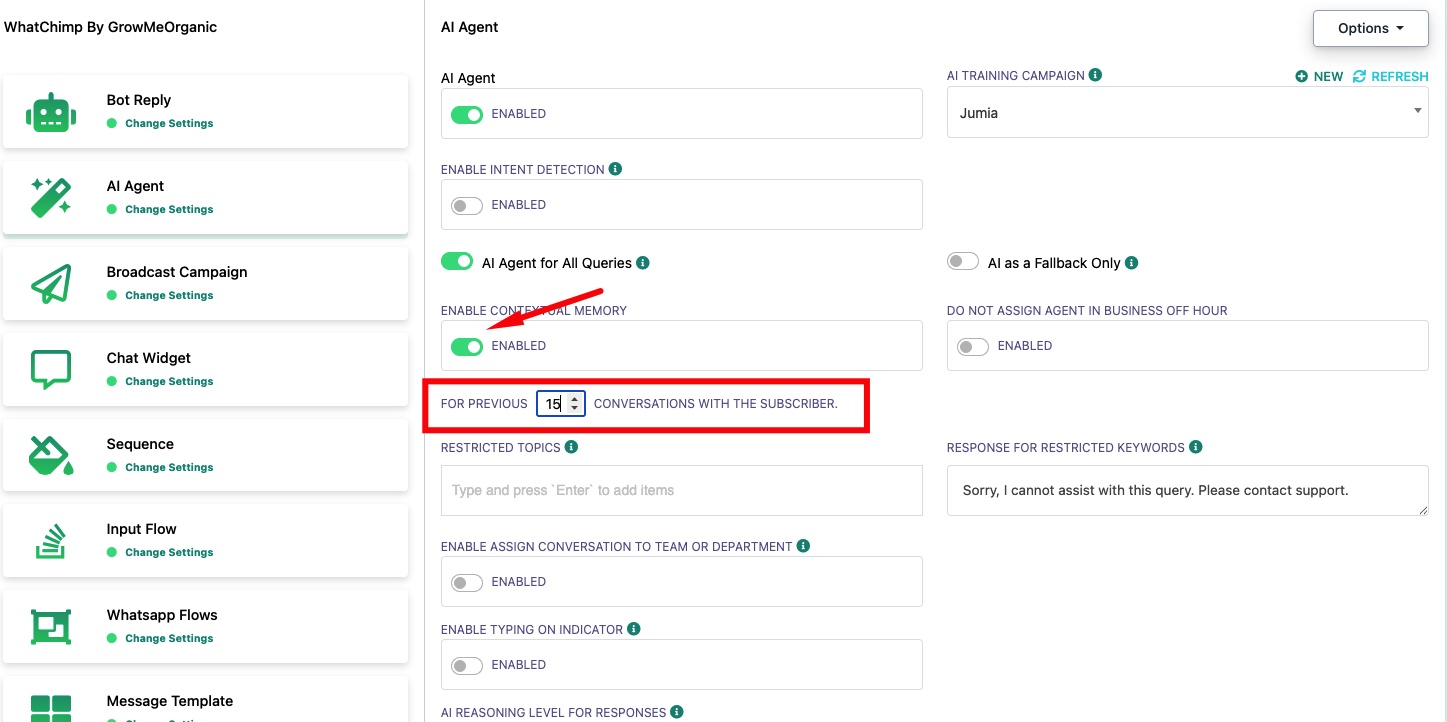
Enable Contextual Memory — When enabled, the AI reads previous conversations with the subscriber to give context-aware responses. Set how many past conversations it should remember (e.g., 18).
AI Reasoning Level for Responses — Controls how deeply the AI analyzes queries before responding. Low is faster and cheaper, High gives more thoughtful responses but uses more tokens.
Enable Typing on Indicator — Shows a "typing..." indicator to customers while the AI generates a response, making the conversation feel more natural.
Related Articles
How to Train Your AI Chatbot — Train AI with FAQs, URLs, and files
Restrict AI on Specific Keywords — Block the AI from responding to certain topics
Set Up Intent Detection — Route conversations based on customer intent