Intent Detection Actions
Trigger bots, assign teams, or switch AI agents based on detected intent
Updated 10 February 2026
When the AI detects a customer's intent, it can take one of three actions: trigger a chatbot flow, assign the conversation to a team, or hand off to a different AI agent. You configure the action when creating an Intent Detection Campaign.
Bot Flow Trigger
Enable "Bot Flow Trigger" in the Action Settings when creating an intent. This runs a specific chatbot flow when the intent is detected.
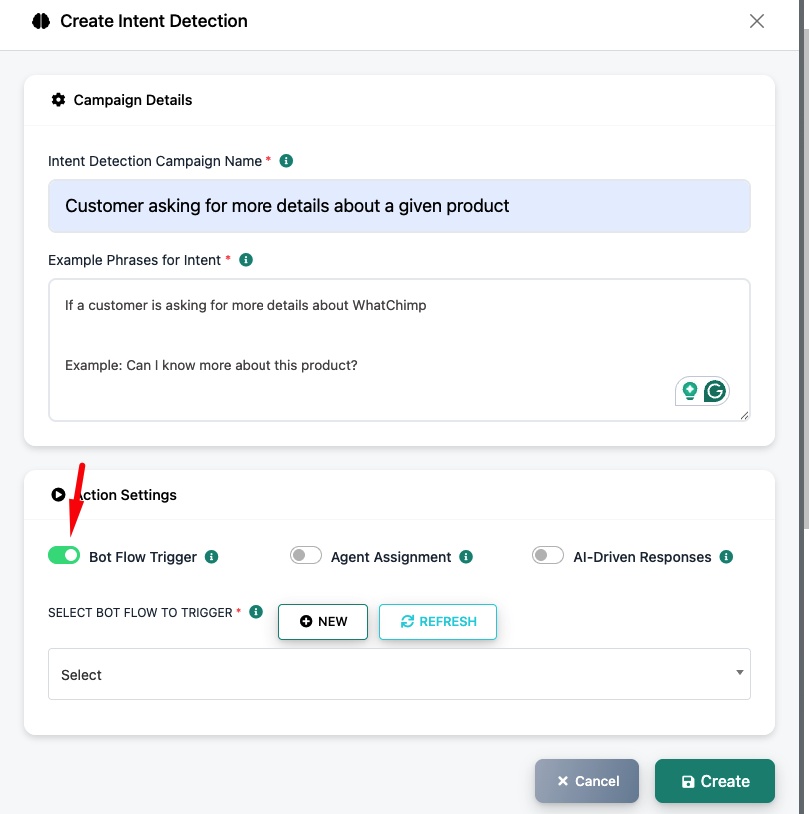
Select Bot Flow to Trigger — Pick an existing bot flow from the dropdown, or click New to create one. For example, if a customer asks about buying a product, you can trigger a "Buy Products" flow that shows your catalog.
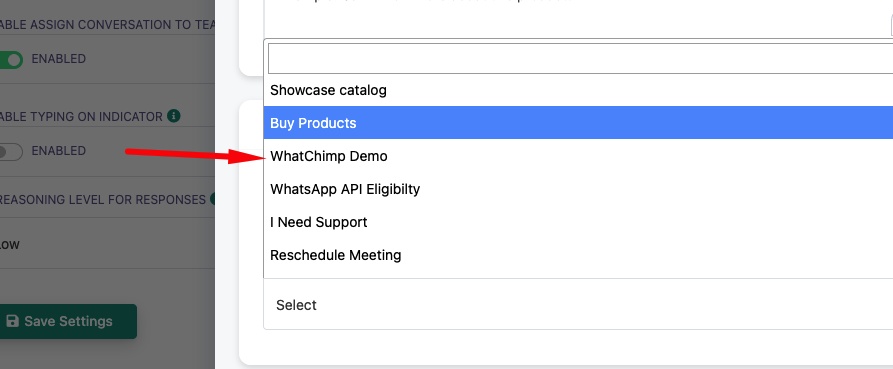
Use case: A customer says "I want to buy something" → AI detects the purchase intent → triggers the "Buy Products" chatbot flow that shows the product catalog with buttons.
Assign to Team or Department
Enable "Agent Assignment" in the Action Settings. This routes the conversation to a specific team when the intent is detected.
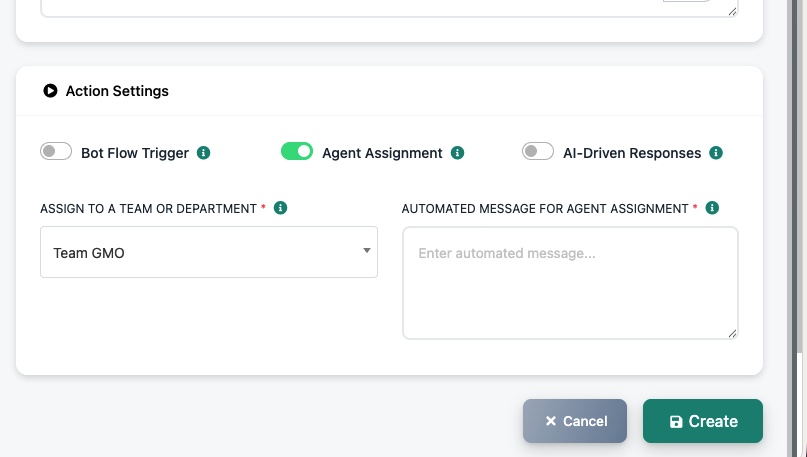
Assign to a Team or Department — Select which team should receive this conversation (e.g., "Team GMO").
Automated Message for Agent Assignment — Set a message that's sent to the customer when the conversation is assigned (e.g., "Connecting you with our sales team...").
Use case: A customer says "I need support with my order" → AI detects the support intent → assigns to the Support team → sends "Connecting you with our support team..."
Assign Another AI Agent
Enable "AI-Driven Responses" in the Action Settings. This hands the conversation to a different AI agent trained on different data.
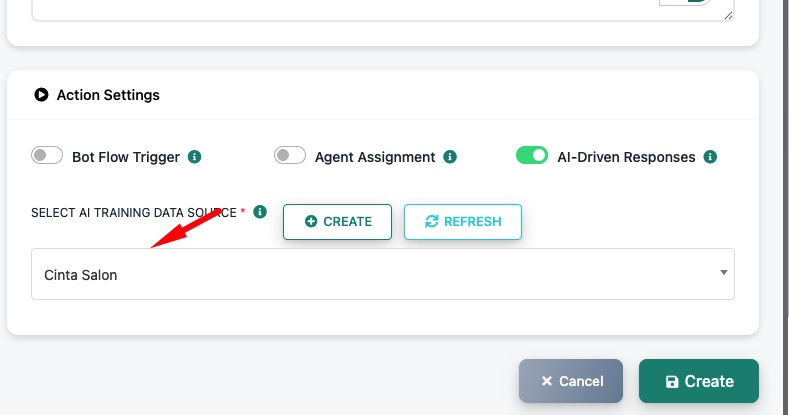
Select AI Training Data Source — Pick a different AI training campaign. For example, if your main AI is trained on general company info but a customer asks about salon services, you can route to a "Cinta Salon" campaign trained specifically on salon data.
Use case: You run multiple businesses or services. A customer asks about salon bookings → AI detects the salon intent → hands off to the "Cinta Salon" AI agent that's trained on salon-specific FAQs and services.
Related Articles
Set Up Intent Detection — Create intents and configure detection
Enable AI Agent for Your WhatsApp Number — Set up and configure the AI Agent
How to Train Your AI Chatbot — Create multiple AI training campaigns for different purposes