Set Up Intent Detection
Route conversations based on customer intent. Note: Intent Detection has been superseded by the Multi-Agent AI Workforce.
Updated 14 August 2026
Notice: Intent Detection has been superseded by the new Multi-Agent AI Workforce architecture. For new setups, follow Build a Multi-Agent AI Workforce with WhatChimp, which covers the same use cases (routing conversations, switching between AI agents, triggering bot flows on intent) using the current AI Configuration, Agents, and AI Knowledge Base setup. This page is kept for reference for accounts still on the older setup.
Video: https://www.youtube.com/watch?v=6DTtRNQBYBw
Intent Detection lets the AI Agent recognize what a customer wants and take a specific action, such as triggering a chatbot flow, assigning to a team, or switching to a different AI agent trained on different data. Instead of giving a generic AI response to every message, you can route specific intents to the right handler.
How to Enable Intent Detection
Go to Bot Manager > AI Agent > Change Settings for your WhatsApp number.
Toggle "Enable Intent Detection" to Enabled. When Intent Detection is on, the "AI Agent for All Queries" option is replaced by "AI as a Fallback Only", meaning the AI only responds when no intent matches.
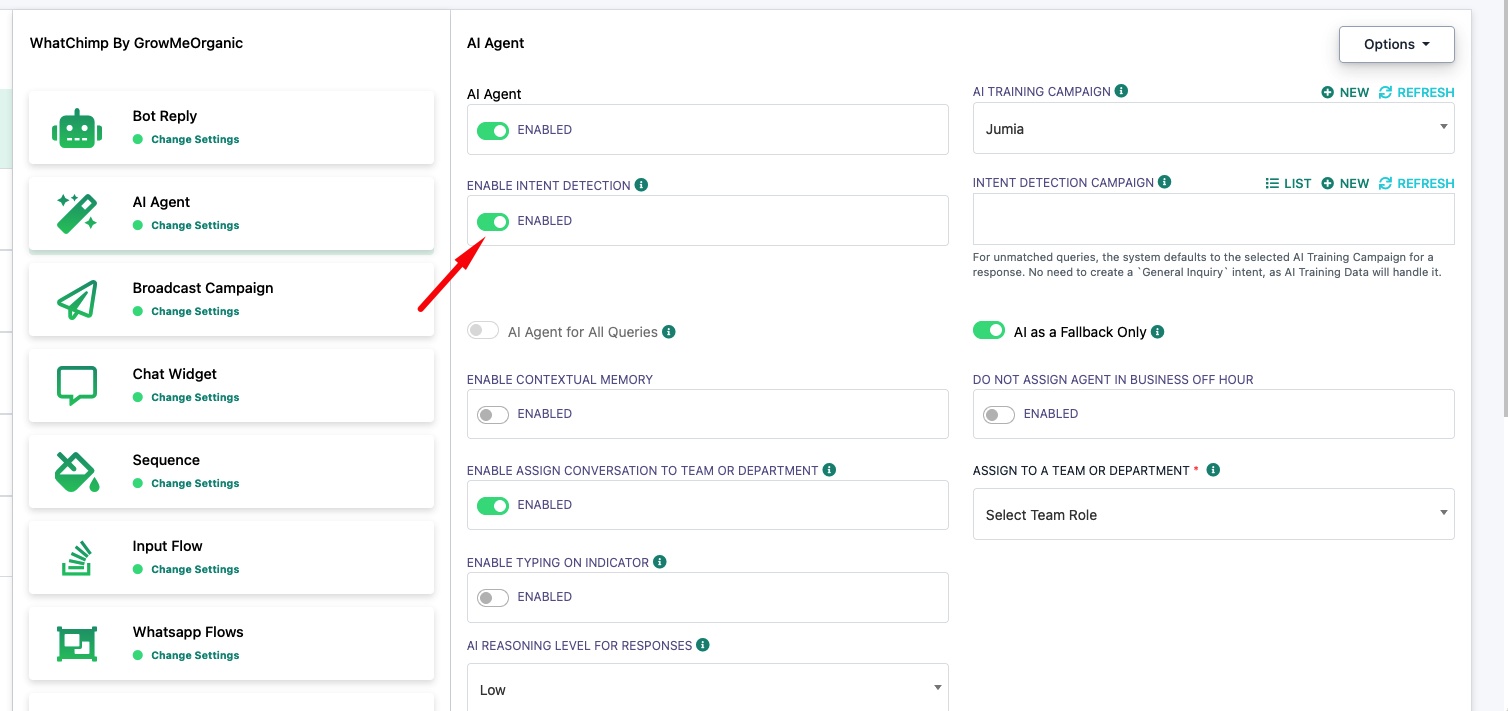
Note: For unmatched queries, the system defaults to the selected AI Training Campaign for a response. You do not need to create a "General Inquiry" intent. Your AI Training Data handles everything that does not match a specific intent.
How to Create an Intent
Click "New" next to Intent Detection Campaign to create a new intent.
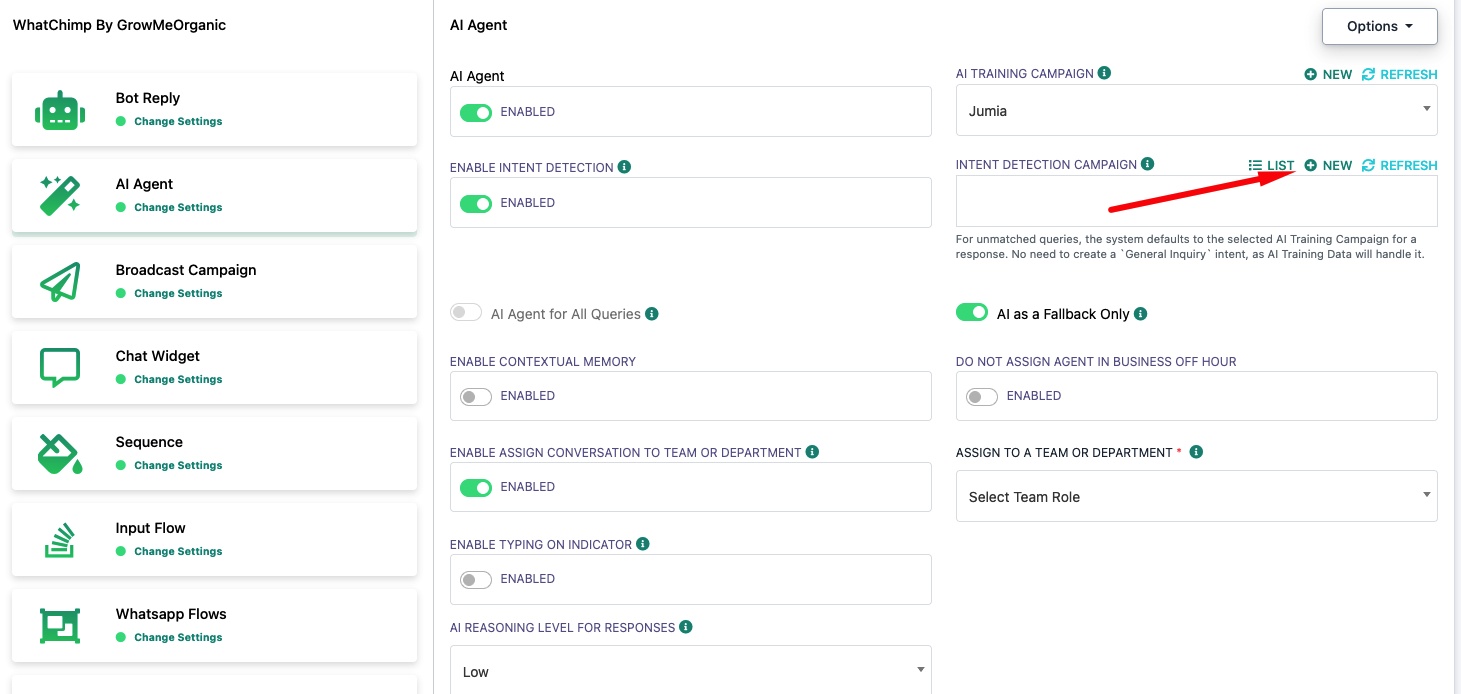
Fill in the intent details:
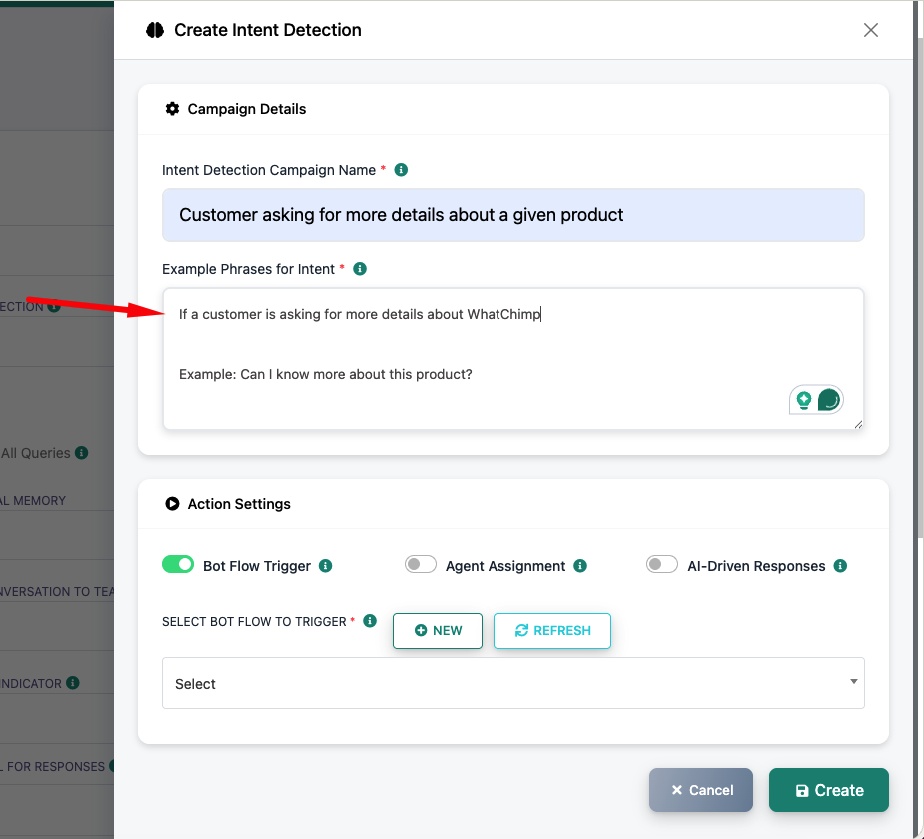
Intent Detection Campaign Name: A descriptive name for this intent (e.g., "Customer asking for more details about a given product").
Example Phrases for Intent: Describe the intent and give example messages. The AI uses this to match incoming messages. For example: "If a customer is asking for more details about WhatChimp. Example: Can I know more about this product?"
Action Settings: Choose what happens when this intent is detected. See Intent Detection Actions for details on each option.
Click Create to save the intent.
Common Mistake: Forgetting to Add the Intent
After creating an intent, you must add it to the Intent Detection Campaign dropdown on the AI Agent settings page. If the Intent Detection Campaign field is empty, your intents will not be active even though they exist.
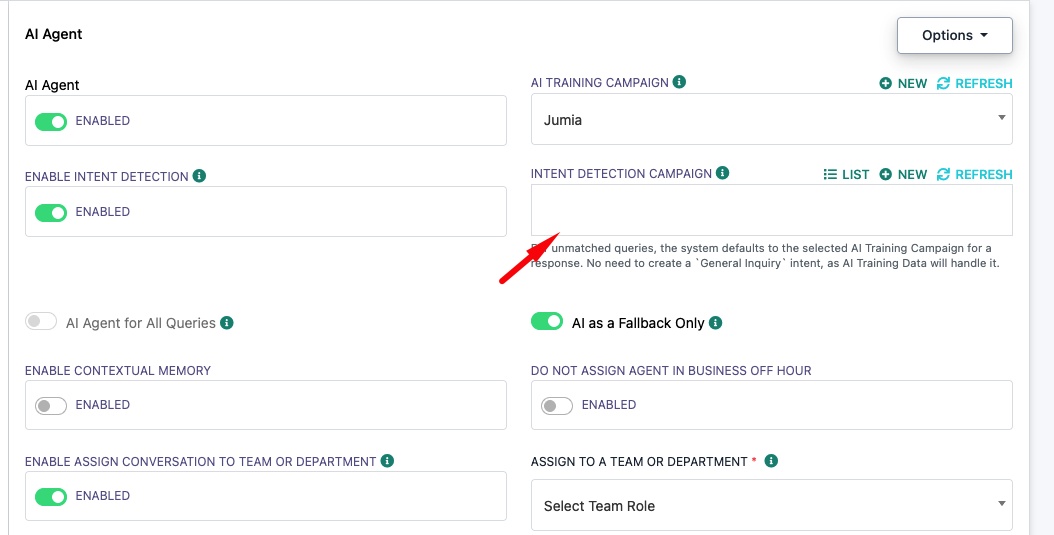
Make sure the Intent Detection Campaign field shows your created intents. Click Refresh if you just created a new one and it does not appear.
Related Articles
Build a Multi-Agent AI Workforce with WhatChimp: The current, recommended approach for intent-based routing.
Enable AI Agent for Your WhatsApp Number: Set up and configure the AI Agent.
How to Train Your AI Chatbot: Train the AI with FAQs, URLs, and files.