How to Update Your WhatsApp Business Profile
Update your WhatsApp Business profile picture, description, website, and business details
Updated 16 June 2026
In this guide, we will show you how to update your profile picture, description, website, and additional business information for your WhatsApp Cloud API number.
Log in to Your WhatsApp Manager Account
Log in to your WhatsApp Manager Account to access your WhatsApp settings.
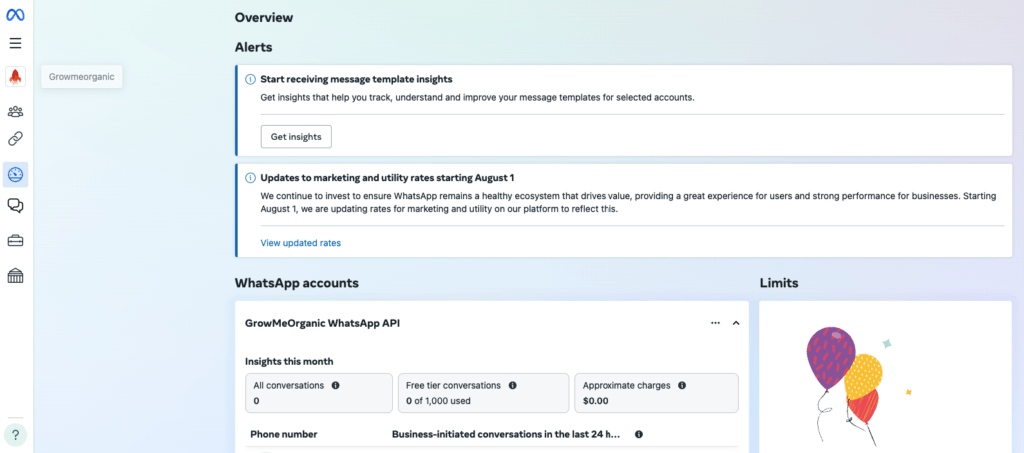
Navigate to WhatsApp Manager
Head to the WhatsApp Manager > Account tools -> Phone numbers by following this link: Manage Phone Numbers. This will take you directly to the Phone Numbers section of your WhatsApp Business settings.

Locate Your Phone Number
Once you’re in the Phone Numbers section:
• Find the phone number you want to update.
• Click on the Settings button next to the number.

Access Profile Settings
In the Settings menu:
• Click on Profile.

• Here, you’ll find options to change your Display Picture, update your Business Description, add your Website, and edit other important details like your Business Address or Email.
Change Your Display Picture
To update your profile picture:
• Click the Change Profile Picture option.

• Upload a new image that represents your business. Ensure it meets WhatsApp’s guidelines for profile pictures.
• Once uploaded, click Save to finalize the change.
Update Your Business Description
To change your business description:
• Edit the Business Description field to provide a clear overview of your business offerings.

• Click Save once the new description is in place.
Add or Update Your Website
To add or update your website link:
• Scroll to the Website section.
• Enter your website URL or update it if necessary.

• Click Save to confirm the update.
Edit Additional Business Info
You can also update other business information like your Business Address or Email:
• Locate the fields you need to edit, such as Address or Email.

• Enter the new information and make sure it’s accurate.
• Click Save to apply these changes.
That’s it! You’ve now successfully updated your WhatsApp Business profile, including your display picture, description, website, and other relevant business details. Keeping your profile updated ensures a professional and clear communication channel with your customers.
If you need further assistance, don’t hesitate to reach out to WhatChimp Support.