Appointment Booking Ka Introduction
Customers ko WhatsApp ke andar hi appointments book karne dein, free ya paid, Google Calendar mein Meet link ke saath sync. Dekhein poora booking flow kaise kaam karta hai.
Updated 18 June 2026
Video: https://www.youtube.com/watch?v=_vtfCtElqtg
WhatChimp aapke leads ko aapke saath ek appointment book karne deta hai, free ya paid, seedha ek WhatsApp chat ke andar. Har booking aapke Google Calendar par ek Google Meet link ke saath aati hai, aur aap automatically reminders bhej sakte hain. Koi external booking page nahi, poora kuch conversation ke andar hi hota hai.
Aap Kya Kar Sakte Hain
- Customers ko ek chatbot keyword se slot book karne dein, WhatsApp chhode bina.
- Unki details (naam, email, aur jo bhi aap puchein) booking ke part ke roop mein collect karein.
- Apni real availability offer karein, un time slots se jo aap define karte hain.
- Appointment ke liye PayPal ya Stripe se payment lein, ya ise free rakhein.
- Har booking ko Google Calendar par dono taraf ke liye ek Google Meet link ke saath sync karein.
- Meeting se pehle reminders bhejein taaki log aayein.
Customer Ke Liye Booking Kaisi Dikhti Hai
Yeh raha poora flow jo ek customer guzarta hai, sab WhatsApp ke andar.
1. Woh booking shuru karte hain aur kuch questions ka jawab dete hain. Ek keyword (jaise "Book Test Demo") flow ko trigger karta hai, aur bot unka naam aur email collect karta hai.
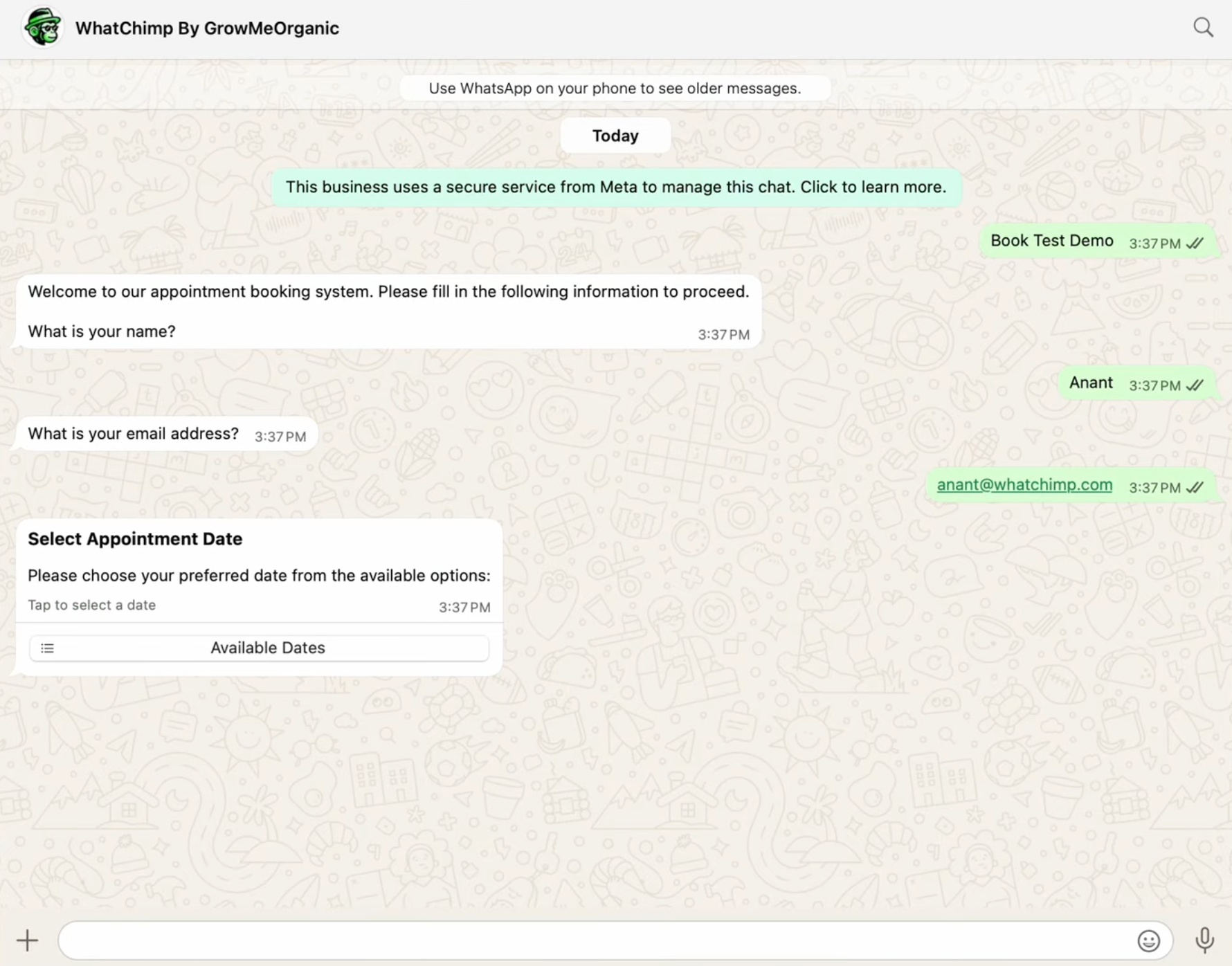 Bot customer ka swagat karta hai aur unki details collect karta hai
2. Woh ek available date chunte hain. WhatChimp sirf woh dates dikhata hai jo aapke paas open hain, har ek par bache hue slots ki sankhya ke saath.
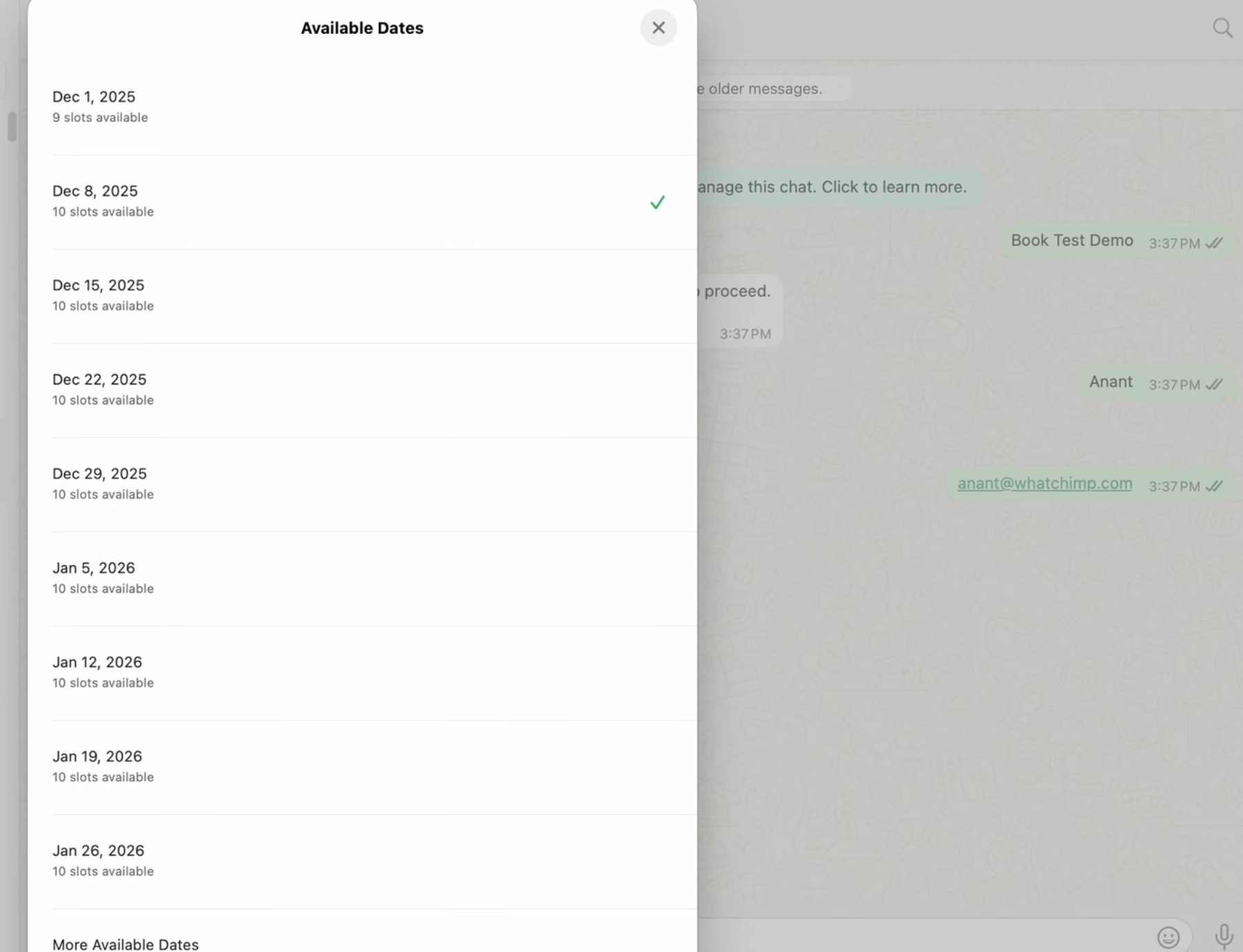 Customer aapki available dates mein se chunta hai
3. Woh ek time chunte hain. Date ke baad, woh aapke time zone mein ek open time slot chunte hain.
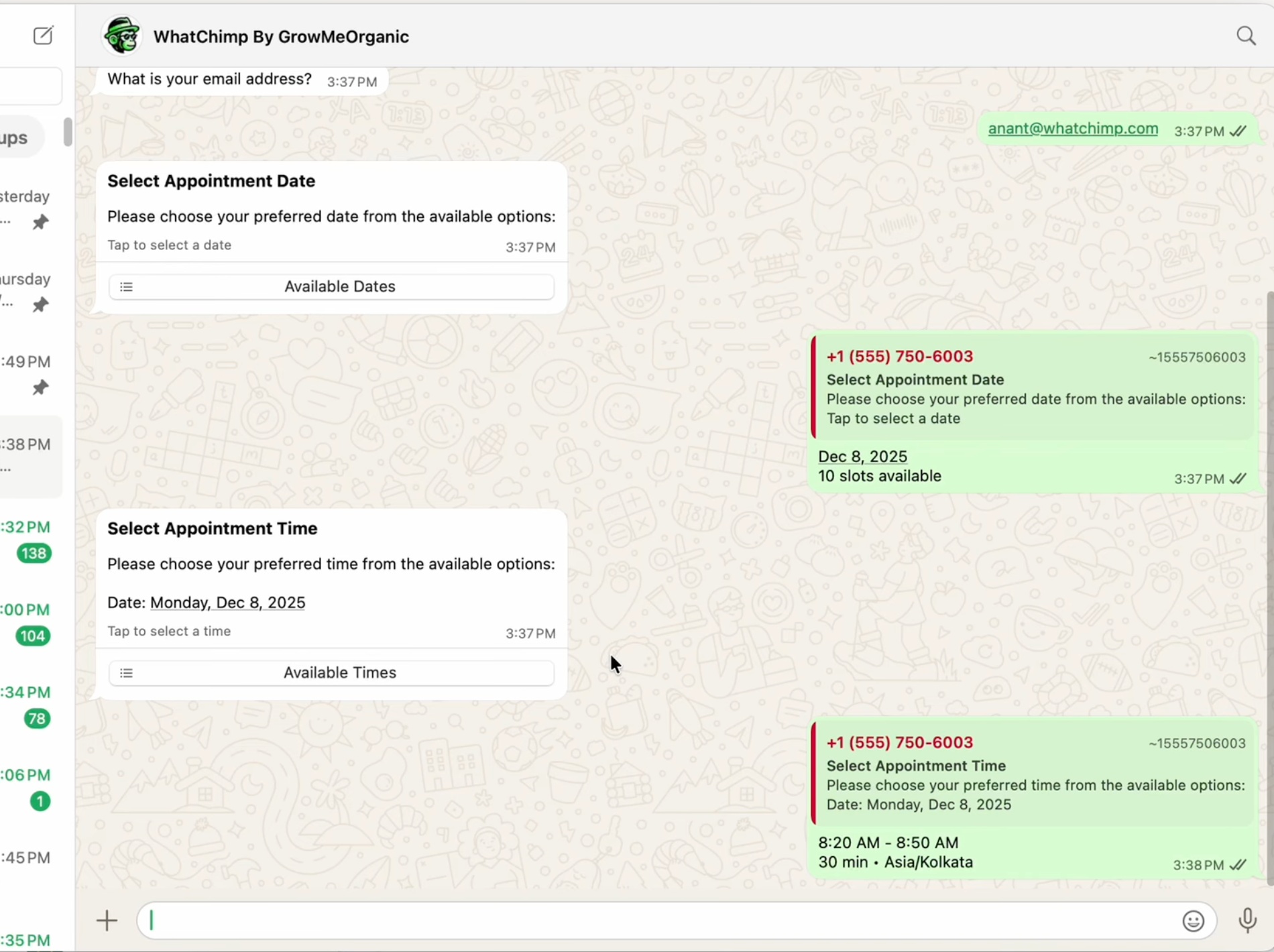 Customer ek available time slot chunta hai
4. Woh confirm karte hain, aur booking lock ho jaati hai. WhatChimp booking details aur ek Google Meet link ke saath ek confirmation bhejta hai. Agar slot time par confirm nahi hota, toh use release kar diya jaata hai taaki woh doosron ko block na kare.
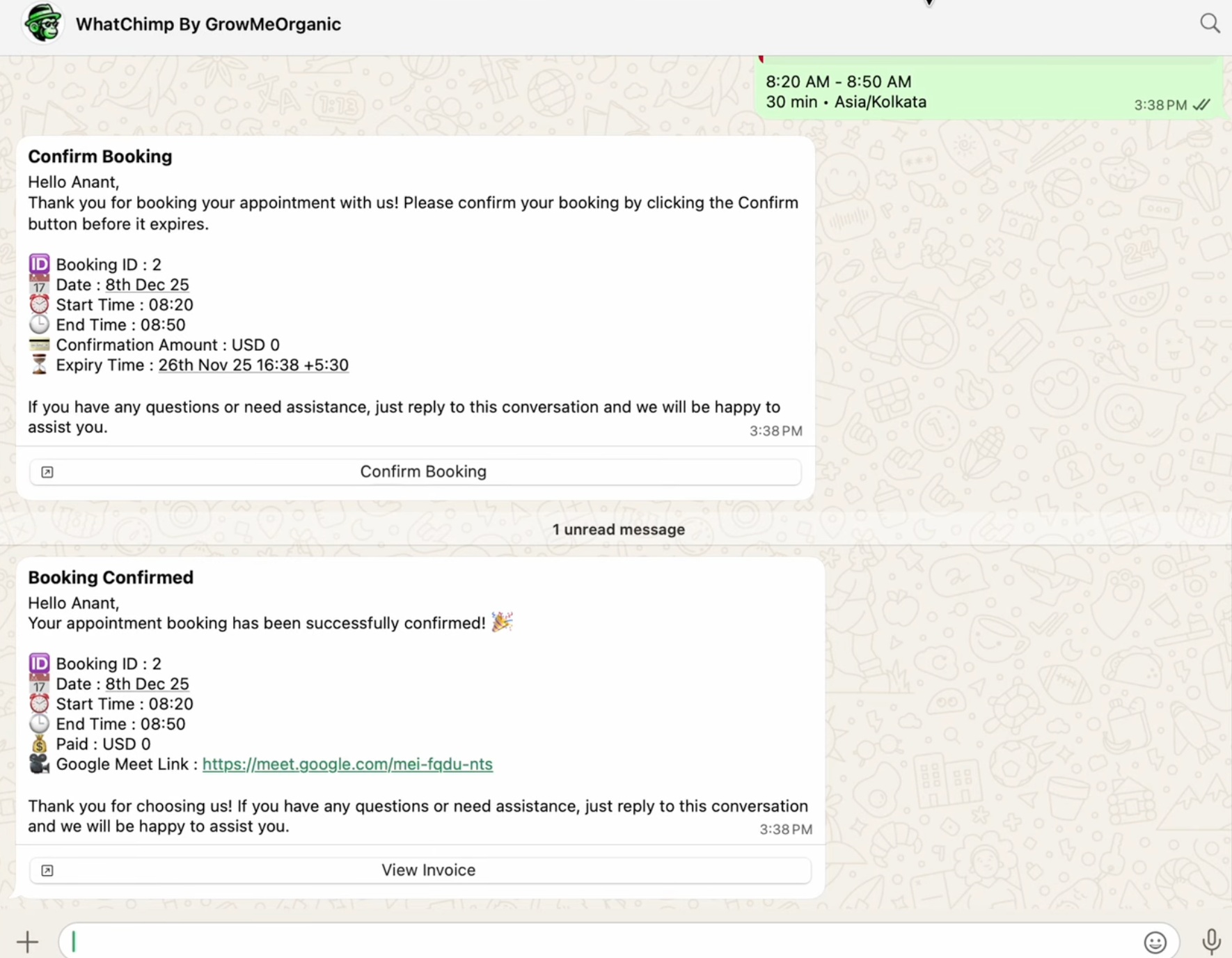 Customer confirm karta hai aur booking details aur Meet link paata hai
5. Booking Google Calendar par dikhti hai. Aapko aur customer dono ko event milta hai, Meet link aur guest add ke saath.
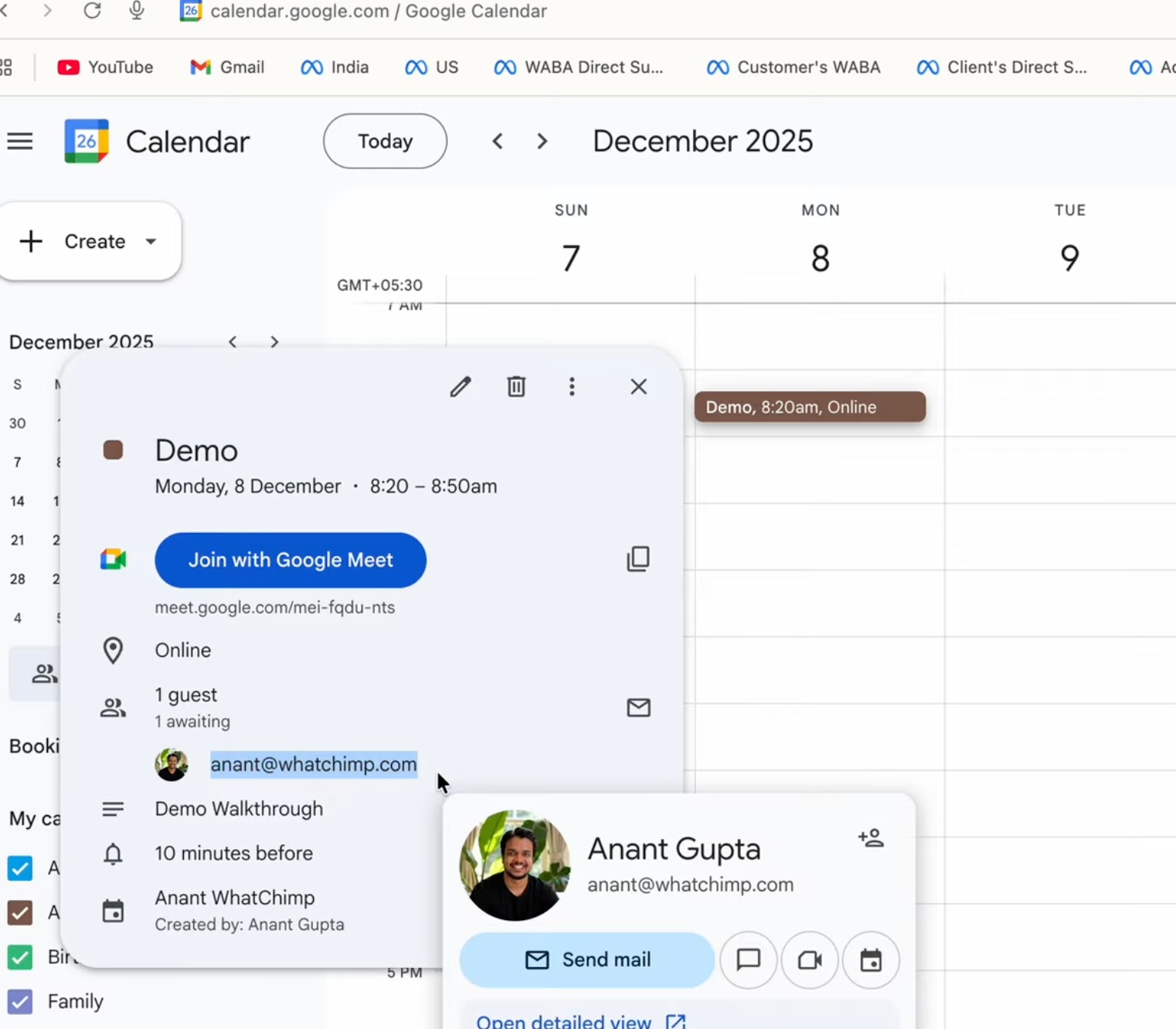 Har booking Google Calendar par ek Meet link ke saath sync hoti hai
6. Woh apna invoice aur booking status kabhi bhi dekh sakte hain. Har booking ka apna page hota hai jisme invoice, appointment details, aur payment status hota hai.
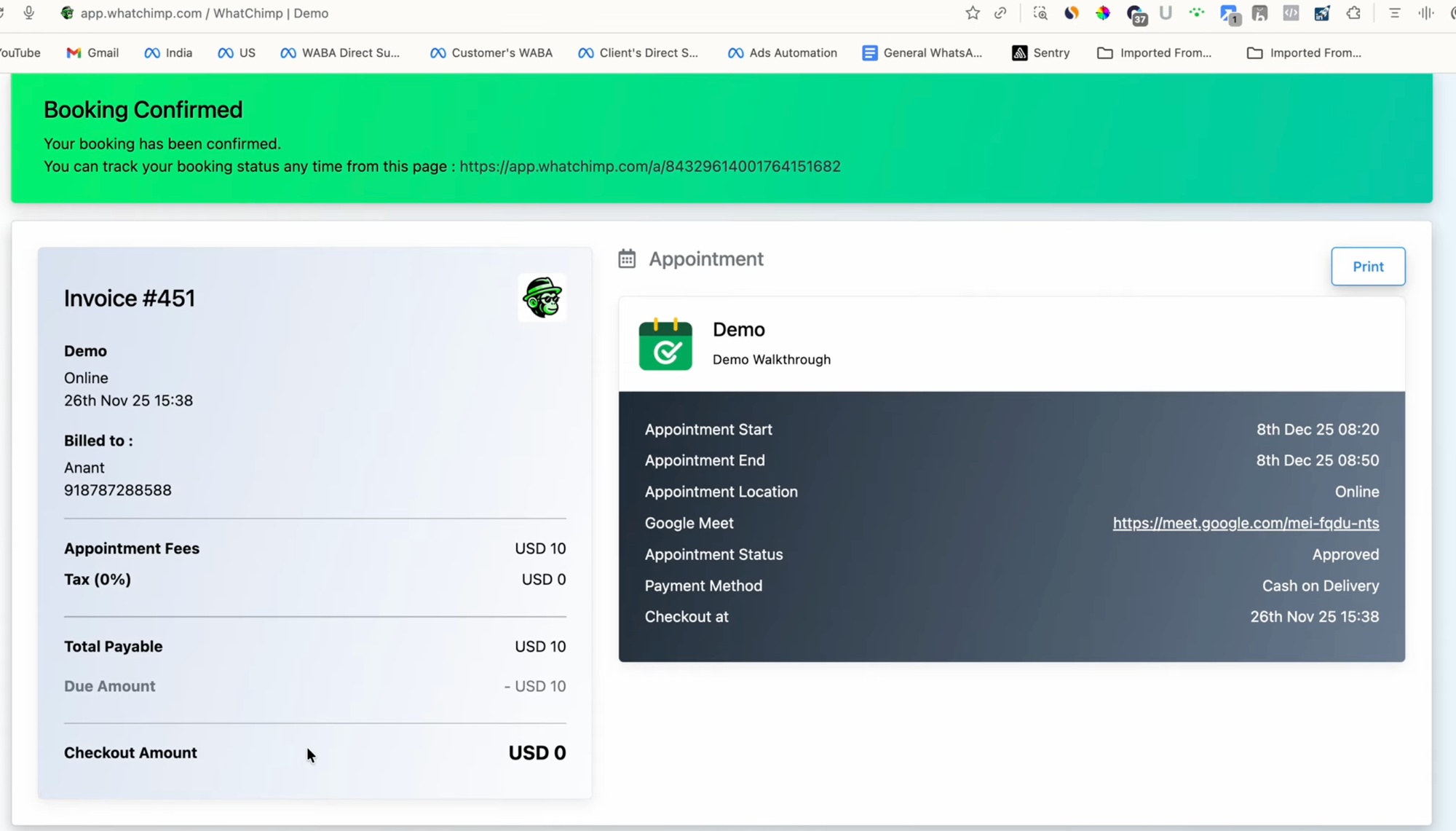 Customers booking track kar sakte hain aur ek dedicated page se invoice dekh sakte hain
Yeh Behind The Scenes Kaise Kaam Karta Hai
Ise chalane ke liye, aap WhatChimp mein teen cheezein set up karte hain:
- Apna Google account connect karein taaki bookings Google Calendar par sync ho aur Meet links banein.
- Ek appointment banayein apni availability, duration, pricing, reminders, aur puchne wale questions ke saath.
- Ise ek chatbot se trigger karein taaki ek keyword booking flow shuru kare.
Is category ke baaki articles har step ke through le jaate hain.