Webhook for WhatsApp Flows
Fire a webhook every time a customer submits a WhatsApp Flow form
Updated 10 February 2026
WhatsApp Flows (WhatsApp Forms) let customers fill out native forms directly inside WhatsApp. You can fire a webhook every time a form is submitted, sending the collected data to your external system.
Step 1: Open WhatsApp Flows
Go to Bot Manager → WhatsApp Flows. You'll see a list of all your flows with their name, category, and status.
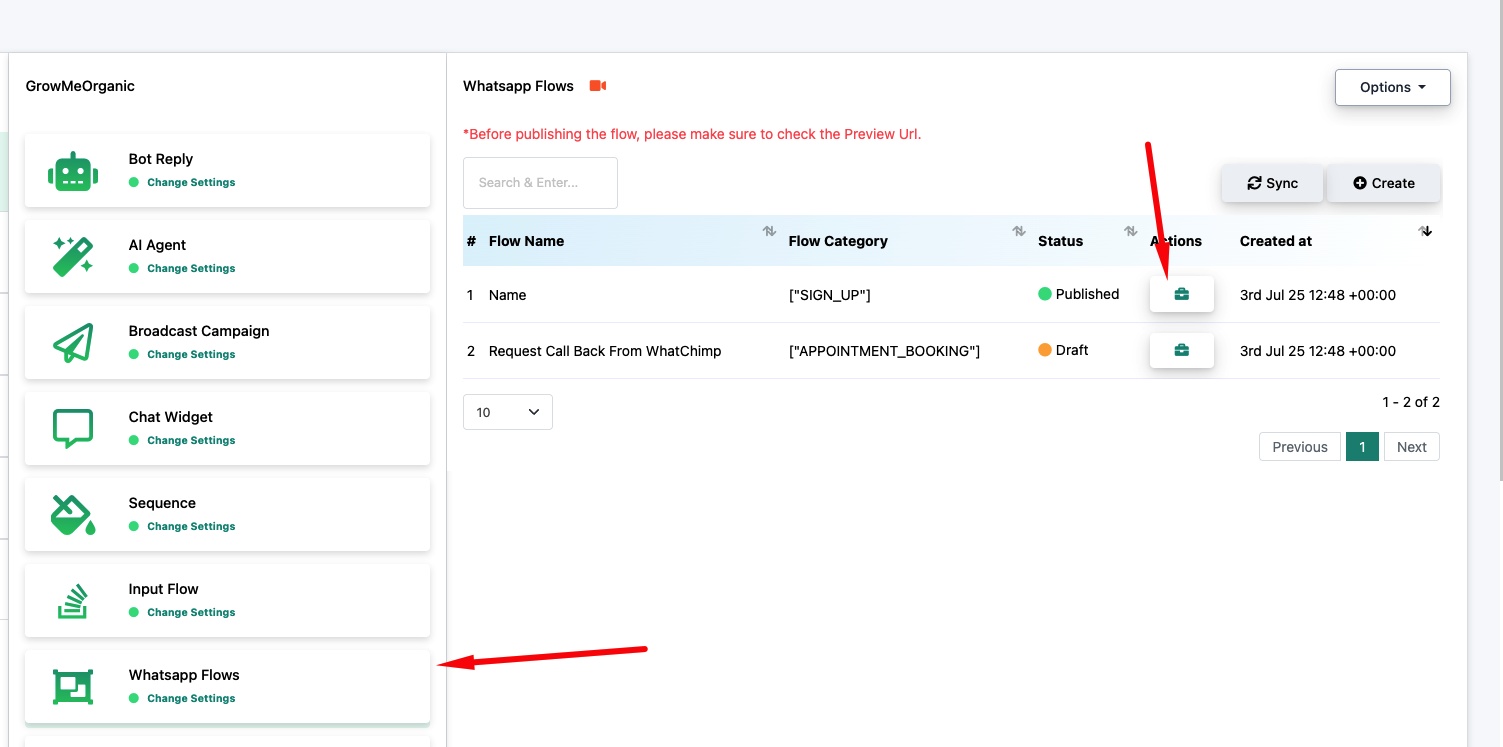
Step 2: Open Webhook Settings
Click the action icons on a published flow to expand the available options.
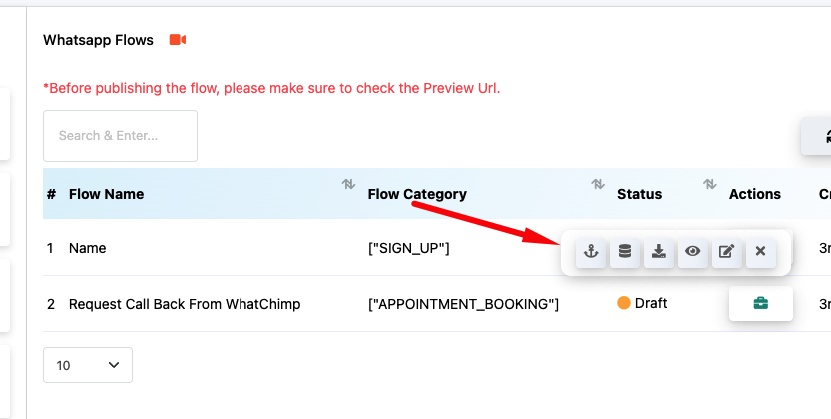
This opens the WhatsApp Flow Webhook settings page. Click New to add a webhook URL.
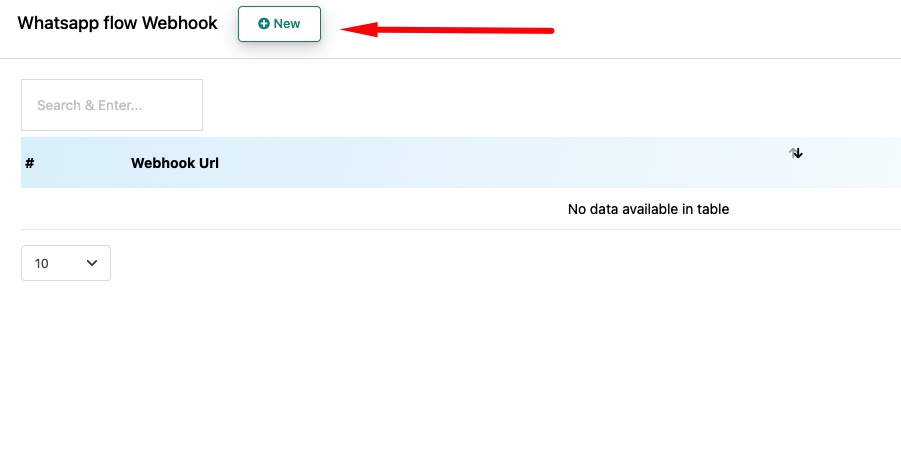
Step 3: Add Your Webhook URL
Enter your Webhook URL and click Save. Every time a customer submits this WhatsApp Flow form, WhatChimp will POST the form data to your URL.
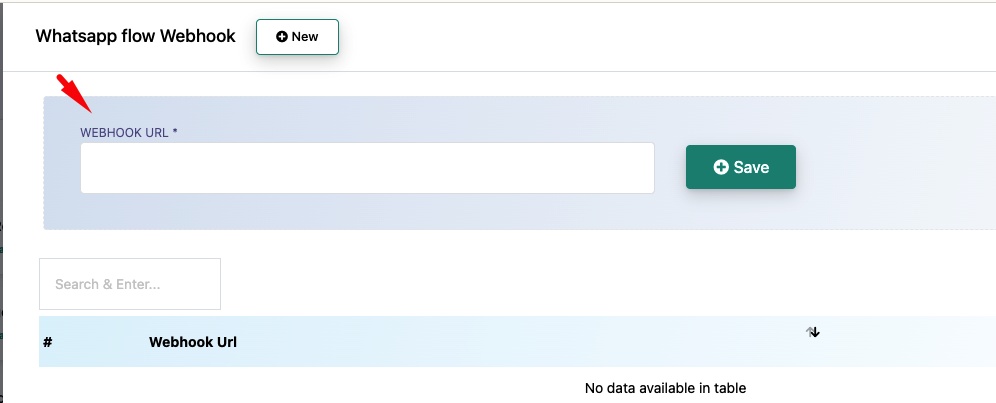
You can add multiple webhook URLs for the same flow if you need to send data to multiple systems.
Related Articles
WhatsApp Flow Forms — Full guide on creating WhatsApp Flow forms
Webhook for Input Flow — Send collected chat responses to a webhook