Webhook for Input Flow
Send collected chat responses from Input Flow to your webhook URL automatically
Updated 10 February 2026
Input Flow lets your chatbot ask step-by-step questions via chat and collect responses from customers. You can send all collected answers to a webhook URL automatically once the flow is complete.
How to Set It Up
Go to Bot Manager → Input Flow and create or edit an Input Flow campaign. In the campaign settings, find the Send data to Webhook URL field.
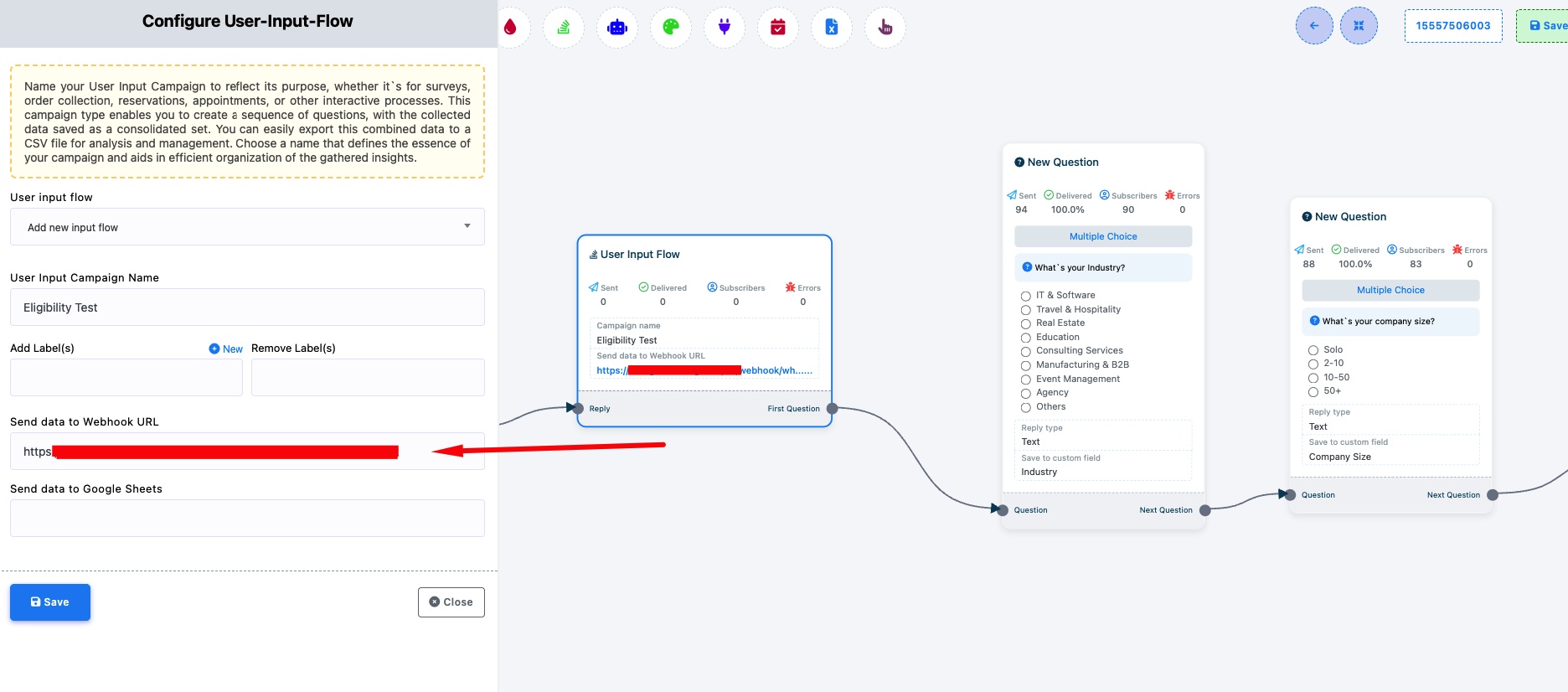
Send data to Webhook URL — Paste your webhook endpoint URL. When a customer completes the Input Flow (answers all questions), WhatChimp sends all the collected data to this URL via HTTP POST.
This is useful when you want to:
- Collect lead information (name, email, requirements) and push it to your CRM
- Gather survey responses and send them to your analytics platform
- Collect support details and create a ticket in your helpdesk
Tip: See How to Automate Complex Conversations with User Input Flow for a detailed guide on setting up Input Flow campaigns.
Related Articles
How to Automate Complex Conversations with User Input Flow — Full guide on creating Input Flow campaigns
Webhook on Button Click — Fire webhooks when customers click chatbot buttons