Webhook for WhatsApp Catalog
Get notified via webhook when customers submit orders, checkout, or update orders in your WhatsApp catalog
Updated 10 February 2026
WhatChimp's Catalog Manager lets you fire webhooks when customers interact with your WhatsApp product catalog. Get notified in real time when orders are submitted, checked out, or updated.
Step 1: Open Catalog Webhook Settings
Go to eCommerce Catalog → Catalog Manager. Find the Webhook button next to your catalog and click it.
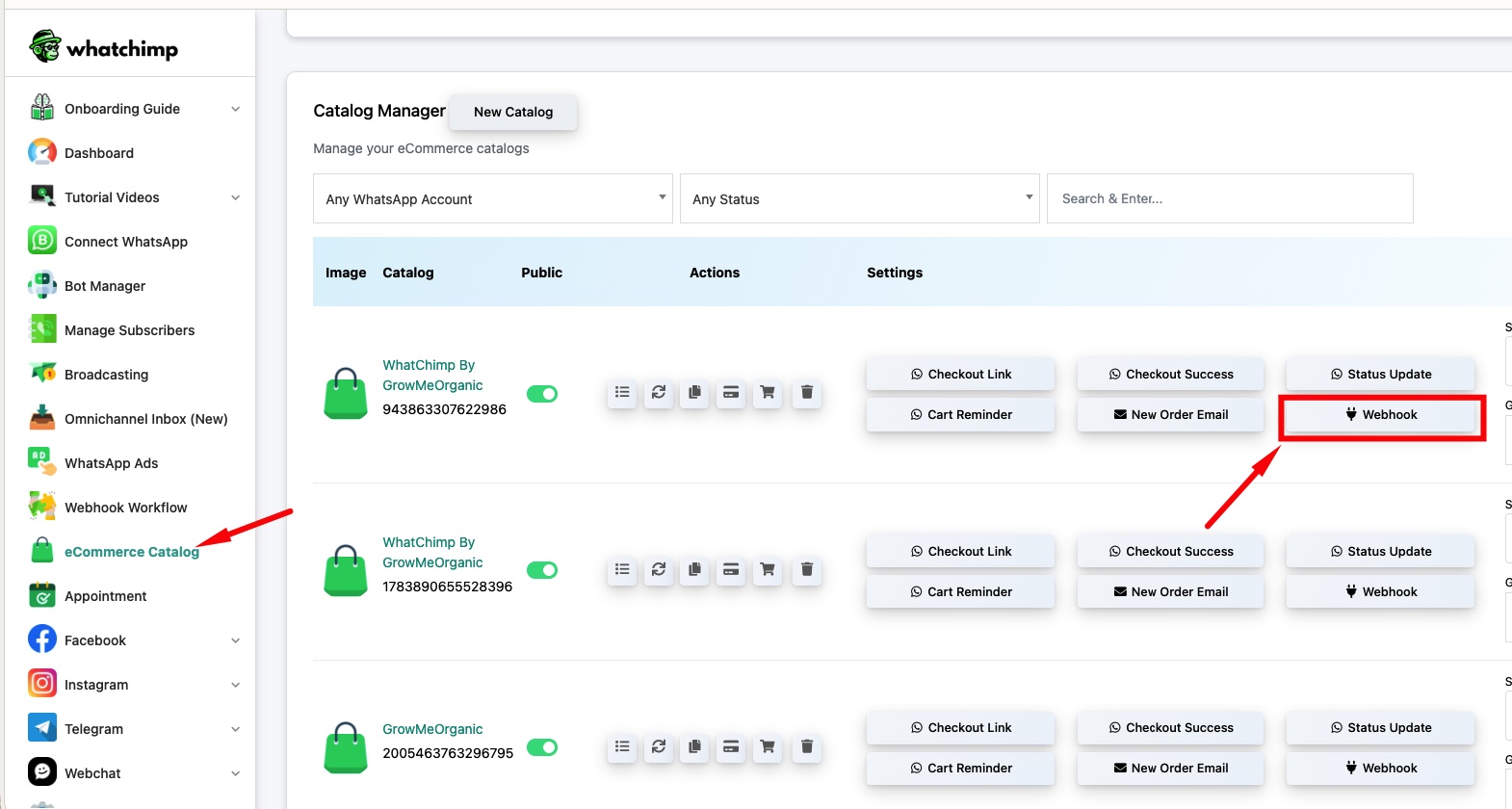
Step 2: Add a Webhook
Click New to create a new webhook. Select the Event Type and enter your Webhook URL.
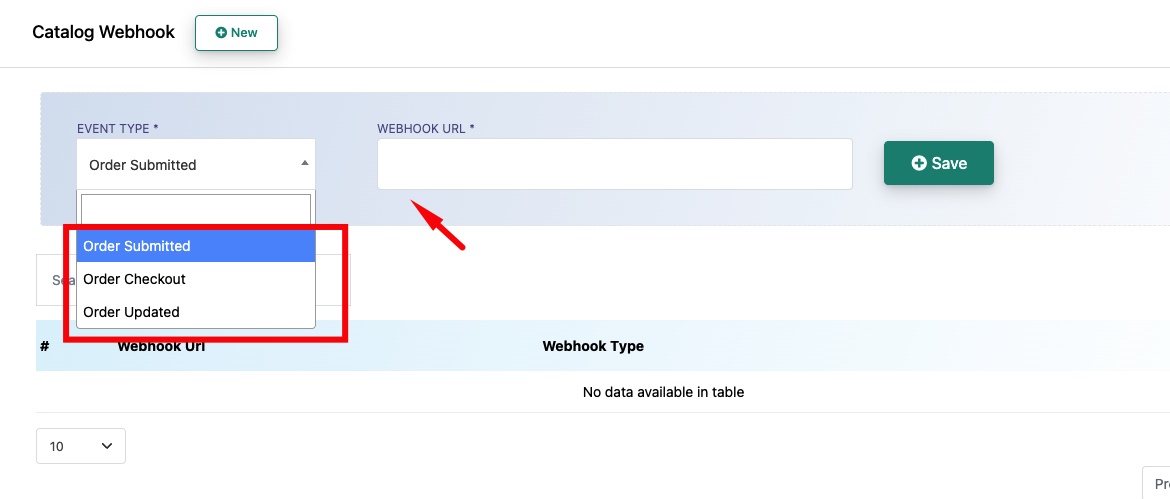
Event Type — Choose when the webhook should fire:
- Order Submitted — When a customer submits an order through the catalog
- Order Checkout — When a customer proceeds to checkout
- Order Updated — When an existing order is modified
Webhook URL — The endpoint where WhatChimp sends the order data via HTTP POST.
Click Save to activate the webhook. You can add multiple webhooks for different event types.
Related Articles
Webhook for WhatsApp Flows — Fire webhooks on WhatsApp form submissions
Webhook for Incoming and Outgoing Messages — Fire webhooks for all messages