Incoming Webhook Workflow kya hai
Third-party apps ko WhatChimp se connect karein aur WhatsApp messages automatically bhejein jab events ho — Zapier ya Pabbly ki zaroorat nahi
Updated 10 February 2026
Incoming Webhook Workflow aapko third-party apps ko WhatChimp se connect karne deta hai bina Zapier ya Pabbly jaise tools ke. Jab kisi doosre app mein event hota hai — ek naya booking, form submission, payment — wo WhatChimp ko webhook bhejta hai, jo automatically WhatsApp message bhejta hai us data ka use karke.
Video: https://www.youtube.com/watch?v=vdNPfF6At3E
Kaise kaam karta hai
Aapke app mein ek event hota hai (jaise koi Cal.com mein meeting book karta hai) → App WhatChimp ko webhook bhejta hai (booking details ke saath JSON payload) → WhatChimp data ko message template se map karta hai (naam, date, link) → Customer ko WhatsApp message automatically milta hai.
Code ki zaroorat nahi. Aap bas webhook data aur aapke Message Template variables ke beech mapping configure karte hain.
Kab use karein
- Customer appointment book karta hai aur aap WhatsApp confirmation bhejna chahte hain
- Aapke CRM mein order place hota hai aur aap customer ko notify karna chahte hain
- Form submit hota hai aur aap follow-up message bhejna chahte hain
- Koi bhi third-party app jo outgoing webhooks support karta hai
Dashboard
Settings & Integration → WhatsApp Webhook (in-bound) Workflow par jaayein. Yahan aap apne saare webhook workflows create aur manage karte hain.
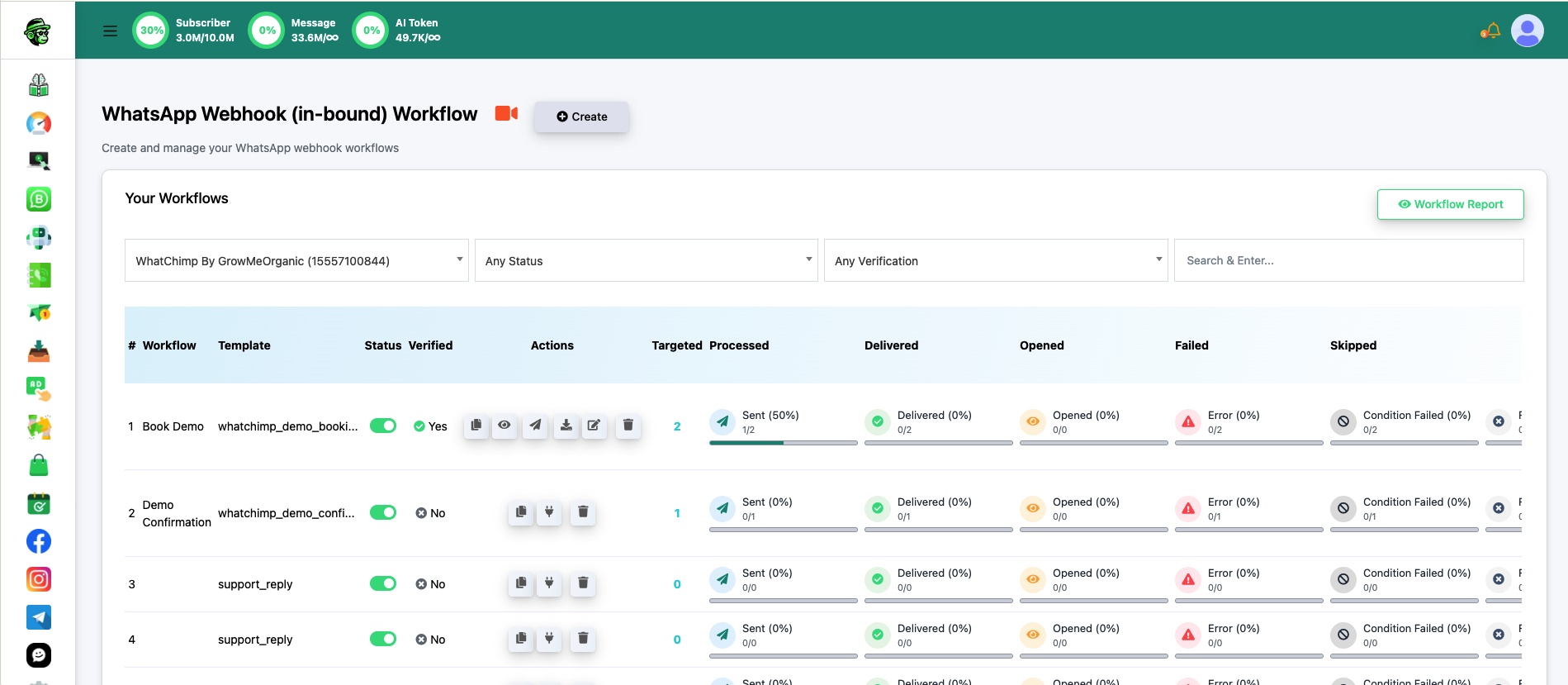
Har workflow apna linked template, status, verification state, aur delivery stats dikhata hai (targeted, processed, delivered, opened, failed, skipped).
Related Articles
Create a Webhook Workflow — Step-by-step setup guide
Webhook Automation Settings — Delays, conditions aur post-webhook actions add karein
Webhook Workflow Reporting — Delivery aur performance monitor karein