How Agents Set Their Availability
Each agent can turn their support availability on or off from their profile. Round robin only assigns chats to available agents.
Updated 21 June 2026
Round robin only hands a chat to an agent who is marked available. Every agent controls their own availability from their profile, so the rotation always skips anyone who is off. This article is written for agents: share it with your team.
Step 1: Open your Account settings
Click your profile picture in the top right corner, then click Account.
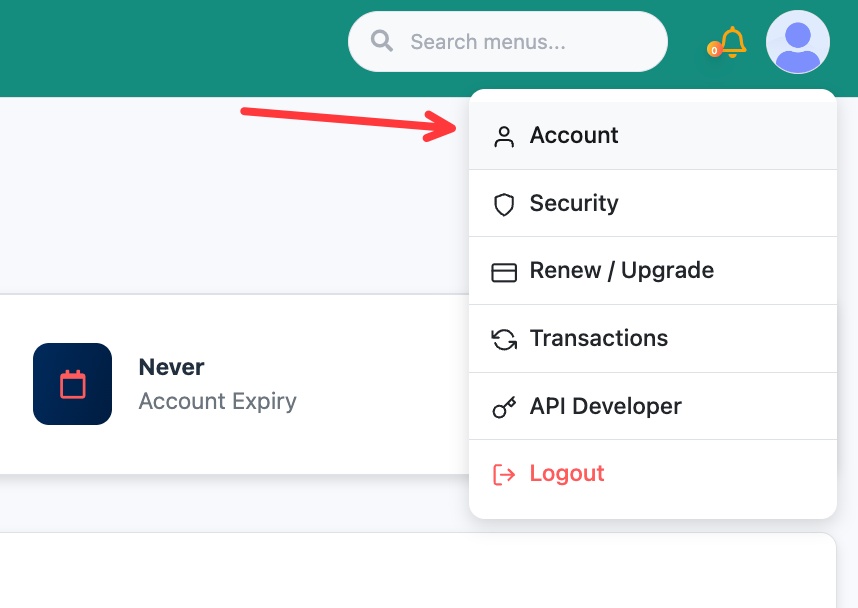 Open Account from the profile menu in the top right
Step 2: Set your availability
Scroll down to I am available for support and turn the toggle to Yes to receive chats, or No to stop receiving them. You can also set your Available Support Time so you only get chats during your working hours.
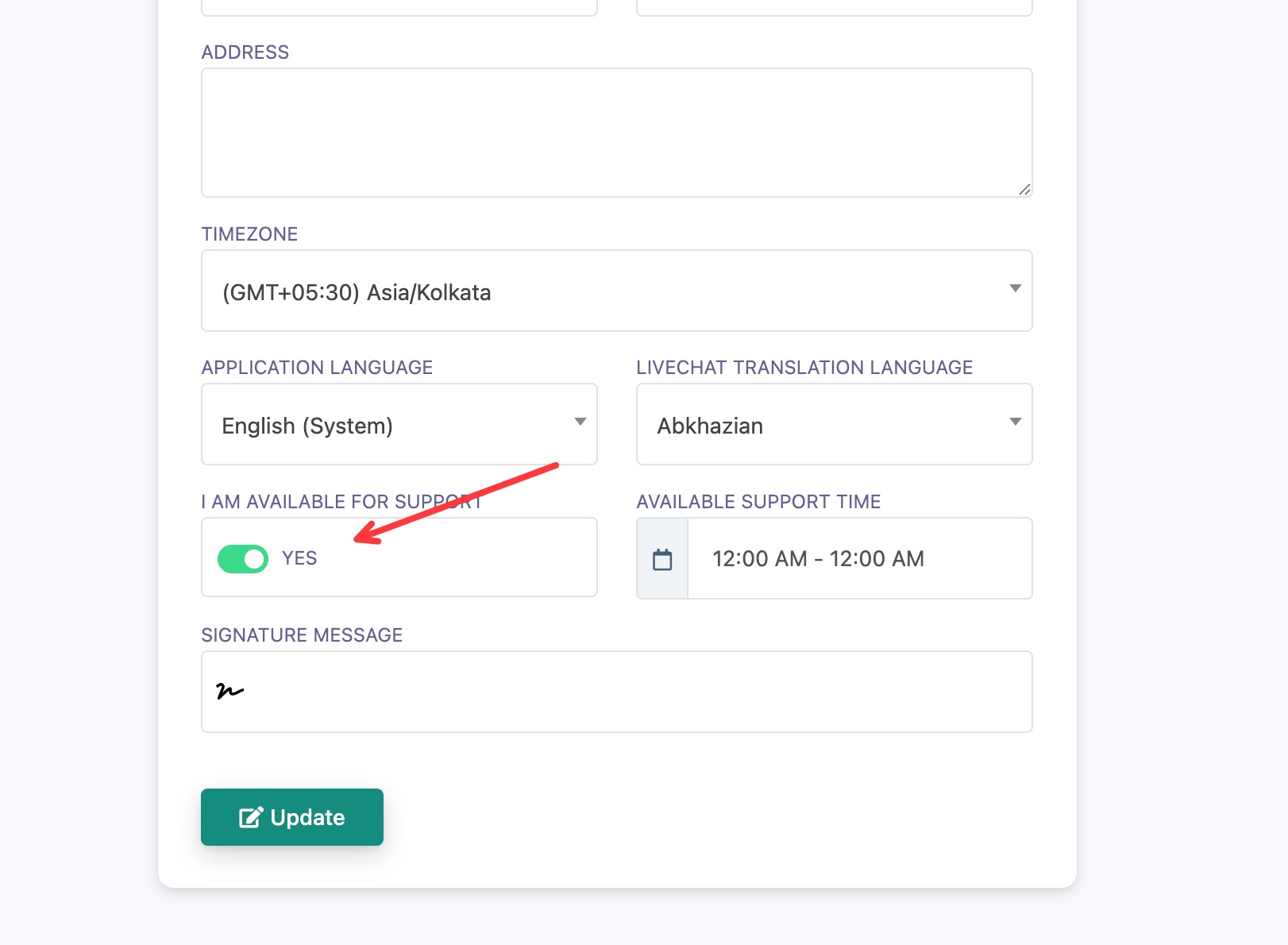 Toggle I am available for support and set your support hours
Step 3: Save
Click Update to save your availability.
When your toggle is No, or the current time is outside your Available Support Time, round robin skips you and assigns the chat to the next available agent in your team. Turn it back to Yes when you are ready to take chats again.