WhatsApp Catalog ke liye Webhook
Webhook ke through notification paayen jab customers apne WhatsApp catalog mein orders submit karein, checkout karein, ya orders update karein
Updated 10 February 2026
WhatChimp ka Catalog Manager aapko webhooks fire karne deta hai jab customers aapke WhatsApp product catalog ke saath interact karte hain. Real time mein notification paayen jab orders submit, checkout ya update hote hain.
Step 1: Catalog Webhook Settings Kholein
eCommerce Catalog → Catalog Manager par jaayen. Apni catalog ke paas Webhook button dhoondhein aur us par click karein.
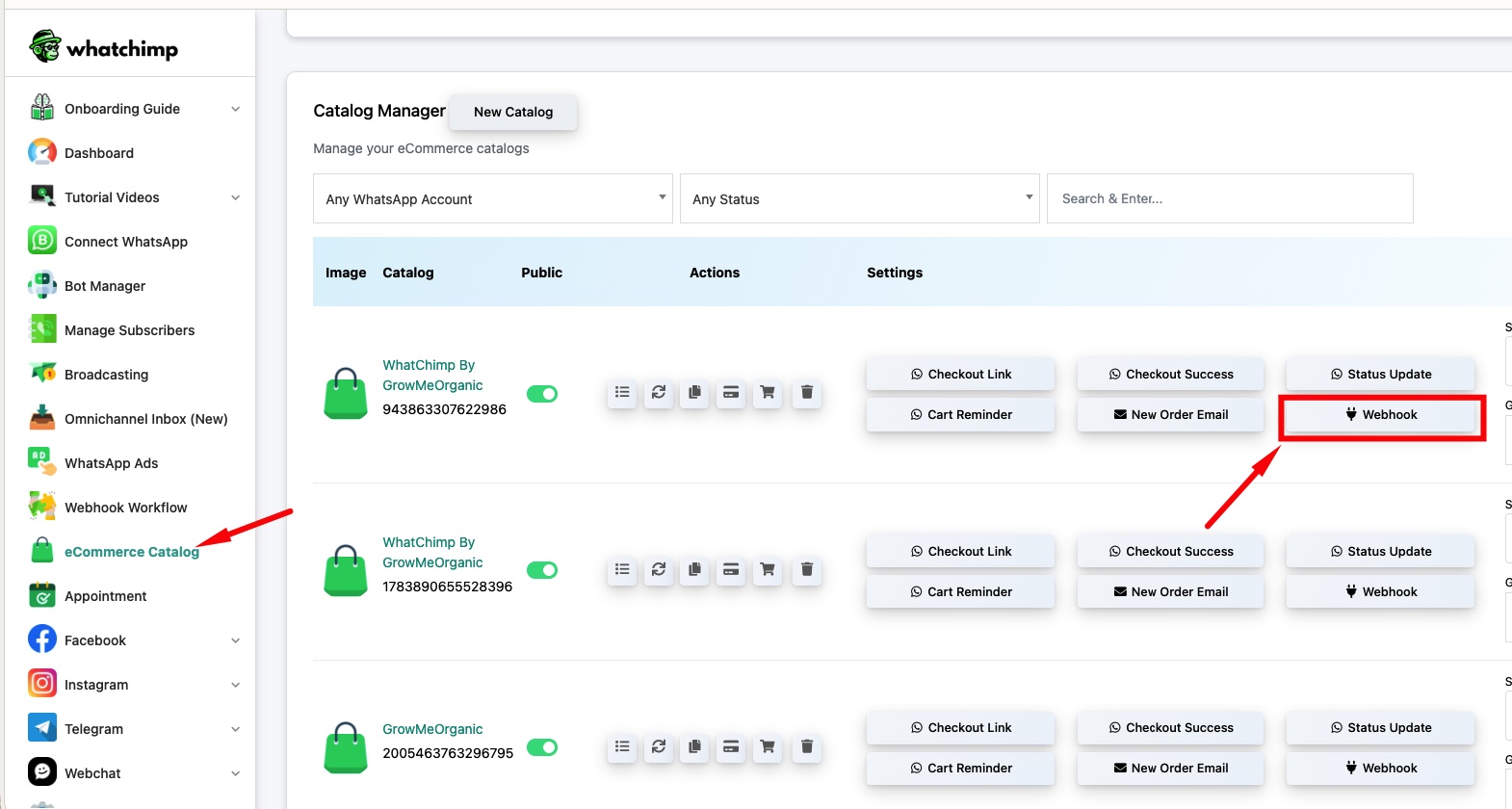
Step 2: Webhook Add Karein
Nayi webhook create karne ke liye New par click karein. Event Type select karein aur apna Webhook URL enter karein.
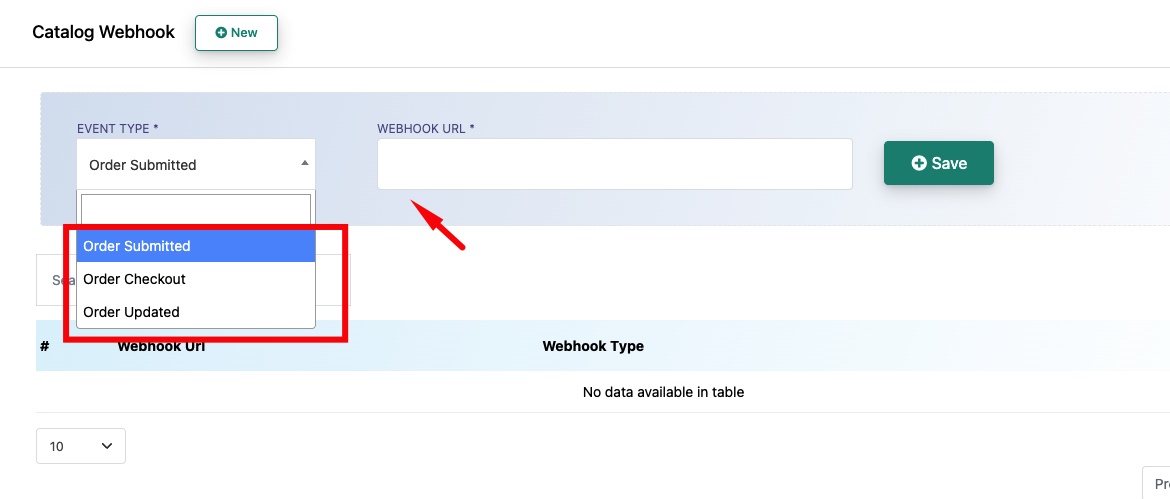
Event Type — Choose karein ki webhook kab fire honi chahiye:
- Order Submitted — Jab koi customer catalog ke through order submit karta hai
- Order Checkout — Jab koi customer checkout par jaata hai
- Order Updated — Jab existing order ko modify kiya jaata hai
Webhook URL — Woh endpoint jahan WhatChimp order data ko HTTP POST ke through bhejta hai.
Webhook activate karne ke liye Save par click karein. Aap alag-alag event types ke liye multiple webhooks add kar sakte hain.
Related Articles
WhatsApp Flows ke liye Webhook — WhatsApp form submissions par webhooks fire karein
Incoming aur Outgoing Messages ke liye Webhook — Saare messages ke liye webhooks fire karein