How to Delete Your Account (and Cancel Your Subscription Separately)
Permanently delete your WhatChimp account. Important: this does not cancel your paid subscription, you must cancel that separately through Stripe.
Updated 16 June 2026
Important: deleting your account does not cancel your subscription. WhatChimp subscriptions are billed through Stripe, which is separate from your account. If you are on a paid plan, deleting your account will not stop the billing. You must cancel your subscription yourself at whatchimp.com/manage-subscription, or you will keep getting charged even after your account is gone.
If you no longer need WhatChimp, you can permanently delete your account from the Account page. This removes your account and all of its data for good. Before you do, read the billing note above, because account deletion and subscription cancellation are two separate steps.
What deleting your account does
When you delete your account:
- It is scheduled for deletion and all of your data is removed permanently: chatbots, subscribers, broadcasts, templates, and settings.
- The action cannot be undone. There is no way to recover the data afterward.
- It does not touch your billing. Your Stripe subscription keeps running until you cancel it separately.
Before you delete: cancel your paid subscription
If you are on a paid plan, cancel your subscription first so you are not charged again:
- Go to whatchimp.com/manage-subscription.
- Cancel your active subscription there.
Doing this first means your billing is already stopped before the account is gone. If you are only on a free trial, you can skip this step.
How to delete your account
Step 1: Open your Account page
- Click your profile picture in the top right corner.
- Select Account from the menu.
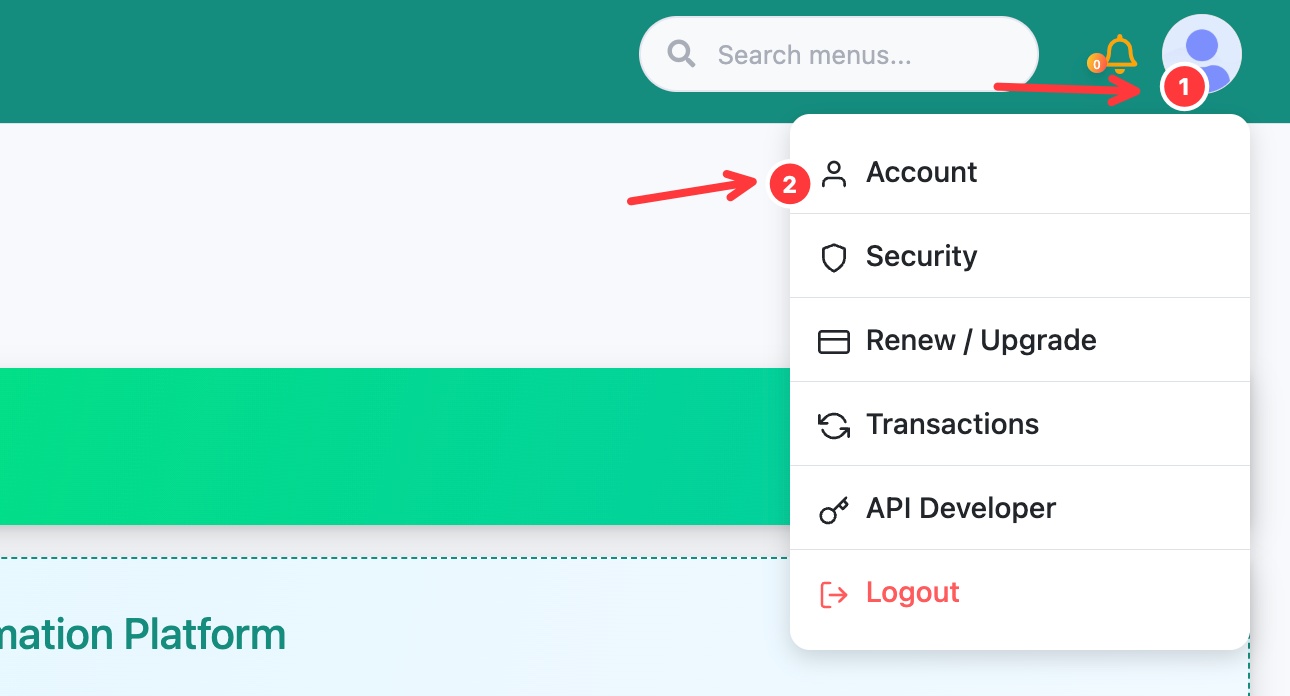 Open the profile menu, then click Account
Step 2: Delete the account
- Scroll down to the Delete Your Account section.
- Read the warning. It confirms your account will be scheduled for deletion and all data removed permanently.
- Click Delete Account and confirm.
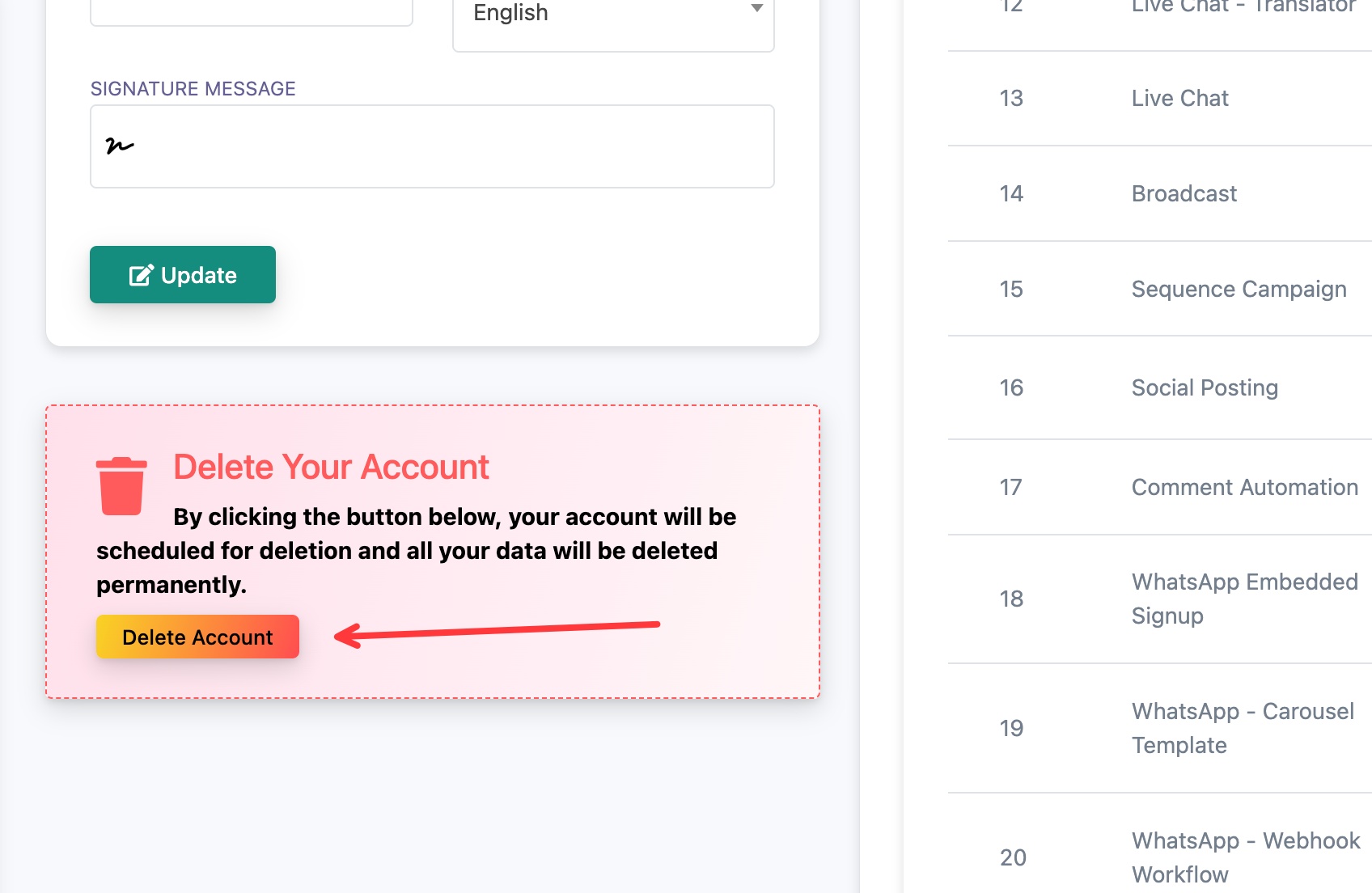 Scroll to Delete Your Account and click Delete Account
Your account is now scheduled for deletion and the data is removed.
After deleting: confirm your subscription is cancelled
This is the part people miss. Deleting your account does not cancel your paid subscription. Because billing runs through Stripe, you have to cancel it yourself at whatchimp.com/manage-subscription. If you have not already, do it now, otherwise the charges continue even though your account no longer exists.