User roles aur permissions kaise set up kare
Roles create karo, platform access configure karo, aur module-level permissions set karo
Updated 10 February 2026
User Permission se aap roles create kar sakte ho jo control karte hain ki aapke team members WhatChimp mein kya access kar sakte hain.
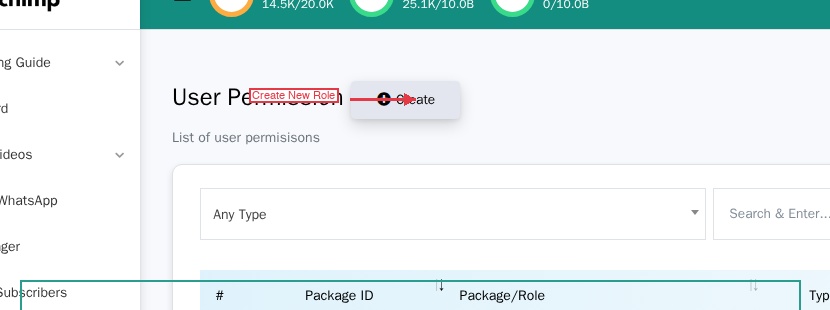
Yahan jao: Sidebar > User Permission
Role create karna
- Page ke top par Create par click karo.
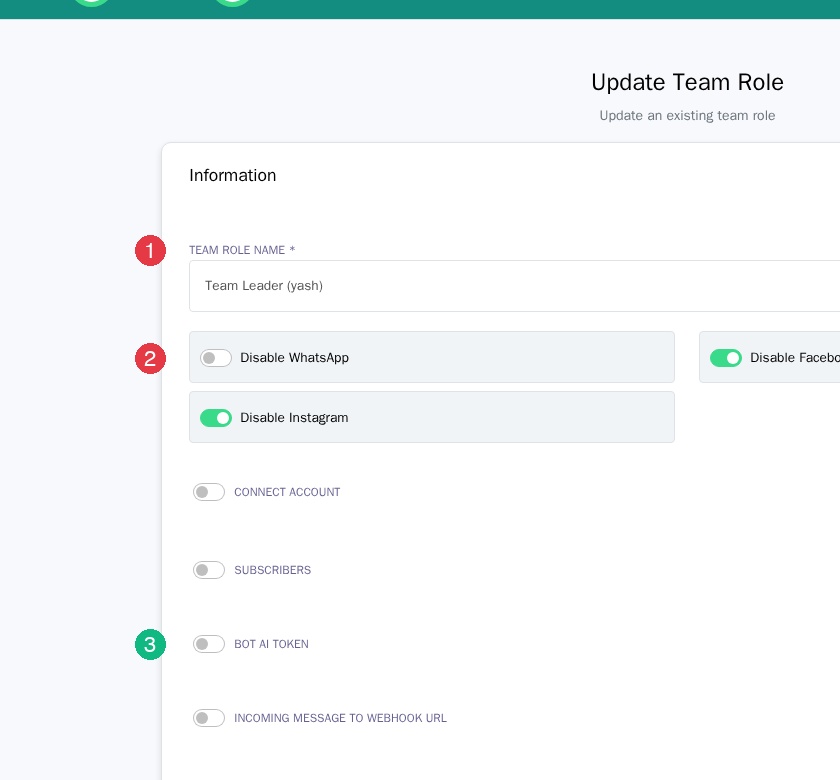
- Ek Team Role Name enter karo (jaise, "Support Agent", "Sales Team Leader").
- Platform access aur module permissions configure karo (neeche dekho).
- Save karne ke liye Update par click karo.
Platform access
Har role mein teen platform toggles hain. Toggles "Disable" kehte hain — toh unhe OFF rakhna matlab platform enabled hai.
| Toggle | OFF = | ON = |
|---|---|---|
| Disable WhatsApp | WhatsApp enabled | WhatsApp blocked |
| Disable Facebook | Facebook enabled | Facebook blocked |
| Disable Instagram | Instagram enabled | Instagram blocked |
WhatsApp-only role ke liye, "Disable WhatsApp" ko OFF rakho aur baaki do ko ON karo.
Module permissions
Platform toggles ke neeche module list hai. Har module mein hai:
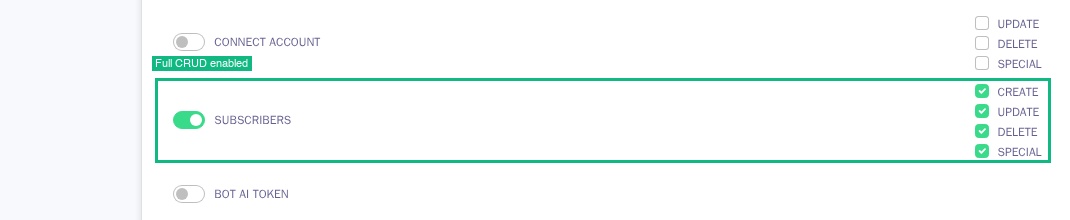
- Ek toggle — ON karo access dene ke liye, OFF karo block karne ke liye
- CRUD checkboxes (kuch modules) — Create, Update, Delete, aur Special
Saare modules mein CRUD nahi hai. Kuch (jaise Bot Manager ya Live Chat) bas on ya off hain.
Available modules
Core: Connect Account, Subscribers, Bot AI Token, Incoming Message to Webhook URL, Bot Manager, Live Chat, Live Chat - Number Mask, Live Chat - Translator, Live Chat - Advanced
Marketing: Broadcast, Social Posting, Comment Automation
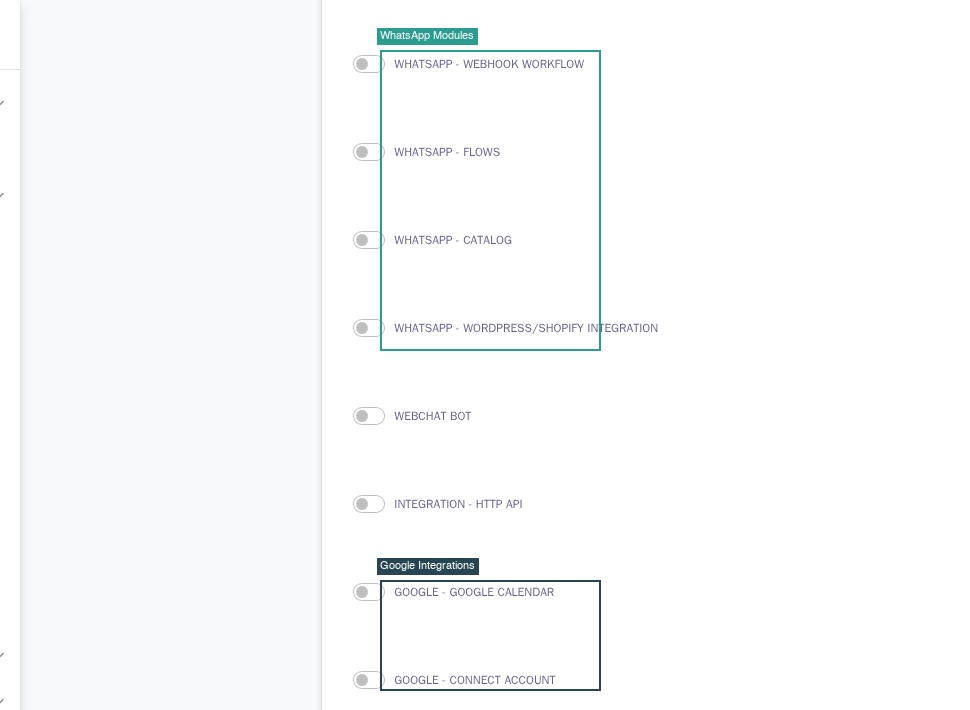
WhatsApp: Appointment System, Click Ads, Carousel Template, Webhook Workflow, Flows, Catalog, WordPress/Shopify Integration
Integrations: Webchat Bot, HTTP API, Google Calendar, Google Contacts, Google Sheet, Telegram Group Manager
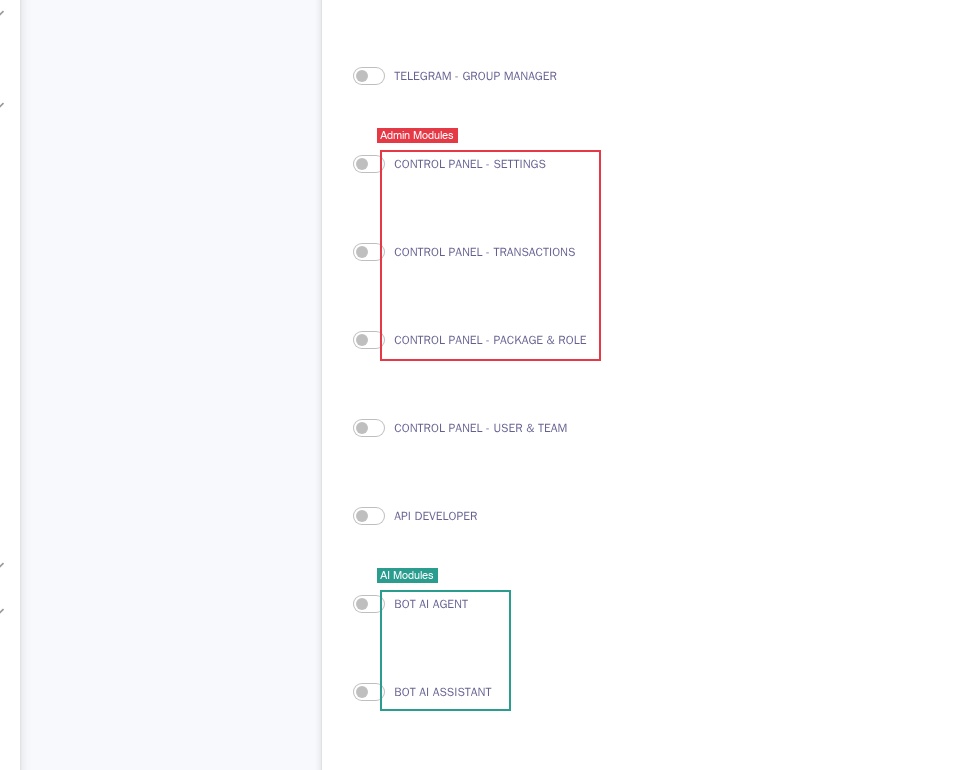
Admin: Control Panel - Settings, Transactions, Package & Role, User & Team, API Developer
AI: Bot AI Agent, Bot AI Assistant
Example roles
| Role | Platforms | Key Modules |
|---|---|---|
| Agent | Sirf WhatsApp | Subscribers (full CRUD), Live Chat, Translator, Live Chat Advanced |
| Team Leader | Sirf WhatsApp | Sab kuch jo Agent ke paas hai + Bot Manager |
| Full Admin | Saare platforms | Saare modules full CRUD ke saath. Kam use karo. |
Tip: Minimal permissions se start karo aur zarurat ke hisab se zyada add karo — access grant karna audit karne se zyada aasan hai ki kya revoke karna hai.