How to Set Up User Roles and Permissions
Create roles, configure platform access, and set module-level permissions
Updated 10 February 2026
User Permission lets you create roles that control what your team members can access in WhatChimp.
Go to: Sidebar > User Permission
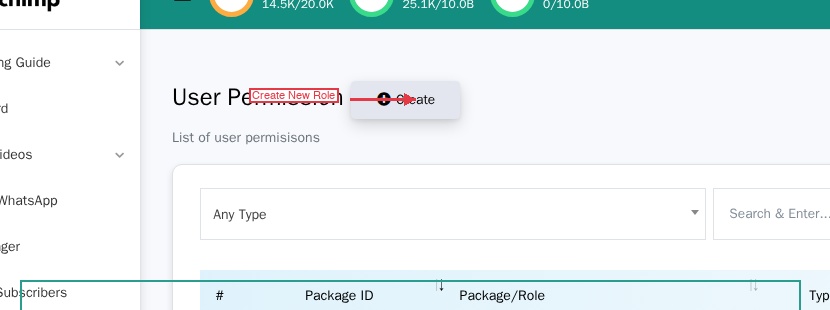
Create a Role
- Click Create at the top of the page.
- Enter a Team Role Name (e.g., "Support Agent", "Sales Team Leader").
- Configure platform access and module permissions (see below).
- Click Update to save.
Platform Access
Each role has three platform toggles. The toggles say "Disable" — so leaving them OFF means the platform is enabled.
| Toggle | OFF = | ON = |
|---|---|---|
| Disable WhatsApp | WhatsApp enabled | WhatsApp blocked |
| Disable Facebook | Facebook enabled | Facebook blocked |
| Disable Instagram | Instagram enabled | Instagram blocked |
For a WhatsApp-only role, leave "Disable WhatsApp" OFF and turn the other two ON.
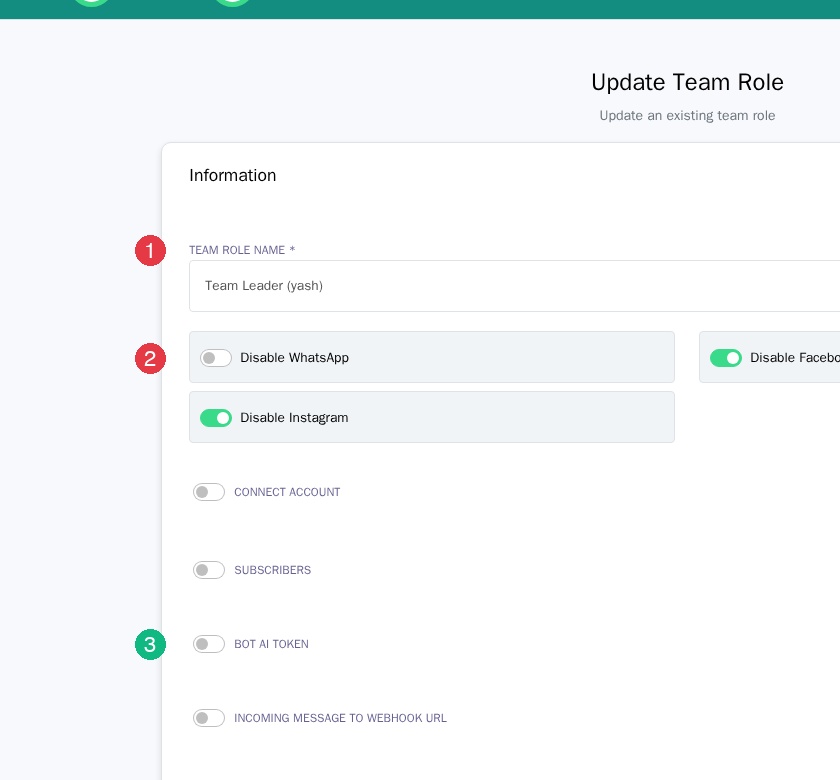
Module Permissions
Below the platform toggles is the module list. Each module has:
- A toggle — ON to grant access, OFF to block
- CRUD checkboxes (some modules) — Create, Update, Delete, and Special
Not all modules have CRUD. Some (like Bot Manager or Live Chat) are simply on or off.
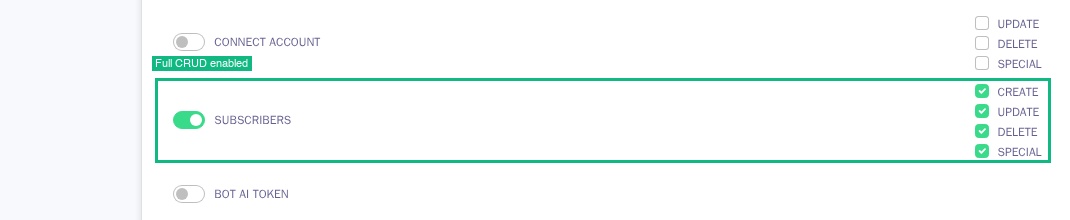
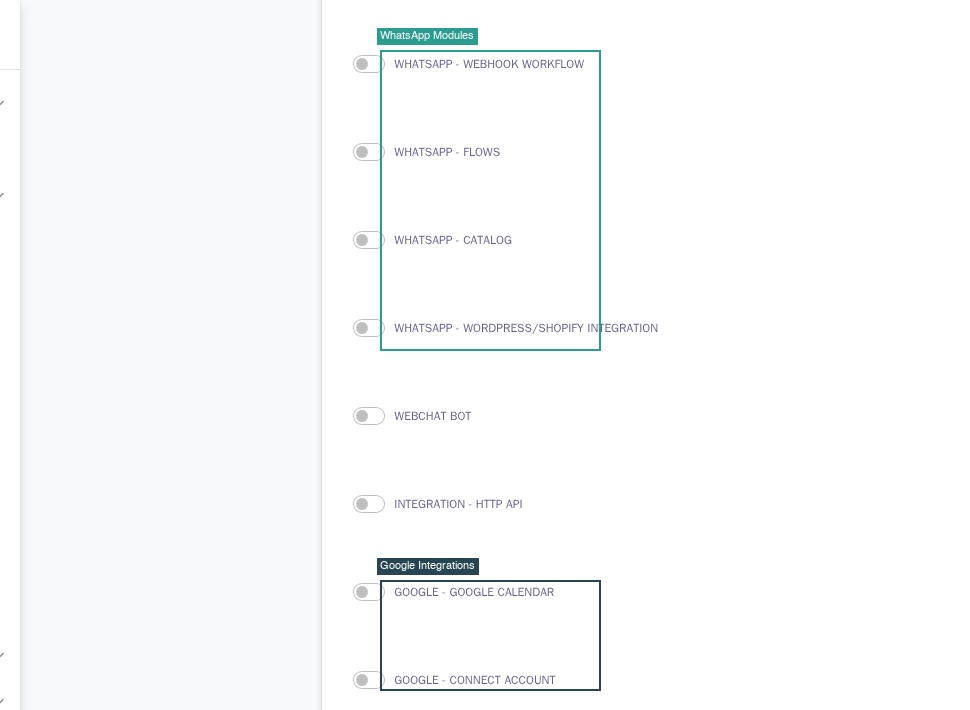
Available Modules
Core: Connect Account, Subscribers, Bot AI Token, Incoming Message to Webhook URL, Bot Manager, Live Chat, Live Chat - Number Mask, Live Chat - Translator, Live Chat - Advanced
Marketing: Broadcast, Social Posting, Comment Automation
WhatsApp: Appointment System, Click Ads, Carousel Template, Webhook Workflow, Flows, Catalog, WordPress/Shopify Integration
Integrations: Webchat Bot, HTTP API, Google Calendar, Google Contacts, Google Sheet, Telegram Group Manager
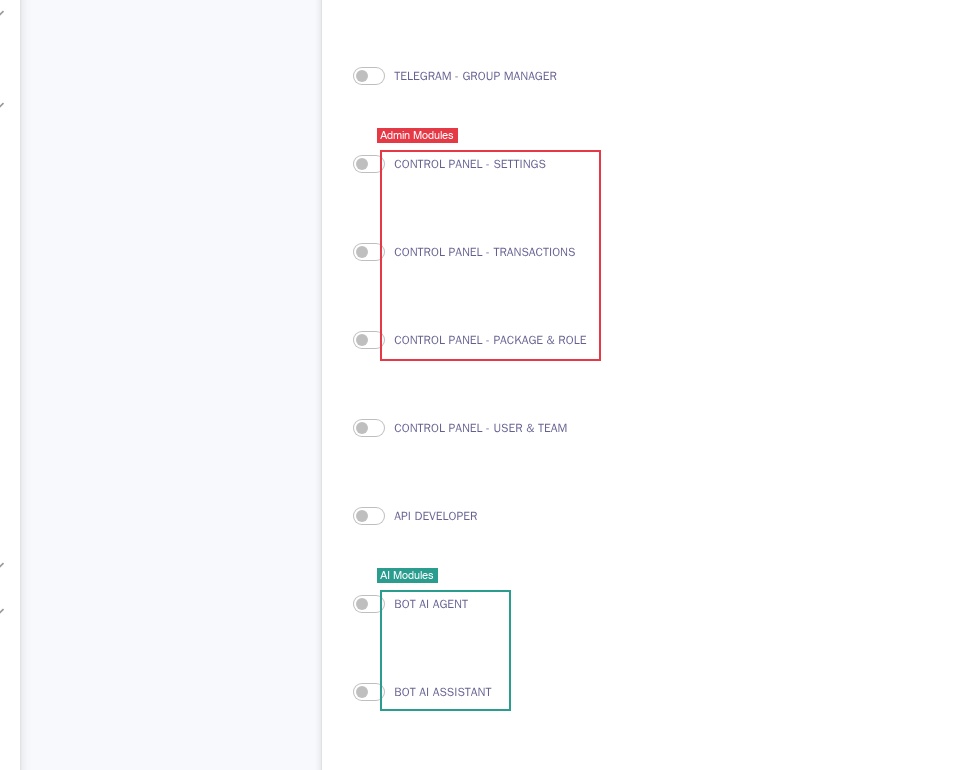
Admin: Control Panel - Settings, Transactions, Package & Role, User & Team, API Developer
AI: Bot AI Agent, Bot AI Assistant
Example Roles
| Role | Platforms | Key Modules |
|---|---|---|
| Agent | WhatsApp only | Subscribers (full CRUD), Live Chat, Translator, Live Chat Advanced |
| Team Leader | WhatsApp only | Everything an Agent has + Bot Manager |
| Full Admin | All platforms | All modules with full CRUD. Use sparingly. |
Tip: Start with minimal permissions and add more as needed — it's easier to grant access than to audit what to revoke.